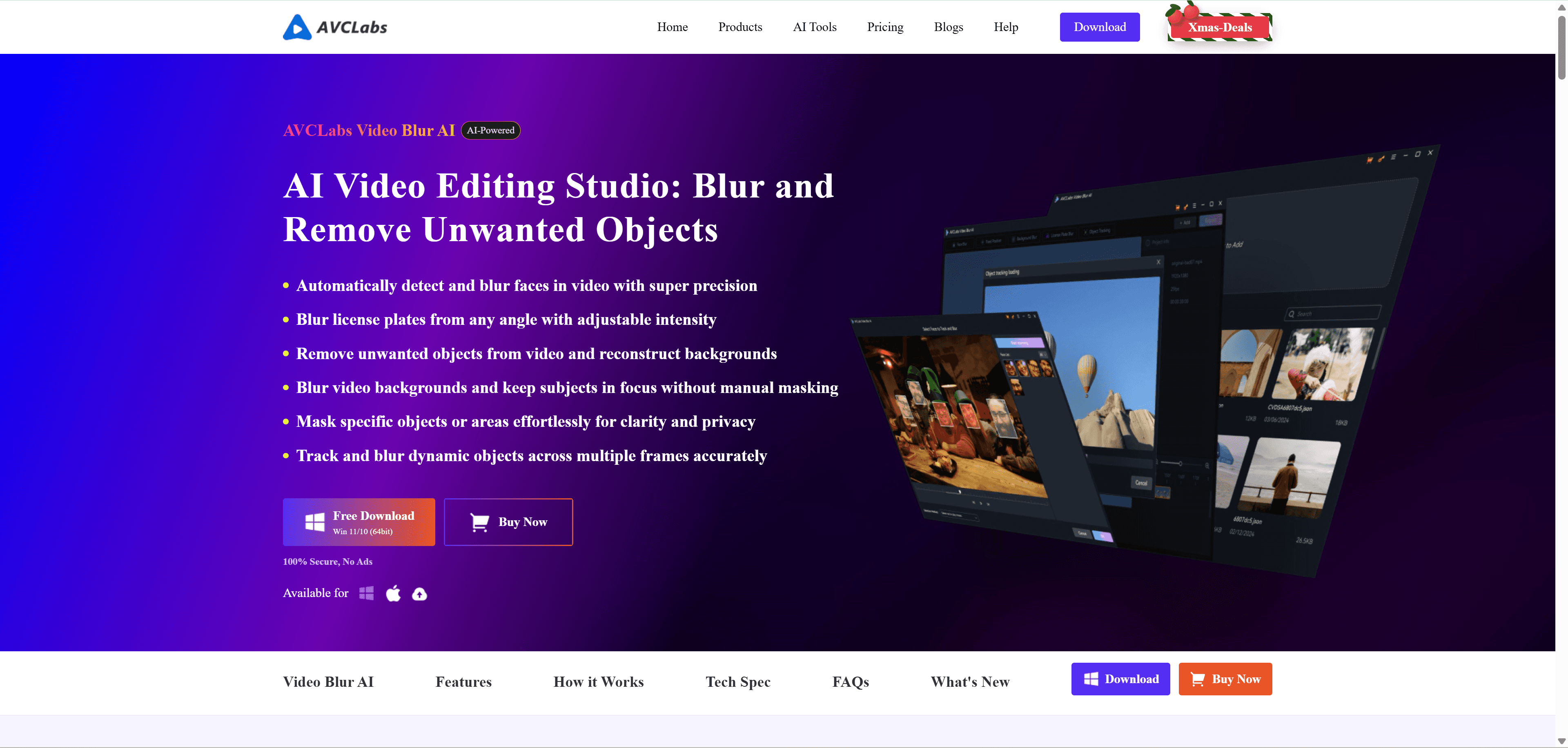
AVCLabs Video Blur AI is a desktop software that uses artificial intelligence to automatically blur faces, license plates, backgrounds, and other objects in your videos. Think of it as a privacy protection tool that works much faster than manually blurring things frame by frame in traditional video editors.
It's designed for anyone who needs to hide sensitive information in videos—whether you're a content creator protecting people's identities, a business handling surveillance footage, or just someone who wants to share home videos without revealing private details.
What It Actually Does
The software offers five main blurring features that work automatically:
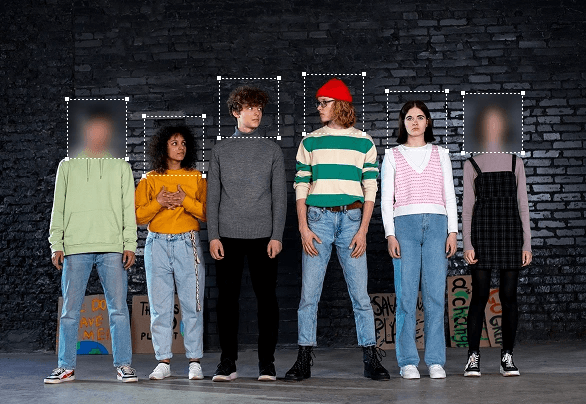
Face Blur: Automatically detects and blurs faces in your video. You can choose to blur all faces or select specific individuals. The AI tracks faces even as they move around the frame.
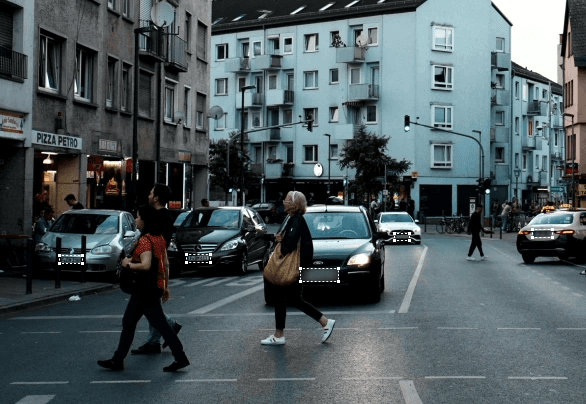
License Plate Blur: Identifies and blurs license plates from any angle. Useful for dashcam footage, street videos, or any content where you need to hide vehicle information.

Background Blur: Creates that professional depth-of-field effect by keeping your main subject sharp while blurring everything behind them. No green screen needed.

Object Tracking Blur: You can manually select any object or area, and the software will track and blur it throughout the video—even if it moves.
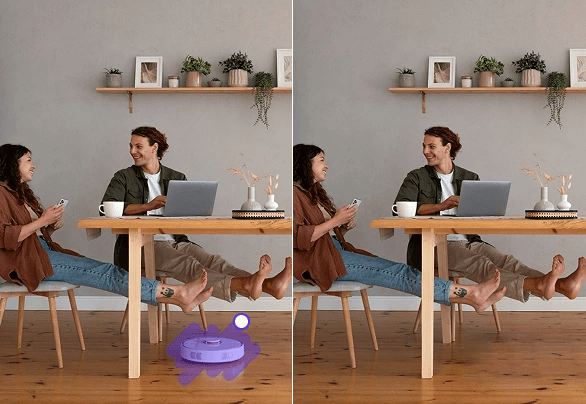
Object Removal: Goes beyond blurring by completely removing unwanted elements from your video and filling in the background automatically. Great for eliminating distractions like random people who walked into your shot.
Why You Might Need It
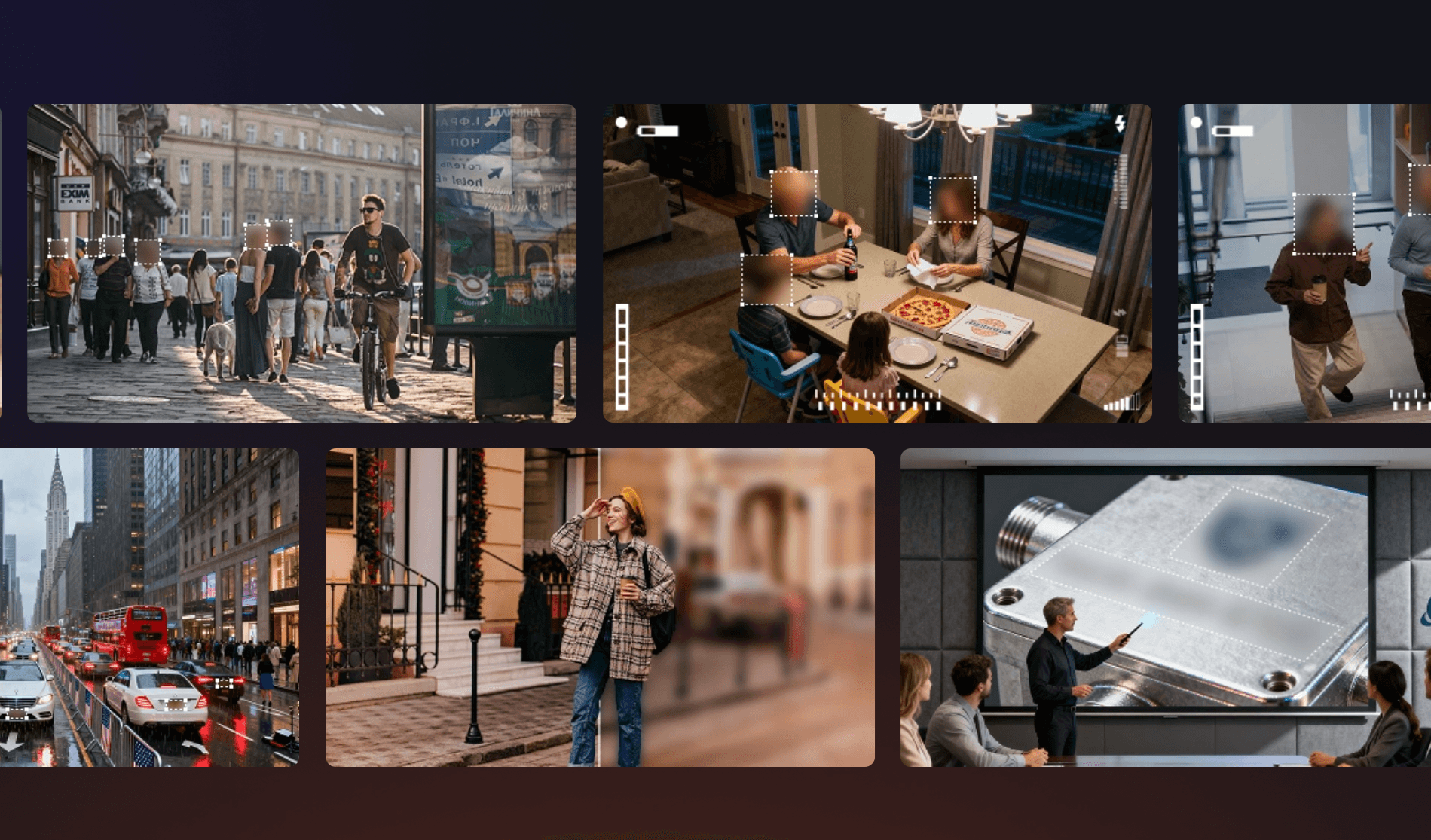
Here are some real-world situations where this software comes in handy:
Vlogging: You're filming in public and strangers appear in the background. Instead of losing that perfect shot, you can blur their faces.
Screen Recordings: You need to create a tutorial but don't want to show personal information like email addresses, passwords, or account details.
Business Compliance: Your company has surveillance footage or meeting recordings that need face blurring before sharing due to GDPR or other privacy regulations.
Home Videos: You want to share family videos on social media but need to protect your kids' privacy or blur your home address visible in the background.
Dashcam Footage: You captured something interesting on your dashcam but need to blur license plates before posting online.
How Easy Is It to Use?
According to user reviews, AVCLabs Video Blur AI is surprisingly straightforward, especially compared to professional video editors.
The basic workflow is simple:
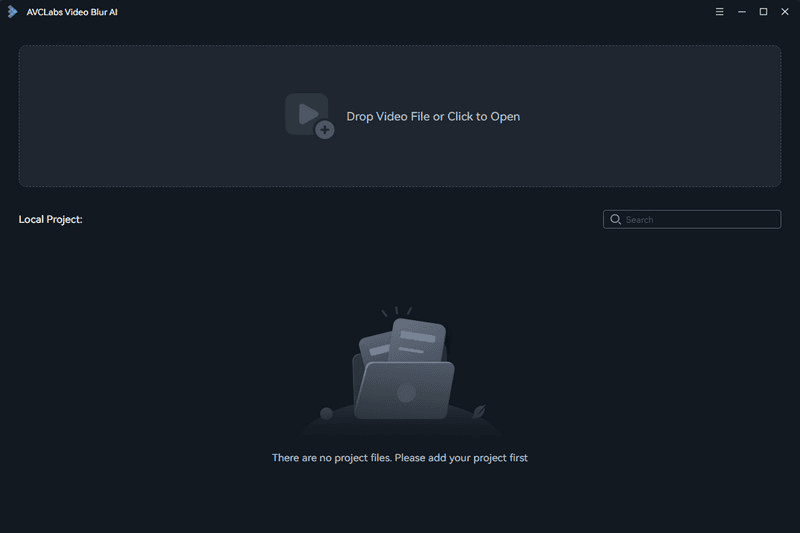
Import your video (drag and drop or browse)
Choose which blur task you want (face, license plate, background, etc.)
Adjust settings like blur intensity and area
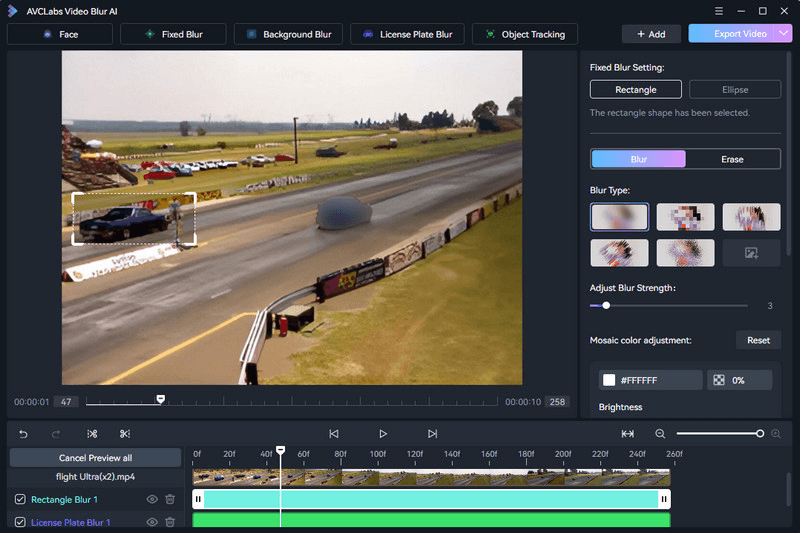
Click export
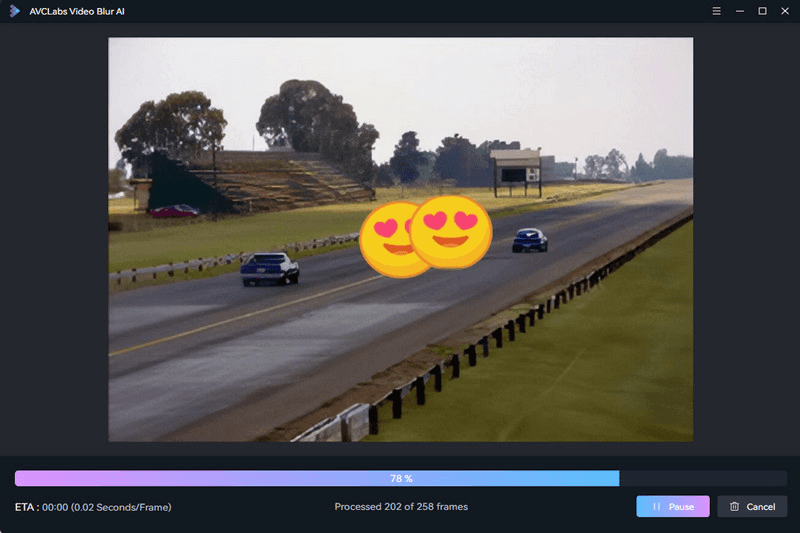
The software does the heavy lifting automatically. For face blurring, it scans the entire video and identifies all faces for you—you just decide which ones to blur. One user noted: "I was able to effortlessly blur out faces and brand logos with just a few clicks. The final video looked so professional and clean."
The interface is clean and intuitive, with real-time previews so you can see exactly what you're getting before processing the full video.
Performance & Quality
Based on user feedback and testing, the software delivers solid results for most use cases:
Accuracy: The AI face detection works well even in crowded scenes. It can handle multiple faces, different angles, and partial obstructions. One reviewer stated: "I'm absolutely blown away by the accuracy of this AI! It's able to seamlessly blur even the most complex and busy backgrounds."
Speed: Processing time depends on your video length and computer specs. The software supports GPU acceleration, which significantly speeds things up if you have a compatible graphics card.
Quality: The blurred output maintains the original video quality. You won't see quality loss or compression artifacts from the blurring process itself.
Tracking: The object tracking feature works smoothly for moving subjects. The blur stays locked on the target without jumpy or inconsistent coverage.
Pricing & Value
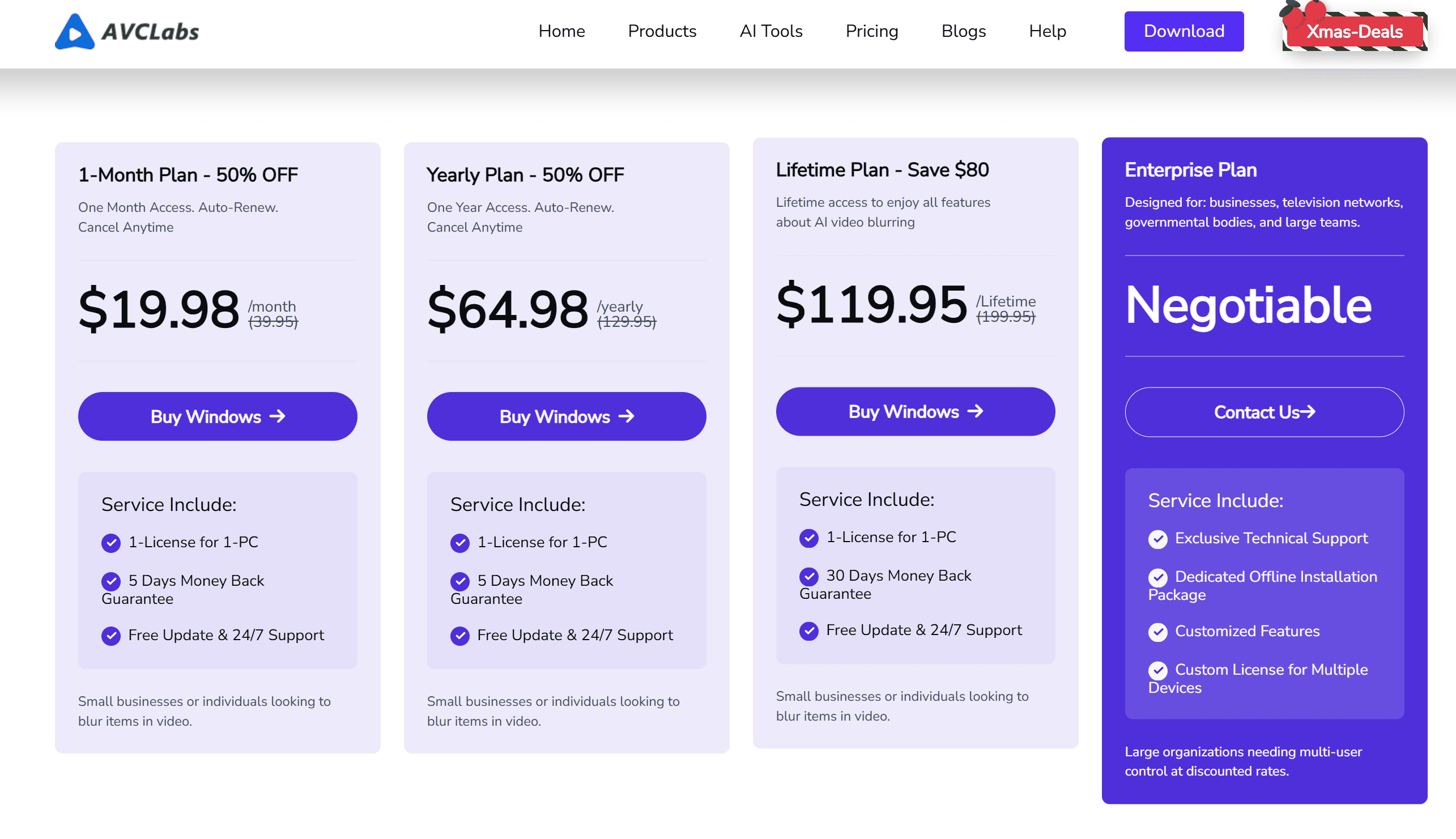
AVCLabs offers three pricing tiers with current promotional discounts:
1-Month Plan: $19.98/month (50% OFF from $39.95)
Yearly Plan: $64.98/year (50% OFF from $129.95)
Lifetime Plan: $119.95 one-time payment (Save $80 from $199.95)
All plans include 1-License for 1-PC, free updates, 24/7 support, and a money-back guarantee (ranging from 5-30 days depending on the plan).
Compared to professional video editing software subscriptions that can cost $20-50+ per month, AVCLabs' one-time lifetime payment option can be economical if you regularly need blurring features.
However, if you already own editing software like Filmora or Premiere Pro, those may include basic blurring tools—though they won't be as automated or specialized as AVCLabs.
Budget-Friendly Alternative: Nero Motion Tracker
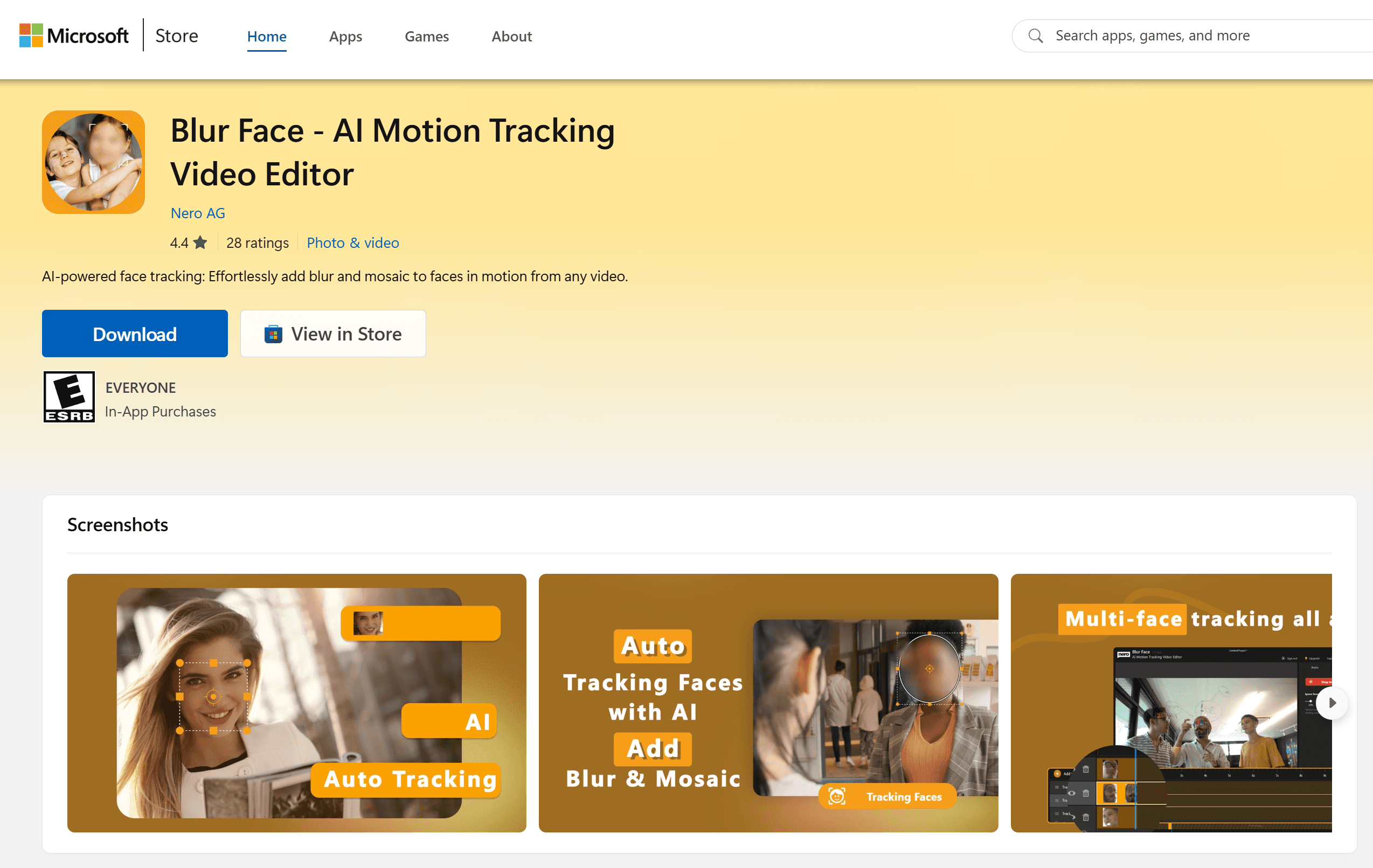
If AVCLabs' pricing feels steep for your needs, Nero Motion Tracker (also known as Nero AI Blur Face) offers a more affordable alternative worth considering.
👉 Free Download from Microsoft Store
What It Offers:
Nero Motion Tracker provides motion tracking functionality that continuously tracks specific areas in your videos and adapts to size changes. You can apply blur or mosaic effects to protect private information like faces, license plates, signs, and confidential documents. The software also lets you add personalized text captions with various fonts, sizes, and colors, or enhance videos with pre-designed clipart illustrations. Videos export in MP4 format without quality loss.
Pricing Structure:
The operation is remarkably simple, and you can use it for free—though free exports include a watermark. To remove the watermark, paid options are quite affordable:
Annual Subscription: $49.99/year
Monthly Subscription: $9.99/month
The software is actively being updated with new models, showing ongoing development and improvement.
Who Should Consider It:
While AVCLabs offers more automated AI detection and a broader feature set, Nero Motion Tracker is an excellent budget option for users who primarily need basic motion tracking blur functionality. It requires a bit more manual work (you select what to track rather than automatic face detection), but for simple projects and tighter budgets, it delivers solid results. If you're comfortable with a simpler interface and don't mind the hands-on approach, Nero Motion Tracker provides great value at a fraction of the cost.
Final Verdict
AVCLabs Video Blur AI excels at automated AI-powered privacy protection, making it ideal for content creators and businesses needing regular face, license plate, and object blurring.
If budget is a primary concern, consider Nero Motion Tracker (Blur Face) as an alternative. While it requires more manual work and lacks AVCLabs' automatic AI detection, it offers solid motion tracking blur functionality at just $49.99/year—significantly less than AVCLabs' pricing tiers.