Nero AI Video Upscaler
vs. CapCut
Nero AI Video Upscaler
vs. CapCut
Nero AI Video Upscaler
vs. CapCut
Nero AI Video Upscaler is a more advanced and precise alternative to CapCut Upscaler.
Nero AI Video Upscaler is a more advanced and precise alternative to CapCut Upscaler.
Nero AI Video Upscaler is a more advanced and precise alternative to CapCut Upscaler.
800k+
Upscaled Videos
85+
Countries
900k+
Downloads
800k+
800k+
Upscaled Videos
Upscaled Videos
85+
85+
Countries
Countries
900k+
900k+
Downloads
Downloads
Nero AI Video Upscaler vs.
CapCut Upscaler
Compare their key AI upscaling features, output options, preview tools, and workflows at a glance.
Feature
Nero AI Video Upscaler
CapCut
Upscaler
AI-enhanced output
Up to 8K
Up to 4K
AI model selection
6 content-specific models
General enhancement presets
Face enhancement
Dedicated video face model
Video retouching tools
Preview
3 comparison views
Standard editor preview
Batch processing
Multi-video processing
Project-based processing
Hardware acceleration
GPU and supported NPU
GPU acceleration
Frame interpolation
AI frame interpolation
Optical flow interpolation
Product focus
Dedicated video enhancement
All-in-one video editor
Local processing
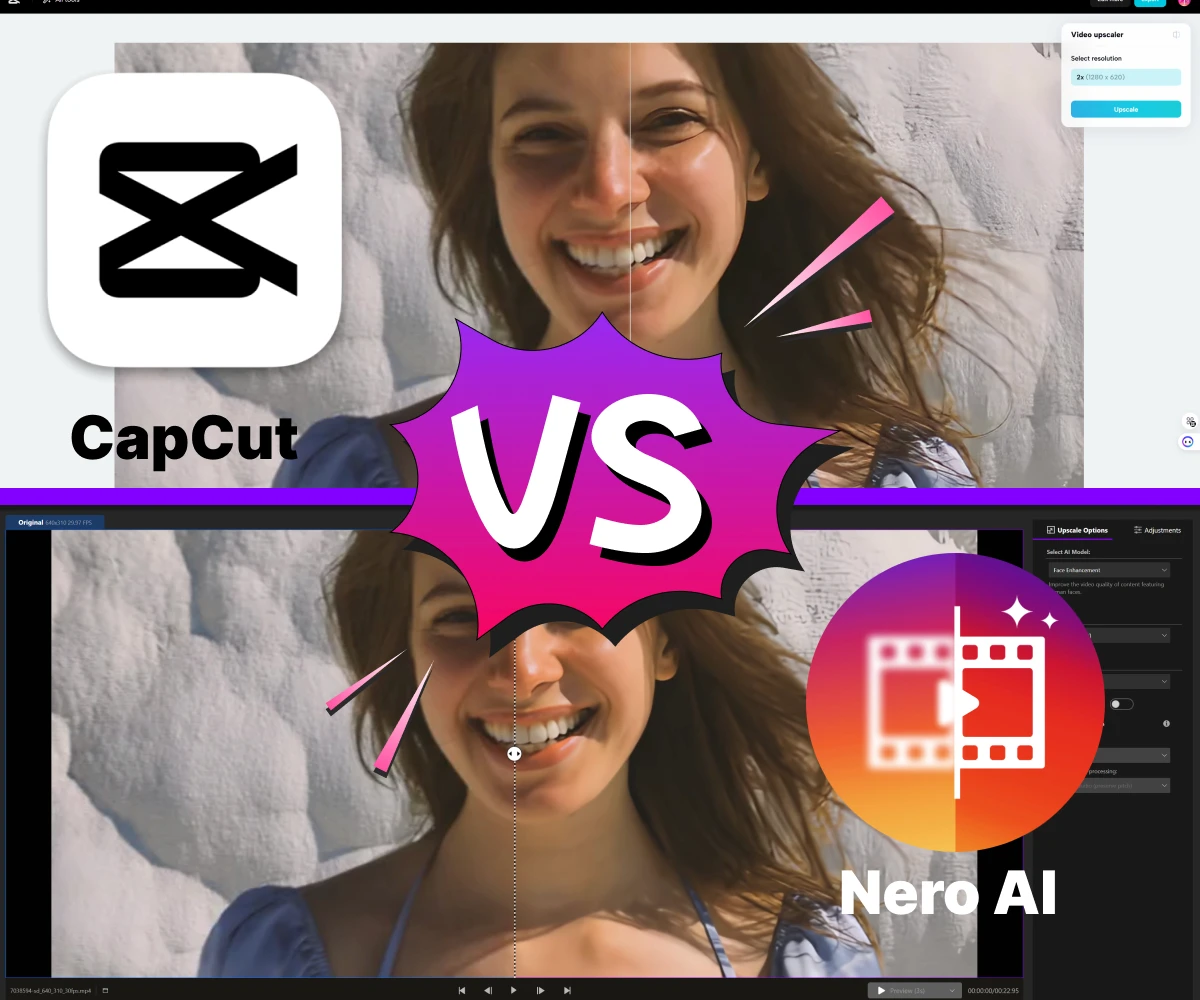
Before & After: CapCut vs Nero AI
Before & After: CapCut vs Nero AI
Before & After: CapCut vs Nero AI
Nero AI Video Upscaler vs. CapCut Upscaler
Nero AI Video Upscaler vs. CapCut Upscaler
Compare their key AI upscaling features, output options, preview tools, and workflows at a glance.
Compare their key AI upscaling features, output options, preview tools, and workflows at a glance.
Feature
Feature
Nero AI Video Upscaler
Nero AI Video Upscaler
CapCut Upscaler
CapCut
Upscaler
AI-enhanced output
AI-enhanced output
Up to 8K
Up to 8K
Up to 4K
Up to 4K
AI model selection
AI model selection
6 content-specific models
6 content-specific models
General enhancement presets
General enhancement presets
Face enhancement
Face enhancement
Dedicated video face model
Dedicated video face model
Video retouching tools
Video retouching tools
Preview
Preview
3 comparison views
3 comparison views
Standard editor preview
Standard editor preview
Batch processing
Batch processing
Multi-video processing
Multi-video processing
Project-based processing
Project-based processing
Hardware acceleration
Hardware acceleration
GPU and supported NPU
GPU and supported NPU
GPU acceleration
GPU acceleration
Frame interpolation
Frame interpolation
AI frame interpolation
AI frame interpolation
Optical flow interpolation
Optical flow interpolation
Product focus
Product focus
Dedicated video enhancement
Dedicated video enhancement
All-in-one video editor
All-in-one video editor
Why switch from CapCut to Nero AI Video Upscaler
Why switch from CapCut to Nero AI Video Upscaler
Why switch from CapCut to Nero AI Video Upscaler
CapCut combines video enhancement with a broader editing suite. Nero AI provides a focused workflow with specialized models, output up to 8K, and batch processing.
CapCut combines video enhancement with a broader editing suite. Nero AI provides a focused workflow with specialized models, output up to 8K, and batch processing.
CapCut combines video enhancement with a broader editing suite. Nero AI provides a focused workflow with specialized models, output up to 8K, and batch processing.

Free Download
Free Download
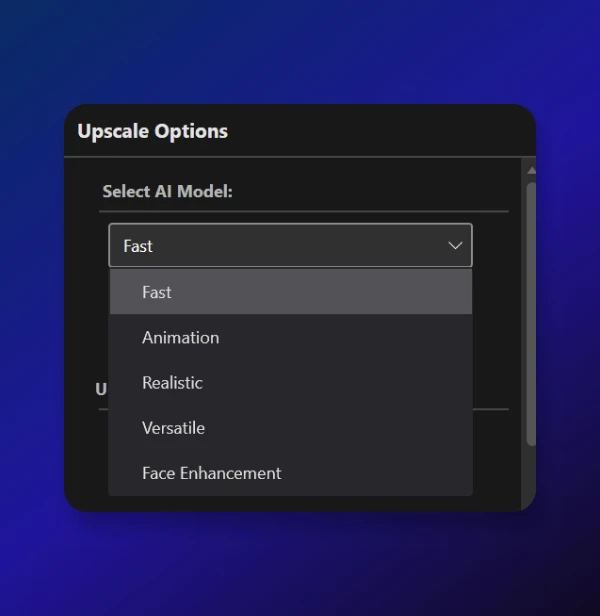
Six Specialized Video Models
Choose from Fast, Animation, Realistic, Versatile, Face Enhancement, and Restoration—six models designed for different footage and enhancement needs.
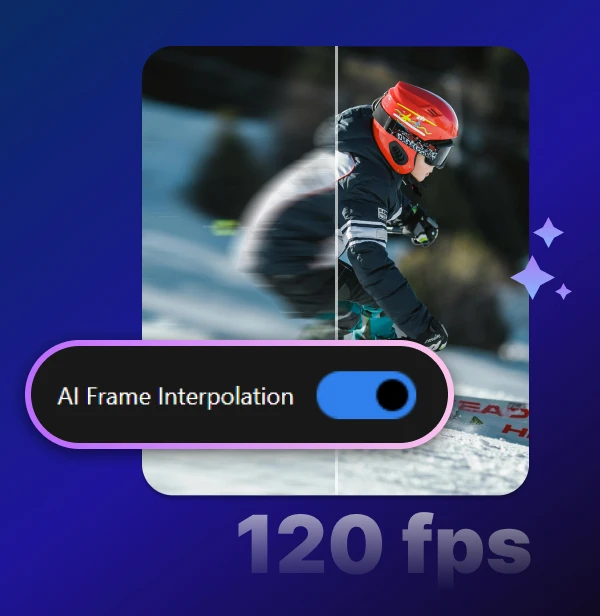
AI Frame Interpolation
Increase low-frame-rate footage up to 120 FPS for smoother motion, slow-motion effects, and more fluid playback.
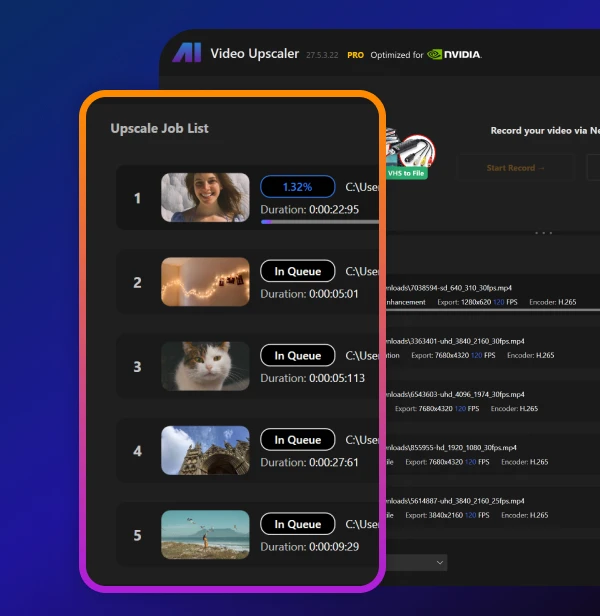
Batch Upscaling
Import multiple videos or entire folders, apply your preferred settings, and export them through a dedicated processing queue.
Six Specialized Video Models
Choose from Fast, Animation, Realistic, Versatile, Face Enhancement, and Restoration—six models designed for different footage and enhancement needs.
AI Frame Interpolation
Increase low-frame-rate footage up to 120 FPS for smoother motion, slow-motion effects, and more fluid playback.
Batch Upscaling
Import multiple videos or entire folders, apply your preferred settings, and export them through a dedicated processing queue.
Six Specialized Video Models
Choose from Fast, Animation, Realistic, Versatile, Face Enhancement, and Restoration—six models designed for different footage and enhancement needs.
AI Frame Interpolation
Increase low-frame-rate footage up to 120 FPS for smoother motion, slow-motion effects, and more fluid playback.
Batch Upscaling
Import multiple videos or entire folders, apply your preferred settings, and export them through a dedicated processing queue.
What makes us different?
What makes us different?
What makes us different?
A Focused Alternative
to CapCut Upscaler
A Focused Alternative
to CapCut Upscaler
A Focused Alternative
to CapCut Upscaler
Nero AI Video Upscaler is built specifically for video enhancement, with six specialized AI models, output up to 8K, frame interpolation up to 120 FPS, and a dedicated batch queue.
It’s designed for users who want to upscale and restore footage without navigating a full social-video editing workspace.
Nero AI Video Upscaler is built specifically for video enhancement, with six specialized AI models, output up to 8K, frame interpolation up to 120 FPS, and a dedicated batch queue.
It’s designed for users who want to upscale and restore footage without navigating a full social-video editing workspace.
Nero AI Video Upscaler is built specifically for video enhancement, with six specialized AI models, output up to 8K, frame interpolation up to 120 FPS, and a dedicated batch queue.
It’s designed for users who want to upscale and restore footage without navigating a full social-video editing workspace.
System and hardware requirements
System and hardware requirements
System and hardware requirements
Operating System
Windows 10 64-bit
Windows 11 64-bit
Operating System
Windows 10 64-bit
Windows 11 64-bit
System Memory (RAM)
Minimum: 8 GB RAM
Recommended: 32 GB RAM or above
System Memory (RAM)
Minimum: 8 GB RAM
Recommended: 32 GB RAM or above
Graphics Card (GPU)
Minimum: AMD Radeon 500 series / NVIDIA GeForce GTX 900 series or higher, 4 GB VRAM for Full HD upscaling to 4K
Recommended: AMD Radeon RX 6700 XT / NVIDIA GeForce RTX 3060 or higher, 12 GB VRAM for 4K upscaling to 8K
Disc Space
20 GB free space on system disk
Disc Space
Minimum: 20 GB free space on system disk
Disc Space
20 GB free space on system disk
CPU
AMD Ryzen / Intel Core processors released in 2017 or newer
CPU
AMD Ryzen / Intel Core processors released in 2017 or newer
Loved by 20k+ customers
Loved by 20k+ customers
Loved by 20k+ customers


This tool brilliantly upscaled my old product videos, enhancing details and boosting their overall appeal. No need to shoot new videos and save on the budget.

Jamie Teller
From Microsoft Store
This tool brilliantly upscaled my old product videos, enhancing details and boosting their overall appeal. No need to shoot new videos and save on the budget.
Jamie Teller
From Microsoft Store
I use it to upscale my old family videos. It's like taking a trip down memory lane in HD. A must-have for anyone wanting to preserve their treasured moments.

Alex Rivera
From Microsoft Store
I use it to upscale my old family videos. It's like taking a trip down memory lane in HD. A must-have for anyone wanting to preserve their treasured moments.
Alex Rivera
From Microsoft Store
Incrivel.já tinha testado vários outros com a mesma proposta, mas nenhum me permitia editar um vídeo com o tamanho e duração máxima. esse foi o primeiro.

Morgan Lee
From Feedback
Incrivel.já tinha testado vários outros com a mesma proposta, mas nenhum me permitia editar um vídeo com o tamanho e duração máxima. esse foi o primeiro.
Morgan Lee
From Feedback
I am fan of Nero burning ROM (good old days lol), and I think this app is awesome too. It has 3 different AI models, I use the anime model for my art projects and it can upscale to 4x and still look great.

Casey Jordan
From Microsoft Store
I use this along side other tools like davinci flowframes adobe etc... Never write reviews but im impressed with Neros programs

Taylor Kim
From Microsoft Store
Haven't tried any films/realistic video yet, but for cartoon/animation easily beats topaz. Also, much simpler to use, have been using topaz around two years. Wasn't happy with the cartoon/animation even with multiple passes and models.

Riley Smith
From Reddit
I use it to upscale my old family videos. It's like taking a trip down memory lane in HD. A must-have for anyone wanting to preserve their treasured moments.

Jordan Patels
From Microsoft Store
So easy and fast. Have been playing around with the app - seems to be solid and fairly easy to use as well.

Sam Dawson
From Microsoft Store
I've already upscaled some of my older and less high-quality recordings and I'm very happy with the result. I will still have all my videos of my daughter growing up improved through this program, because this makes the videos immensely enjoyable.

Eddy
From Amazon
We’ve got you covered
We’ve got you covered
We’ve got you covered
What is AI video upscaling?
AI video upscaling uses artificial intelligence to increase video resolution while rebuilding missing details frame by frame. With Nero AI Video Upscaler, you can turn low-resolution clips into clearer 1080p, 4K, or 8K videos.
How do I upscale a video with Nero AI Video Upscaler?
How does Nero AI Video Upscaler work?
Is there a free trial?
What types of videos can your upscaler handle?
