Nero AI Image Upscaler
vs. Topaz Gigapixel
Nero AI Image Upscaler
vs. Topaz Gigapixel
Nero AI Image Upscaler
vs. Topaz Gigapixel
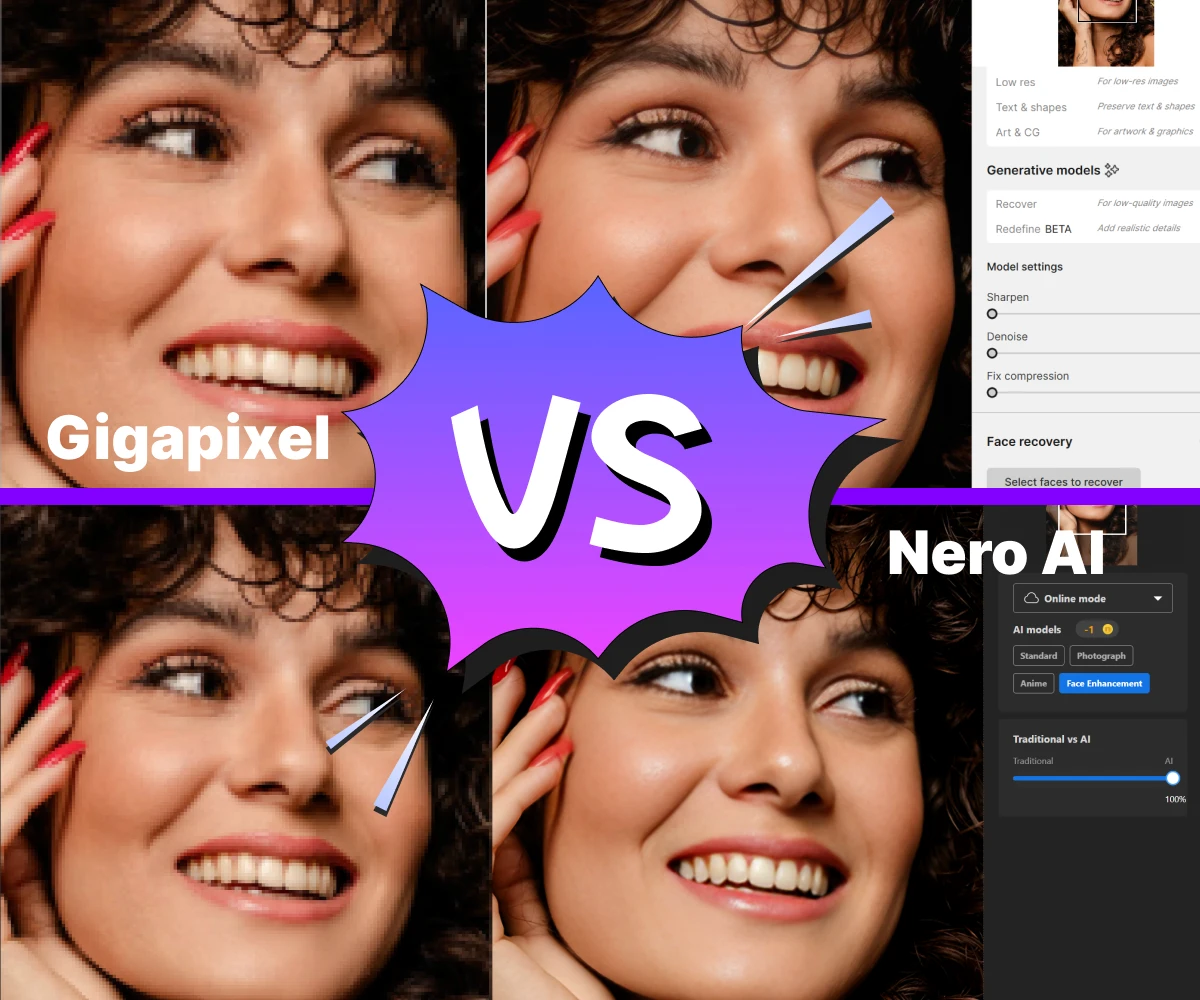
Nero AI Image Upscaler is the faster Topaz Gigapixel alternative for enlarging images to super resolution.
Nero AI Image Upscaler is the faster Topaz Gigapixel alternative for enlarging images to super resolution.
Nero AI Image Upscaler is the faster Topaz Gigapixel alternative for enlarging images to super resolution.
900k+
Upscaled Images
85+
Countries
600k+
Downloads
900k+
900k+
Upscaled Images
Upscaled Images
85+
85+
Countries
Countries
600k+
600k+
Downloads
Downloads
Upscale your images like they do
Upscale your images like they do
Upscale your images like they do
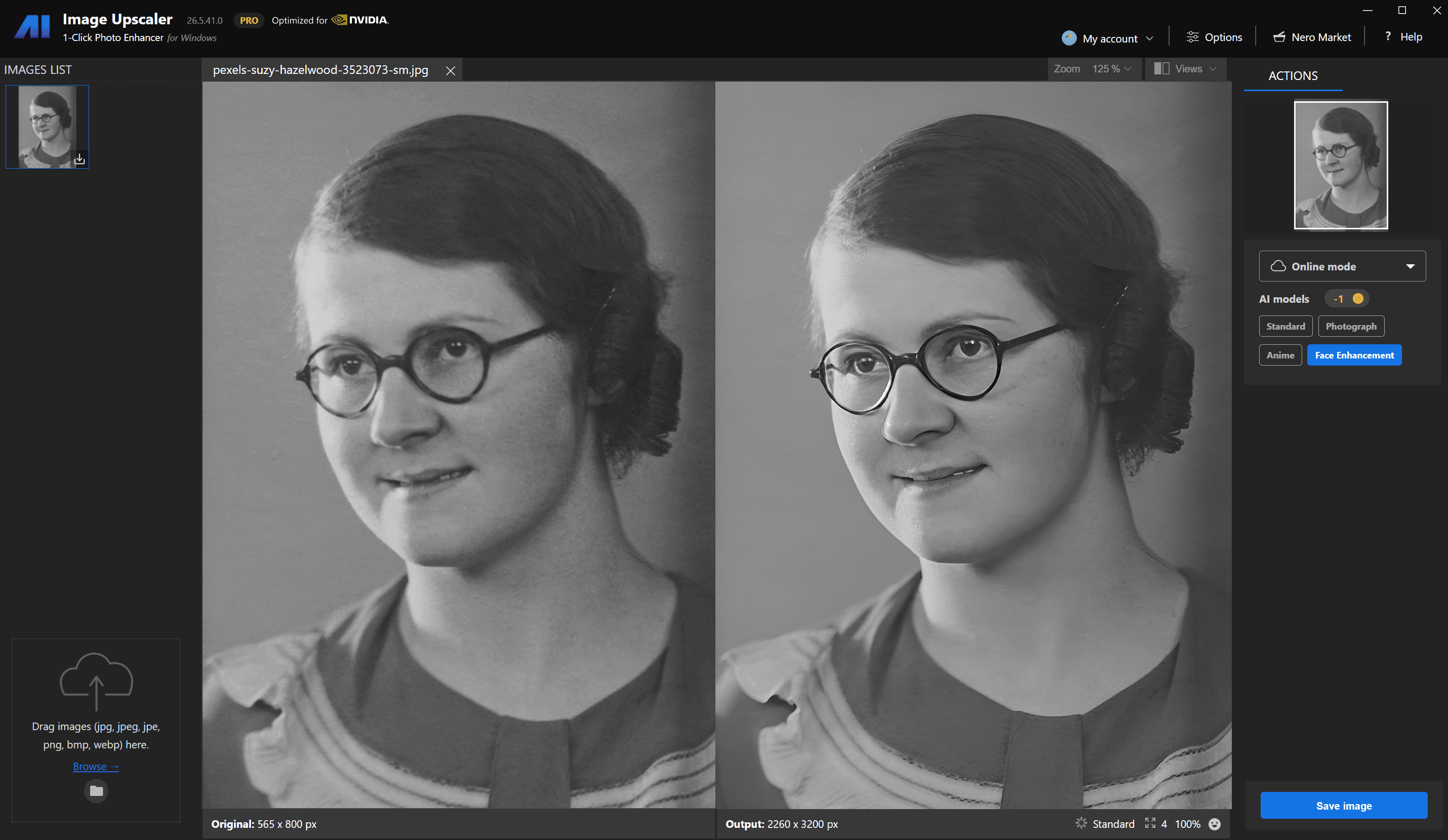
Haittie (Antique Collector)
"It is really easy to amplify the picture, I love the effect, my mom never looked more clearly than this moment!"
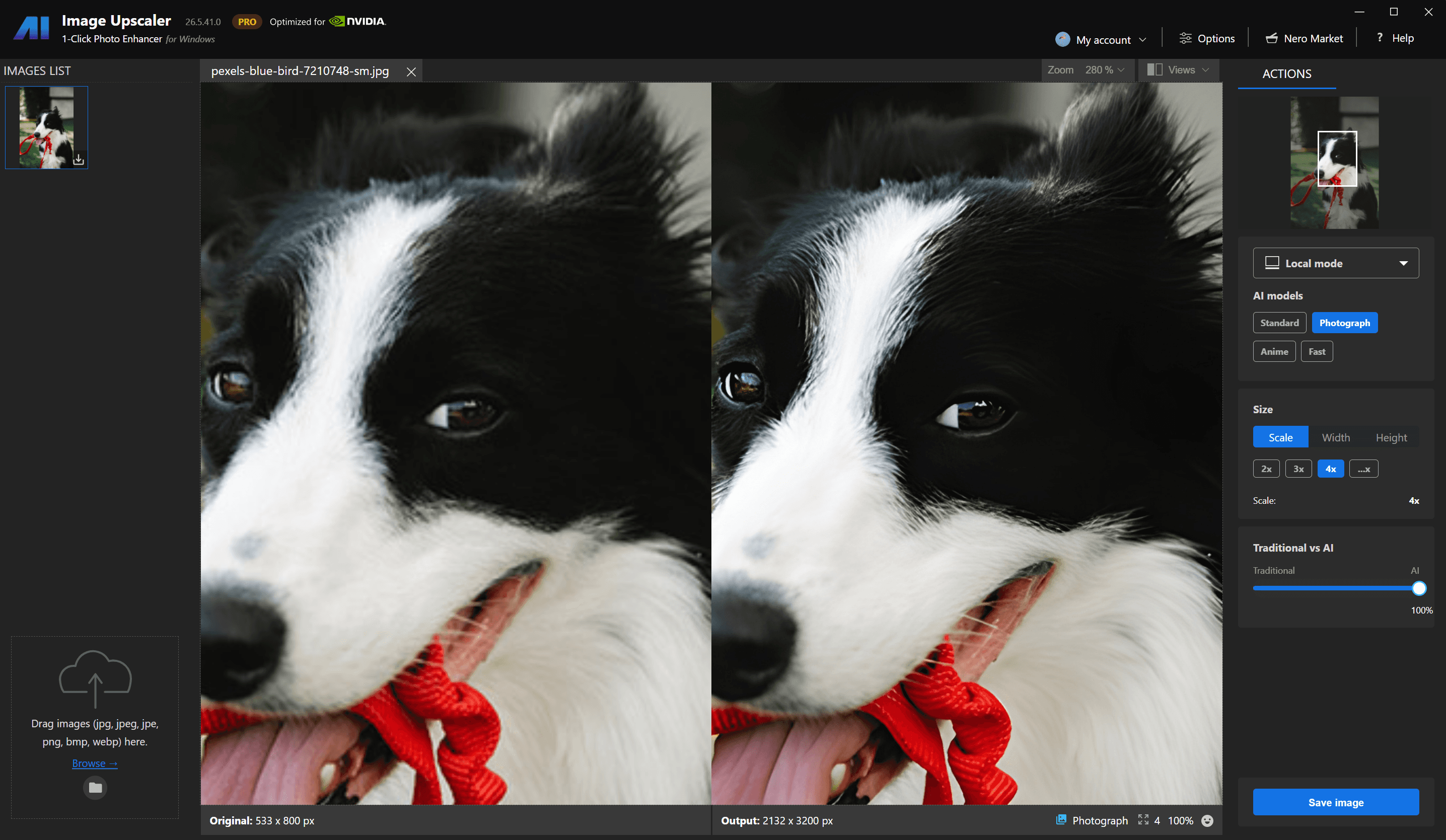
Yunzhe (Photographer)
"The picture of the dog is enlarged very well, the hair detail is very good, I printed the picture of the dog after enlarging it, it means a lot to me."
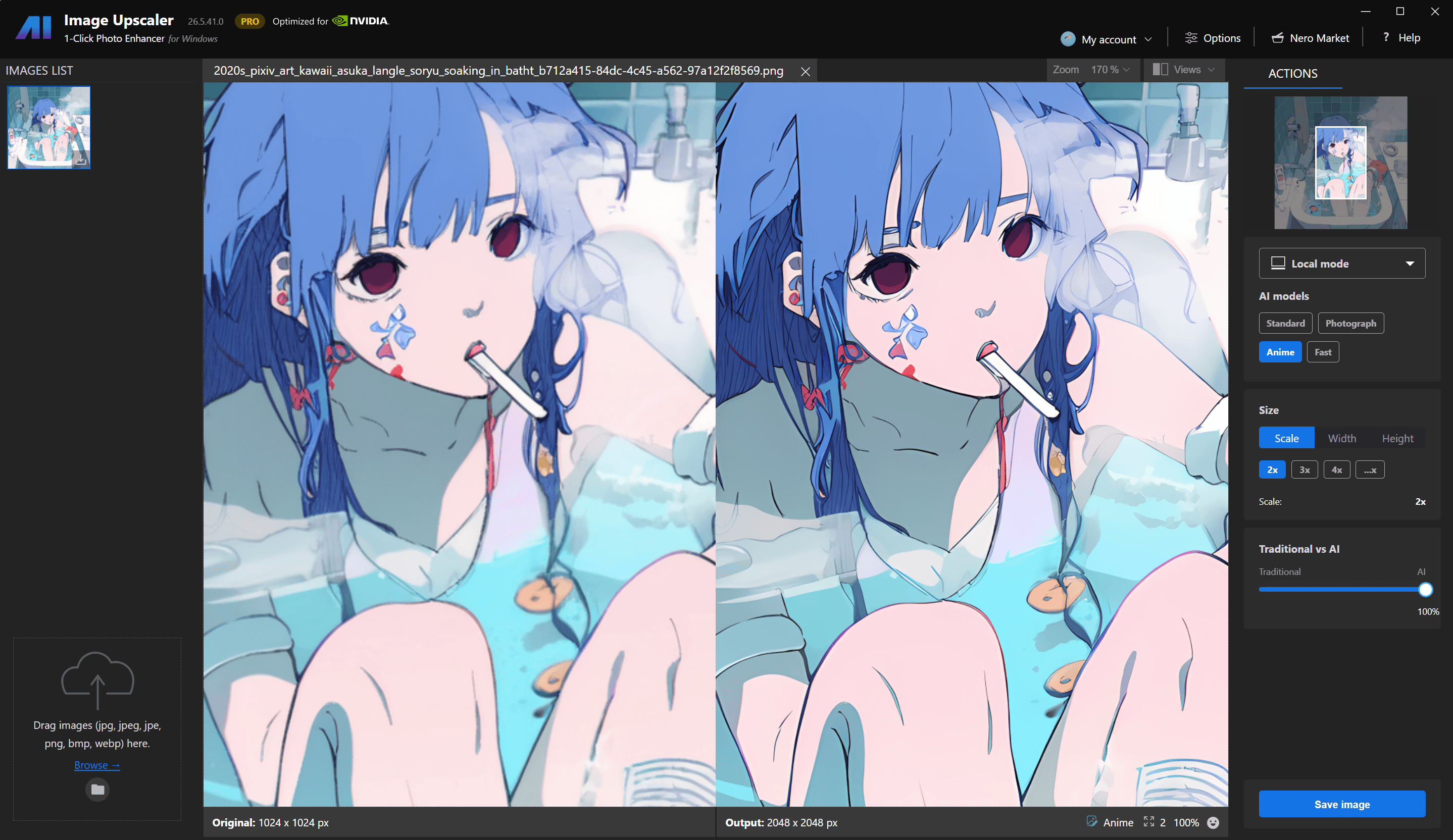
Casalingo (Student)
"Working in the world of digital printing, I know very well how important it is to be able to work with high-quality photos."
Ben (Designer)
"Nero AI Image Upscaler is ideal for improving e-commerce product photos, marketing images, and adding details to artistic digital photos."
Haittie (Antique Collector)
"It is really easy to amplify the picture, I love the effect, my mom never looked more clearly than this moment!"
Yunzhe (Photographer)
"The picture of the dog is enlarged very well, the hair detail is very good, I printed the picture of the dog after enlarging it, it means a lot to me."
Casalingo (Student)
"Working in the world of digital printing, I know very well how important it is to be able to work with high-quality photos."
Ben (Designer)
"Nero AI Image Upscaler is ideal for improving e-commerce product photos, marketing images, and adding details to artistic digital photos."
Haittie (Antique Collector)
"It is really easy to amplify the picture, I love the effect, my mom never looked more clearly than this moment!"
Yunzhe (Photographer)
"The picture of the dog is enlarged very well, the hair detail is very good, I printed the picture of the dog after enlarging it, it means a lot to me."
Casalingo (Student)
"Working in the world of digital printing, I know very well how important it is to be able to work with high-quality photos."
Ben (Designer)
"Nero AI Image Upscaler is ideal for improving e-commerce product photos, marketing images, and adding details to artistic digital photos."
Haittie (Antique Collector)
"It is really easy to amplify the picture, I love the effect, my mom never looked more clearly than this moment!"
Yunzhe (Photographer)
"The picture of the dog is enlarged very well, the hair detail is very good, I printed the picture of the dog after enlarging it, it means a lot to me."
Casalingo (Student)
"Working in the world of digital printing, I know very well how important it is to be able to work with high-quality photos."
Ben (Designer)
"Nero AI Image Upscaler is ideal for improving e-commerce product photos, marketing images, and adding details to artistic digital photos."
Haittie (Antique Collector)
"It is really easy to amplify the picture, I love the effect, my mom never looked clearly than this moment!"
Nero AI Image Upscaler vs. Topaz Gigapixel
Compare enlargement limits, batch support, system requirements, pricing, and workflow to find the right image upscaler for your needs.
Feature
Nero AI Image Upscaler
Topaz
Gigapixel
Maximum enlargement
Up to 8×
Up to 6×
Maximum output
Up to 32K
Up to 32K
Batch processing
Available
Available
8 GB RAM /
20 GB storage
16 GB RAM /
55 GB storage
Learning curve
Lower —
preset-led
Higher — more configurable
Interface languages
Multiple languages
English only
Annual subscription
$49.95/year
$228/year
Product focus
Streamlined image enhancement
Professional image restoration
Nero AI Image Upscaler vs. Topaz Gigapixel
Nero AI Image Upscaler vs.
Topaz Gigapixel
Compare enlargement limits, batch support, system requirements, pricing, and workflow to find the right image upscaler for your needs.
Feature
Nero AI Image Upscaler
Nero AI Image Upscaler
Topaz Gigapixel
Maximum enlargement
Maximum enlargement
Up to 8×
Up to 6×
Maximum output
Maximum output
Up to 32K
Up to 32K
Batch processing
Batch processing
Available
Available
Learning curve
Learning curve
Lower — preset-led
Higher — more configurable
Interface languages
Interface languages
Multiple languages
English only
Annual subscription
Annual subscription
$49.95/year
$228/year
Product focus
Product focus
Streamlined image enhancement
Professional image restoration
Why switch from Topaz Gigapixel to Nero AI Image Upscaler
Why switch from Topaz Gigapixel to Nero AI Image Upscaler
Why switch from Topaz Gigapixel to Nero AI Image Upscaler
Choose a more affordable image upscaler with seven specialized AI models
and lower minimum system requirements.
Choose a more affordable image upscaler with seven specialized AI models
and lower minimum system requirements.
Choose a more affordable image upscaler with seven specialized AI models
and lower minimum system requirements.

Free Download
Free Download

Lower Minimum Requirements
Nero starts with 8 GB RAM and 20 GB storage on Windows, compared with Topaz Gigapixel’s 16 GB RAM and 55 GB storage requirements.
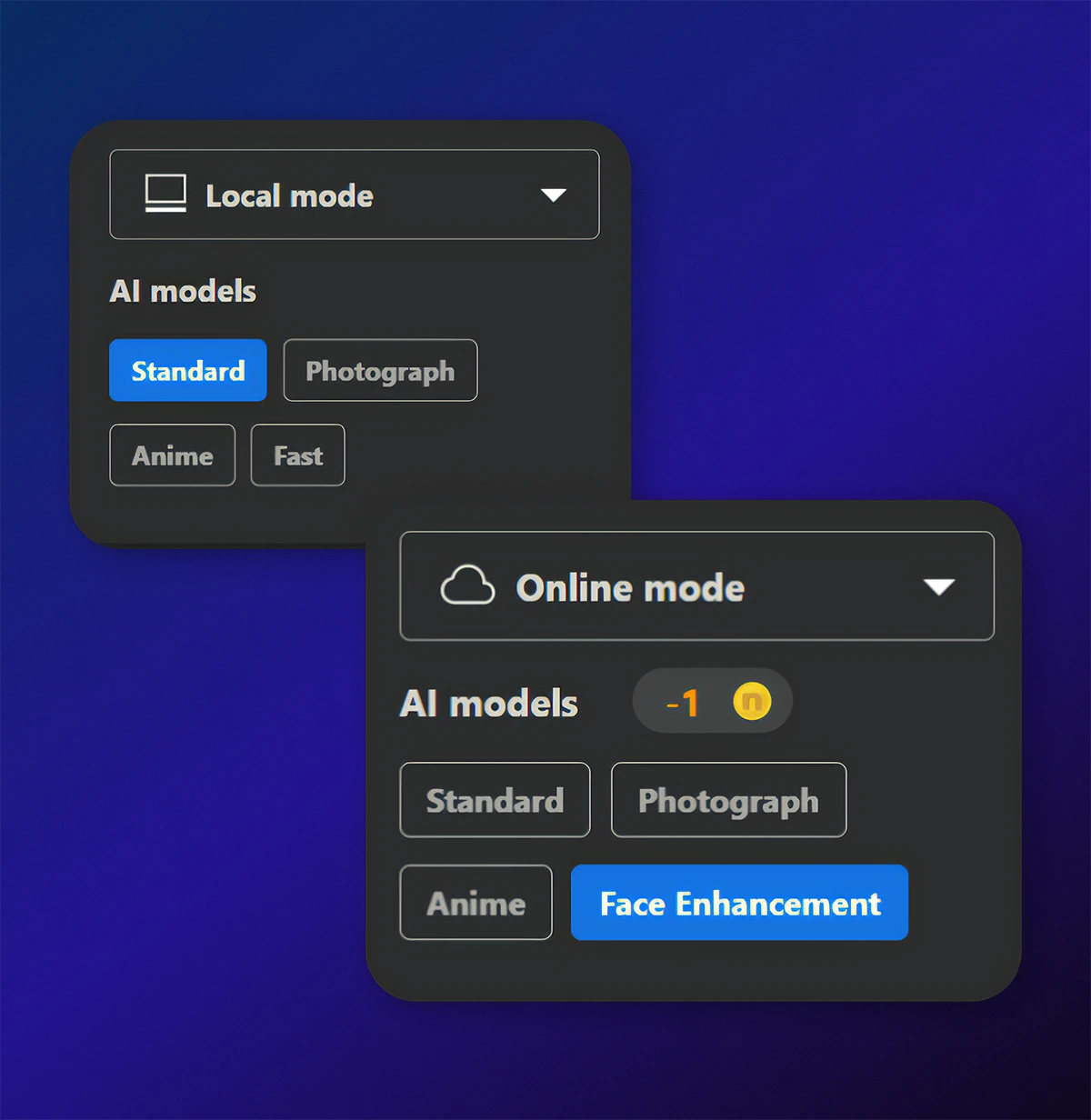
Seven Purpose-Built
AI Models
Choose from Standard, Photo, Anime, Iris, Face Enhancement, Sharpen, and Unblur for different image types and enhancement needs.
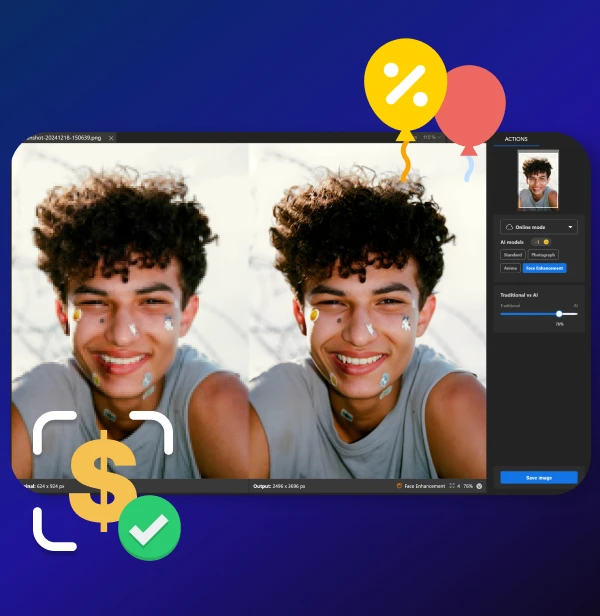
More Affordable
Get AI image upscaling with seven specialized models at a more accessible price than Topaz Gigapixel.
Lower Minimum Requirements
Nero starts with 8 GB RAM and 20 GB storage on Windows, compared with Topaz Gigapixel’s 16 GB RAM and 55 GB storage requirements.
Seven Purpose-Built AI Models
Choose from Standard, Photo, Anime, Iris, Face Enhancement, Sharpen, and Unblur for different image types and enhancement needs.
More Affordable
Get AI image upscaling with seven specialized models at a more accessible price than Topaz Gigapixel.
What makes us different?
What makes us different?
What makes us different?
A More Streamlined Alternative to Topaz Gigapixel
A More Streamlined Alternative to Topaz Gigapixel
A More Streamlined Alternative to Topaz Gigapixel
Nero AI Image Upscaler combines up to 8× enlargement with seven purpose-built models for photos, artwork, faces, fine details, sharpening, and blur removal.
Its straightforward workflow makes it easy to choose the right enhancement and preview the result before export.
Nero AI Image Upscaler combines up to 8× enlargement with seven purpose-built models for photos, artwork, faces, fine details, sharpening, and blur removal.
Its straightforward workflow makes it easy to choose the right enhancement and preview the result before export.
Nero AI Image Upscaler combines up to 8× enlargement with seven purpose-built models for photos, artwork, faces, fine details, sharpening, and blur removal.
Its straightforward workflow makes it easy to choose the right enhancement and preview the result before export.
Lower Minimum Requirements
Nero starts with 8 GB RAM and 20 GB storage on Windows, compared with Topaz Gigapixel’s 16 GB RAM and 55 GB storage requirements.
Seven Purpose-Built AI Models
Choose from Standard, Photo, Anime, Iris, Face Enhancement, Sharpen, and Unblur for different image types and enhancement needs.
More Affordable
Get AI image upscaling with seven specialized models at a more accessible price than Topaz Gigapixel.
Loved by 75k+ customers
Loved by 75k+ customers
Loved by 75k+ customers



As a graphic designer, I often work with low-resolution images from clients. This product effortlessly upscales images without losing detail, making my design work look professional.

As a blogger, I often need high-quality images for my articles. Nero AI Image Upscaler helps me enlarge and enhance stock photos to suit my needs perfectly.

Product images are crucial for my online store. Nero AI Image Upscaler has saved me so much time and money by allowing me to enhance product photos right from my PC.
We’ve got you covered
We’ve got you covered
We’ve got you covered
How do I use the Nero AI Image Upscaler?
To use the Nero AI Image Upscaler, you can download the app our official Nero Downloader. Import your image, select an AI model, and start processing. For more details, check our User Guide.
How does Nero AI Image Upscaler compare to Topaz Labs Gigapixel?
How does Nero AI Image Upscaler work?
Is there a free trial?
What types of images can your upscaler handle?
