Track any object automatically
Track any object automatically
Track any object automatically
Turn manual editing into automatic precision with Nero Motion Tracker. Use AI to track faces and objects, hide sensitive data with mosaic, and pin text to moving elements in a few clicks.
Turn manual editing into automatic precision with Nero Motion Tracker. Use AI to track faces and objects, hide sensitive data with mosaic, and pin text to moving elements in a few clicks.
Turn manual editing into automatic precision with Nero Motion Tracker. Use AI to track faces and objects, hide sensitive data with mosaic, and pin text to moving elements in a few clicks.
Segment Tracking
Segment Tracking
Segment Tracking
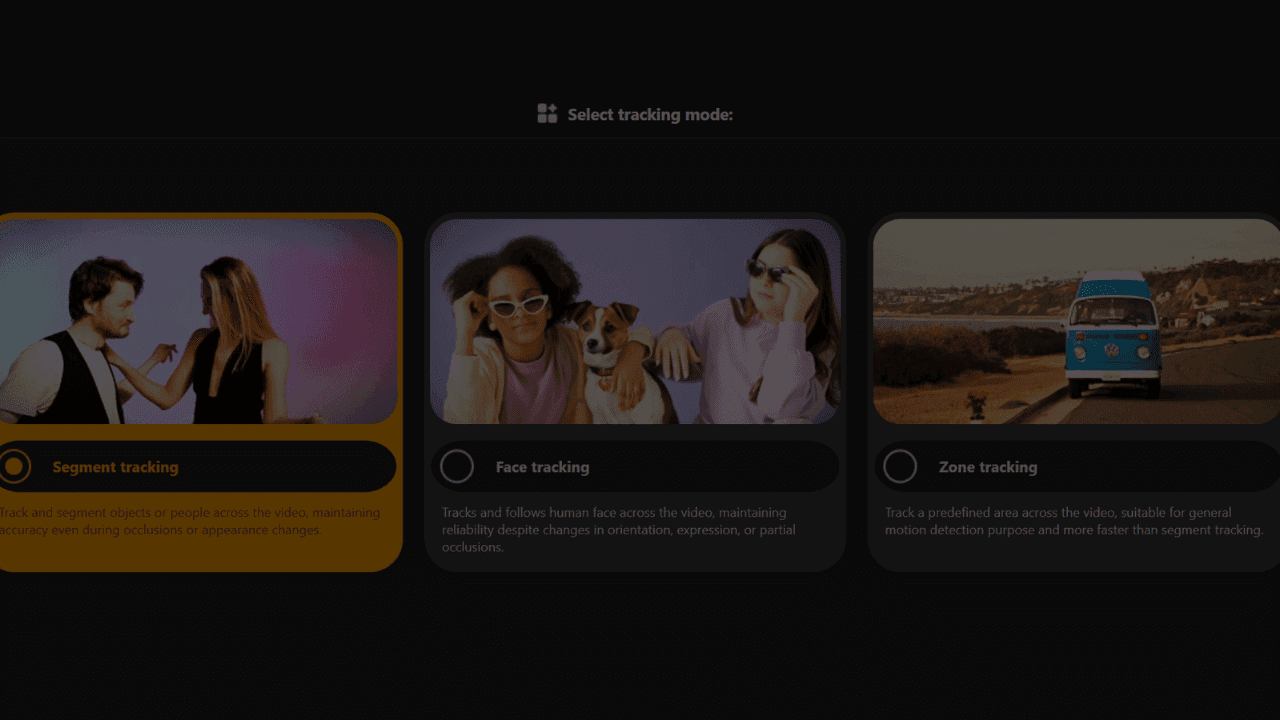
Track and segment objects or people across the video, maintaining accuracy even during occlusions or appearance changes.
Track and segment objects or people across the video, maintaining accuracy even during occlusions or appearance changes.
Face Tracking
Face Tracking
Face Tracking
Tracks and follows human faces across the video, maintaining reliability despite changes in orientation, expression, or partial occlusions.
Tracks and follows human faces across the video, maintaining reliability despite changes in orientation, expression, or partial occlusions.
Zone Tracking
Zone Tracking
Zone Tracking
Track a predefined area across the video, suitable for general motion detection purpose and more faster than segment tracking.
Track a predefined area across the video, suitable for general motion detection purpose and more faster than segment tracking.
Track and segment any object
Track and segment any object
Track and segment any object
Moving subjects often change angles, get blocked, or disappear behind others. Manually adjusting the tracking box frame-by-frame is tedious and inaccurate.
With Nero’s Segment Tracking, you can lock onto people or objects even when they change appearance or face occlusion. Easily pin text, clip art, or effects to the action and let AI handle the heavy lifting.
Moving subjects often change angles, get blocked, or disappear behind others. Manually adjusting the tracking box frame-by-frame is tedious and inaccurate.
With Nero’s Segment Tracking, you can lock onto people or objects even when they change appearance or face occlusion. Easily pin text, clip art, or effects to the action and let AI handle the heavy lifting.
Install & Track Now
Auto-detect and protect faces
Auto-detect and protect faces
Auto-detect and protect faces
Interviews and public footage often contain faces that need anonymity. Tracking them as they move, turn, or change expression is a manual nightmare for editors.
Use Nero’s Face Tracking to automatically recognize and follow human faces across the video. Apply mosaic or blur effects instantly to hide identities without editing a single frame manually.
Interviews and public footage often contain faces that need anonymity. Tracking them as they move, turn, or change expression is a manual nightmare for editors.
Use Nero’s Face Tracking to automatically recognize and follow human faces across the video. Apply mosaic or blur effects instantly to hide identities without editing a single frame manually.
Install & Track Now
Fast zone tracking & export
Fast zone tracking & export
Fast zone tracking & export
For general motion detection or covering specific areas like license plates, you need a solution that is fast and doesn't bog down your system.
Nero’s Zone Tracking covers predefined areas faster than other modes. It utilizes NVIDIA GPU acceleration to process quickly and export your final MP4 without losing the original video quality.
For general motion detection or covering specific areas like license plates, you need a solution that is fast and doesn't bog down your system.
Nero’s Zone Tracking covers predefined areas faster than other modes. It utilizes NVIDIA GPU acceleration to process quickly and export your final MP4 without losing the original video quality.
Install & Track Now
Video Power Bundle
Video Power Bundle
Take your video production to the next level with a powerful editing suite combined with cutting-edge AI motion tracking technology.
✔ Nero Video 2026 $55.95
✔ Nero Motion Tracker Pro $49.99
✔ 1 Year Free Updates
Take your video production to the next level with a powerful editing suite combined with cutting-edge AI motion tracking technology.
✔ Nero Video 2026 $55.95
✔ Nero Motion Tracker Pro $49.99
✔ 1 Year Free Updates
$74.15 $105.94
(TAX INC.)
-30%
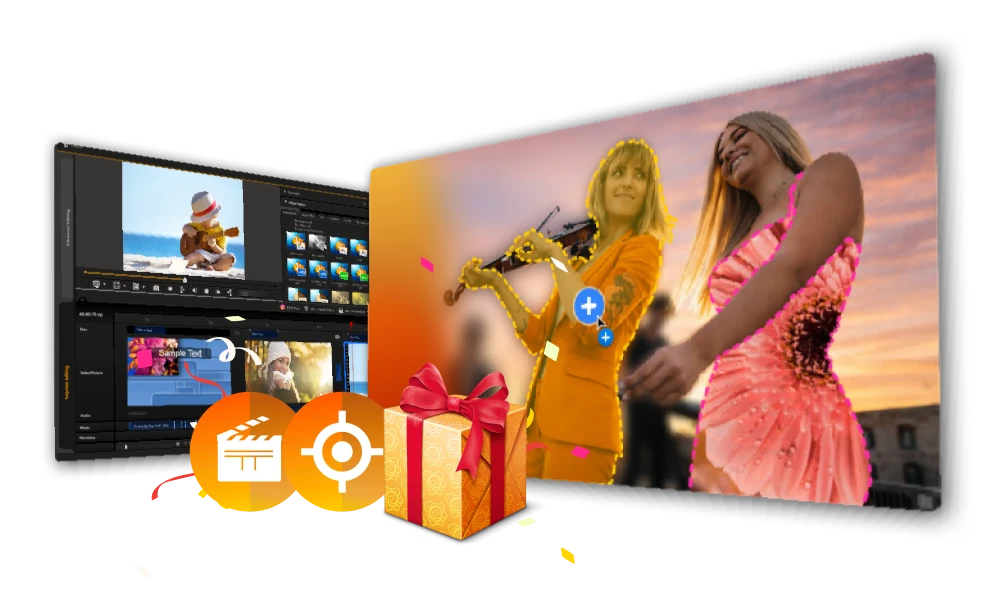
How to Use Nero Motion Tracker?
How to Use Nero Motion Tracker?

Free Download
Free Download
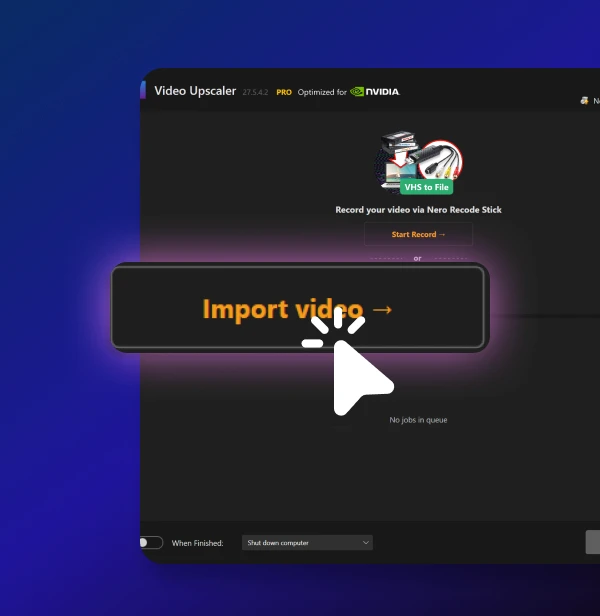
Upload Your Video
Drag and drop your clip into Nero AI Video Upscaler.
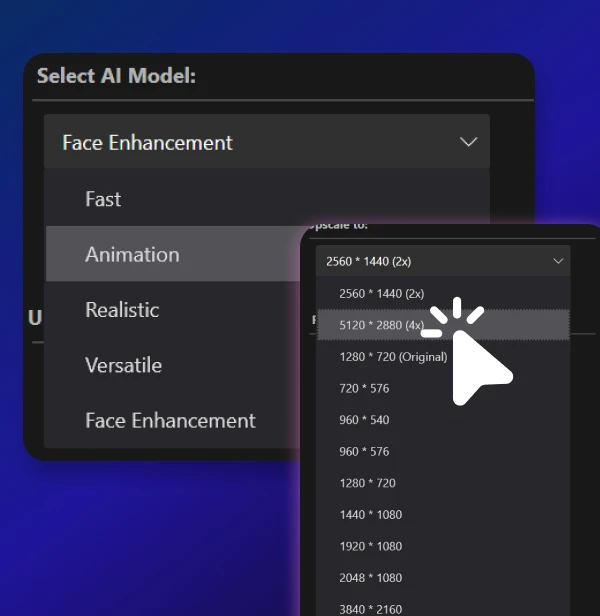
Choose Settings & Preview
Select a 4K/8K preset and AI model, then run a short preview to check the result.
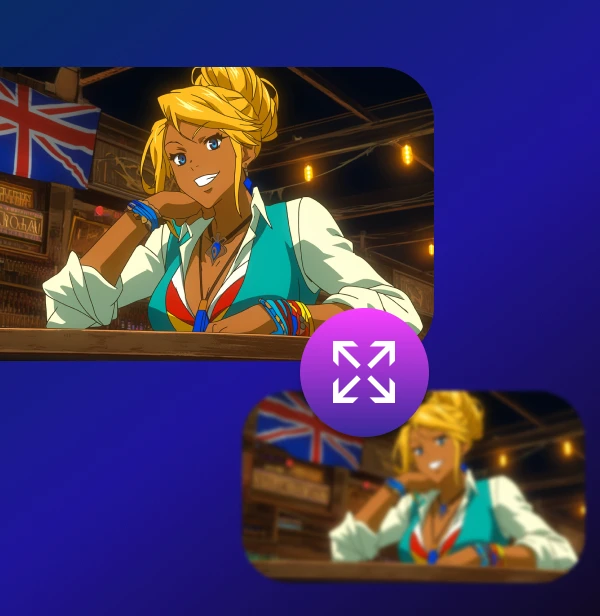
Convert & Export
Apply the settings to your video and export the new high-resolution version.
Upload Your Video
Drag and drop your clip into Nero Motion Tracker.
Choose Tracking Mode
Select Segment, Face, or Zone tracking, then add blur, mosaic, or text layers.
Export Video
Preview the tracking result and export as MP4 without quality loss.
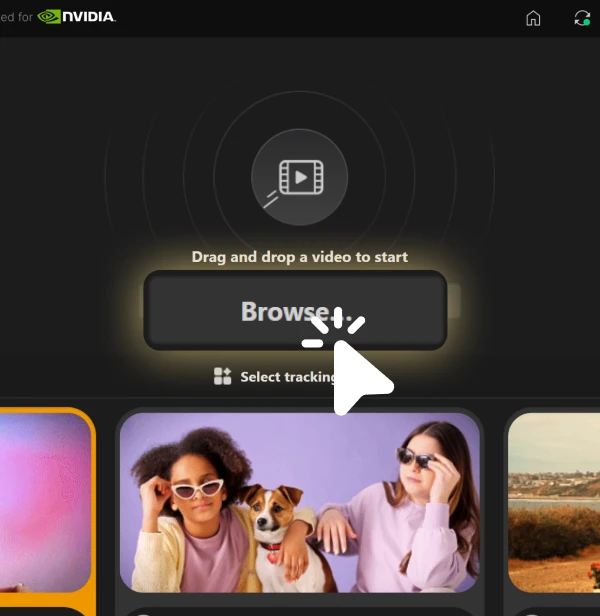
Upload Your Video
Drag and drop your clip into Nero AI Video Upscaler.
Choose Settings & Preview
Select a 4K/8K preset and AI model, then run a short preview to check the result.
Convert & Export
Apply the settings to your video and export the new high-resolution version.
"I’ve been using Nero for motion tracking, and it honestly saves me hours of manual keyframing."
"I’ve been using Nero for motion tracking, and it honestly saves me hours of manual keyframing."
"I’ve been using Nero for motion tracking, and it honestly saves me hours of manual keyframing."
- Lisa Chen (Video Editor)
- Lisa Chen (Video Editor)
Loved by 25k+ customers
Loved by 25k+ customers



I want my gadget reviews to pop. I use Segment Tracking to pin text specs and 'Buy Now' stickers directly to the products I'm holding. It stays locked on even when I move the device around.

Filming in public spaces often means strict privacy rules. Nero's Face Tracking automatically detects and blurs bystanders in my travel vlogs, so I don't have to worry about copyright or privacy strikes.

I record software tutorials daily. Often, I need to hide sensitive login details or API keys on my screen. Zone Tracking lets me define that specific area and blur it out across the whole clip instantly.
Minimum System Requirements
Operating System
• Windows 10 64-bit (Version 22H2) or Windows 11 64-bit
Processor (CPU)
• Intel Core i5 (8th generation) or AMD Ryzen 5 (3000 series)
• Minimum 4 physical cores
Memory (RAM)
• 16 GB RAM
• Virtual memory (page file) enabled and system-managed
Operating System
• Windows 10 64-bit (Version 22H2) or Windows 11 64-bit
Processor (CPU)
• Intel Core i5 (8th generation) or AMD Ryzen 5 (3000 series)
• Minimum 4 physical cores
Memory (RAM)
• 16 GB RAM
• Virtual memory (page file) enabled and system-managed
Graphics (GPU)
• NVIDIA GPU with CUDA support
• Minimum 6 GB VRAM
• Example: GTX 1660, RTX 2060 (6 GB)
• Driver version supporting CUDA 11+
Storage
• 20 GB available disk space
• SSD strongly recommended
Graphics (GPU)
• NVIDIA GPU with CUDA support
• Minimum 6 GB VRAM
• Example: GTX 1660, RTX 2060 (6 GB)
• Driver version supporting CUDA 11+
Storage
• 20 GB available disk space
• SSD strongly recommended