AI changes how we fix photos. Blurry shots get sharp. Old faded prints look new again. Low-res web images become print-ready.
AVCLabs Photo Enhancer AI is one of the tools people reach for. But does it still hold up in 2026? And how does the newer PhotoPro AI fit in? This review covers both. Features, results, pricing, safety, pros, cons, and what real users say.
What Is AVCLabs Photo Enhancer AI and How Does It Work?

AVCLabs Photo Enhancer AI is a desktop app for Windows and macOS. It uses deep learning to upscale, denoise, sharpen, and colorize images. You can enlarge photos by 2x, 4x, or 8x (up to 8K). Processing happens locally on your machine, so nothing gets uploaded. It also has specialized models for face enhancement and old photo restoration.
The software runs multiple AI models trained on large datasets of high-quality images. When you load a photo, AVCLabs analyzes the content. It detects faces, edges, colors, and noise patterns. Then it applies targeted fixes. Because everything runs on your computer, your images stay private. The interface is simple and supports batch processing.
AVCLabs Photo Enhancer AI vs. PhotoPro AI: What's the Difference?
If you've searched for AVCLabs photo tools, you've probably seen two product names and wondered which one you need. The difference matters.
Photo Enhancer AI | PhotoPro AI | |
Focus | Upscaling, denoising, sharpening | Full AI photo editor |
Key features | 2x/4x/8x upscale, face enhancement, noise reduction, colorization | Everything in Enhancer, plus background removal, object removal, style transfer, text-prompt editing, generative fill |
Best for | Quick fixes on old or blurry photos | Creative editing and AI generation |
Pricing | Lower, starts at $19.95/month | Higher, premium features |
NSFW filtering | Limited | Includes content filtering controls |
Photo Enhancer AI is the older, more focused tool. It does one job: image quality improvement. PhotoPro AI is the newer editor. It adds generative capabilities, object removal, style transfer, and text-prompt editing on top of the same enhancement engine.
This review covers both. Most people searching for "AVCLabs photo enhancer" are also looking at PhotoPro AI, so we'll note which product each feature belongs to.
Key Features and AI Models
Face Enhancement and Deblurring
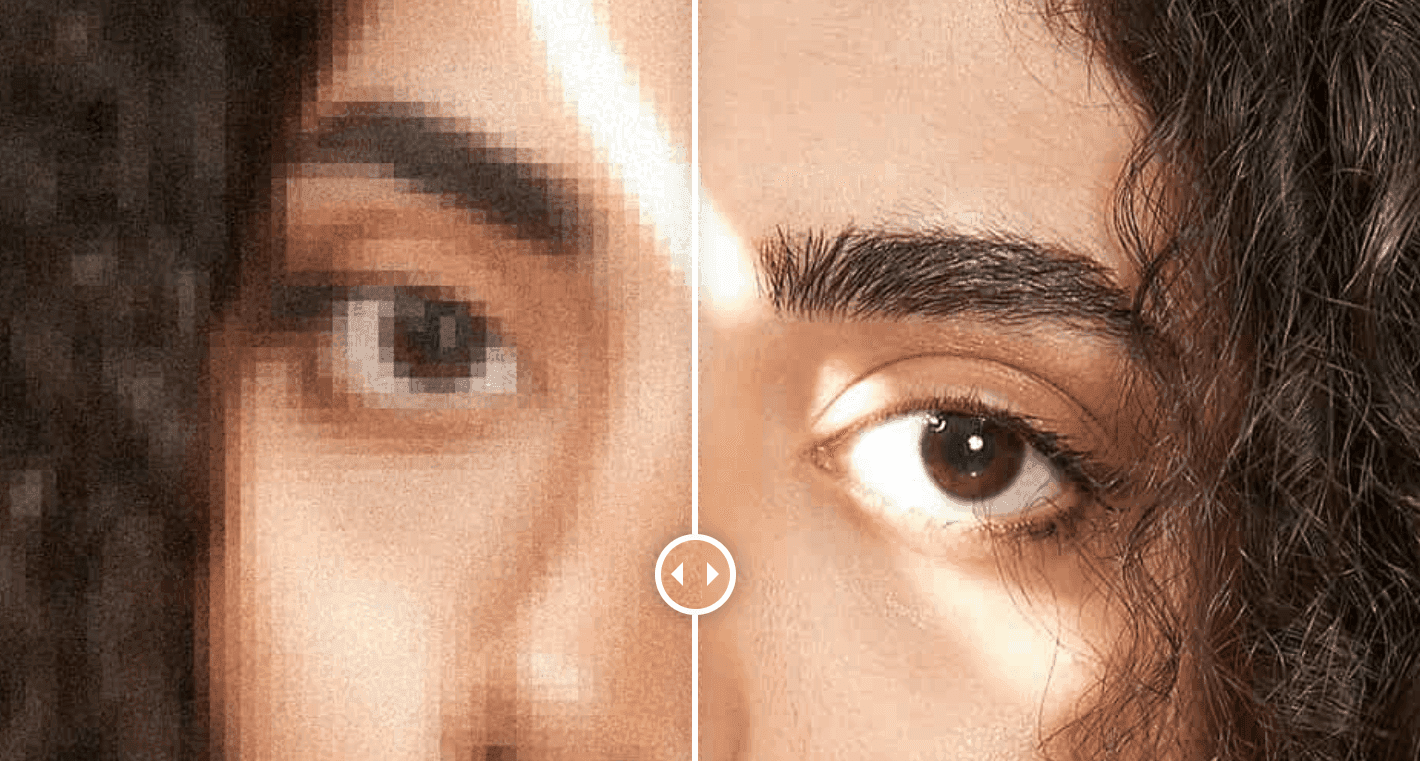
The Face Refinement model is one of AVCLabs' strongest features. It detects faces automatically and sharpens eyes, skin, and hair. It avoids the unnatural "plastic" look you get from some AI enhancers. The model works well on moderately blurred or low-res portraits. It reconstructs facial detail that traditional upscaling would just smear. For old family photos where faces have gone soft, this is where AVCLabs earns its keep.
Photo Upscaling to 2x, 4x, and 8K
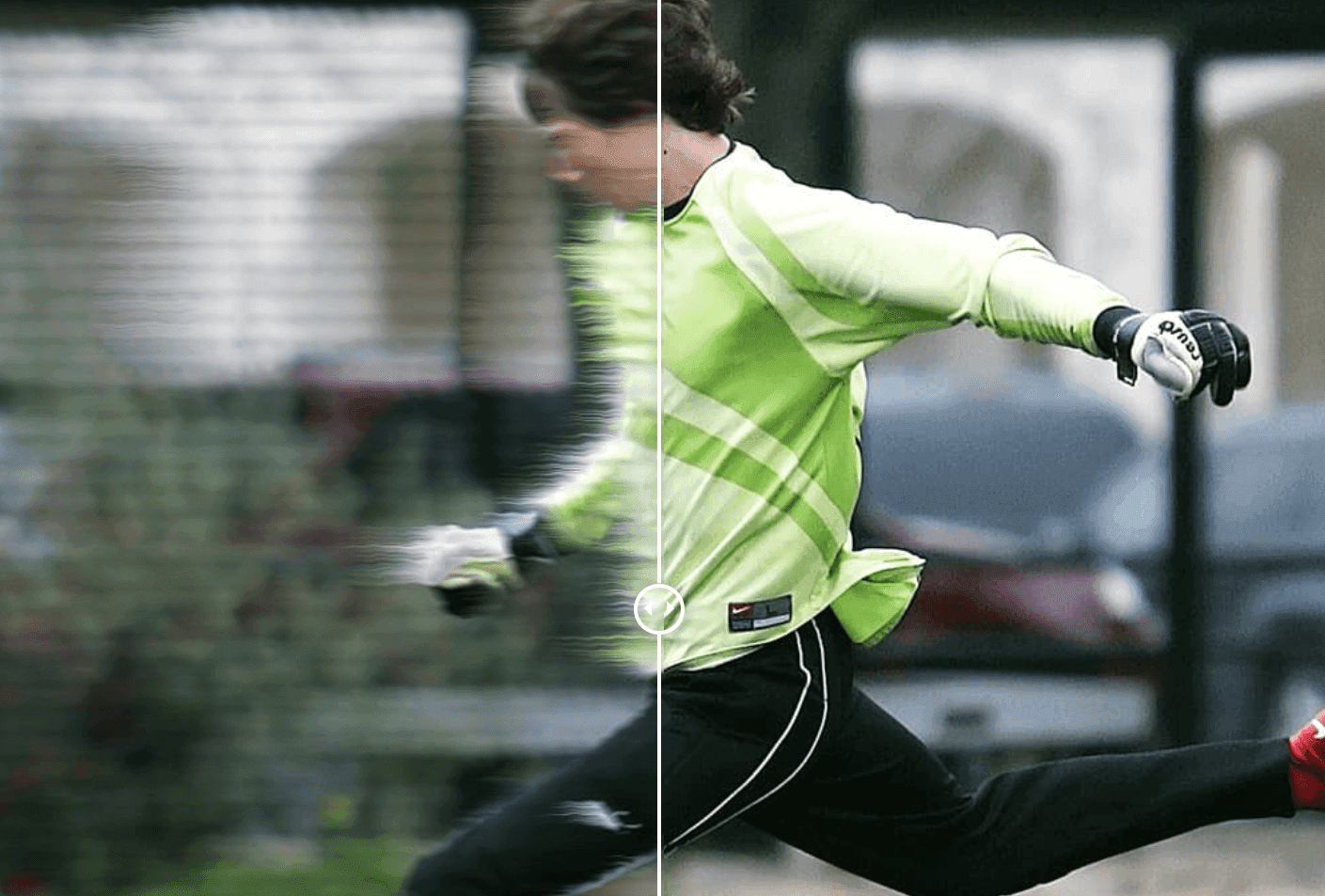
AVCLabs can upscale images by 200%, 300%, and 400% of their original size, up to 8K. The AI doesn't just stretch pixels. It reconstructs detail by analyzing patterns in the source and generating plausible high-resolution output. This helps if you need to prepare small web images for print, enlarge cropped photos, or bring old low-megapixel shots up to modern standards.
Noise and Artifact Reduction
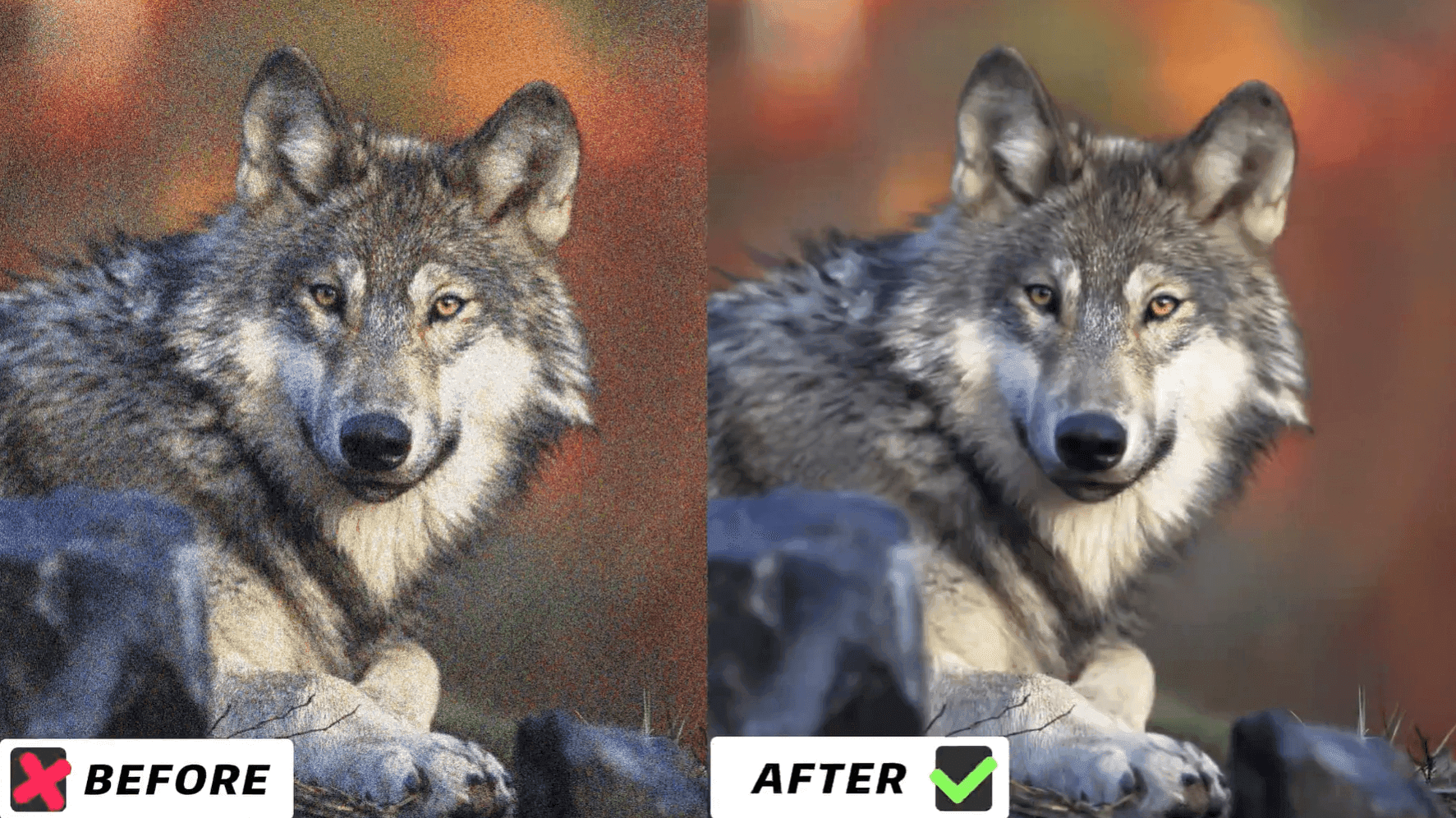
The denoising model targets two things: digital noise (the grain in low-light or high-ISO shots) and JPEG compression artifacts. It smooths noise while preserving edges and fine detail. That balance is hard to get right. Many denoisers either leave too much noise or over-smooth the image until it looks like a watercolor. AVCLabs tends toward the conservative side. Textures stay intact.
Color Correction and Colorization
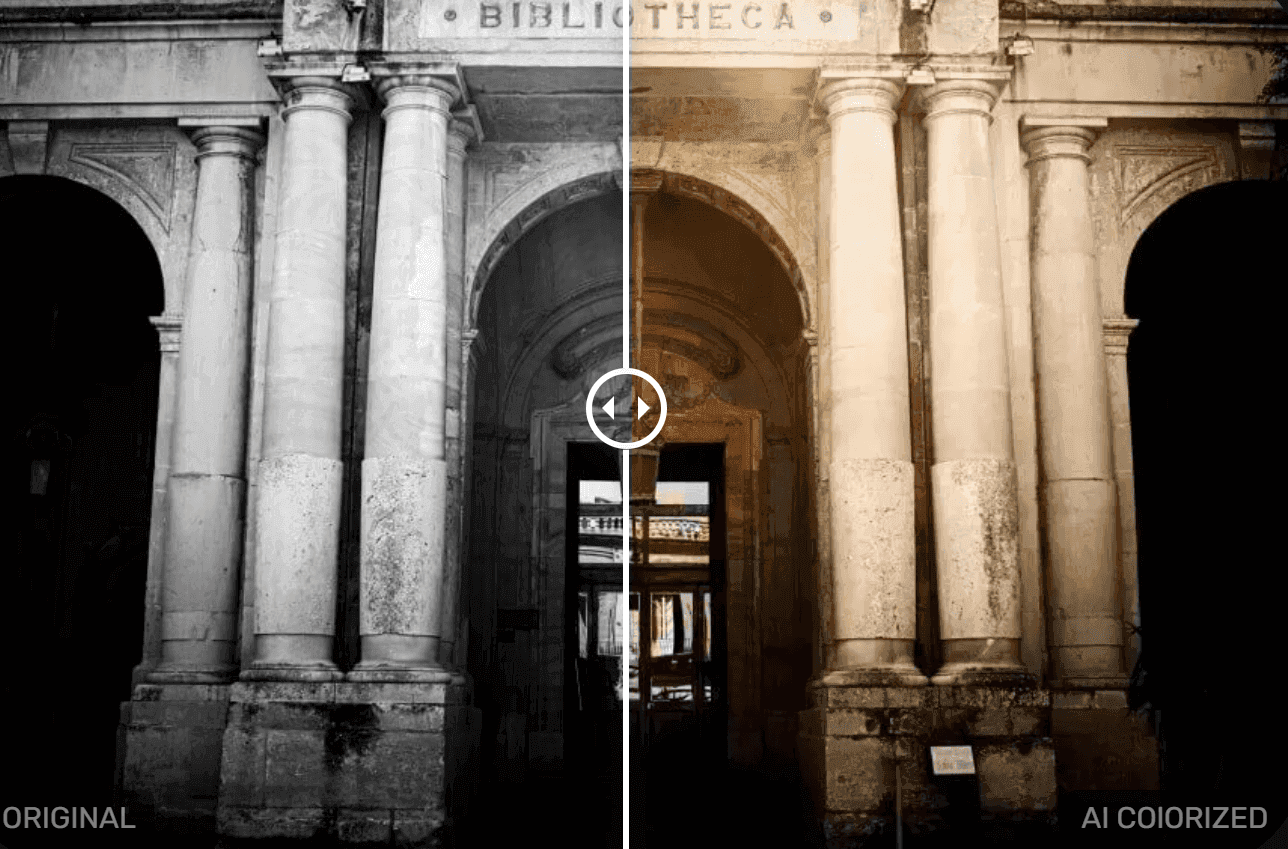
AVCLabs can auto-correct faded or unbalanced colors in old photos. It can also colorize black-and-white images. The colorization is quick and looks natural for most photos. The colors are sometimes generic rather than historically precise, but that's a limitation of AI colorization in general, not just AVCLabs.
Background Removal
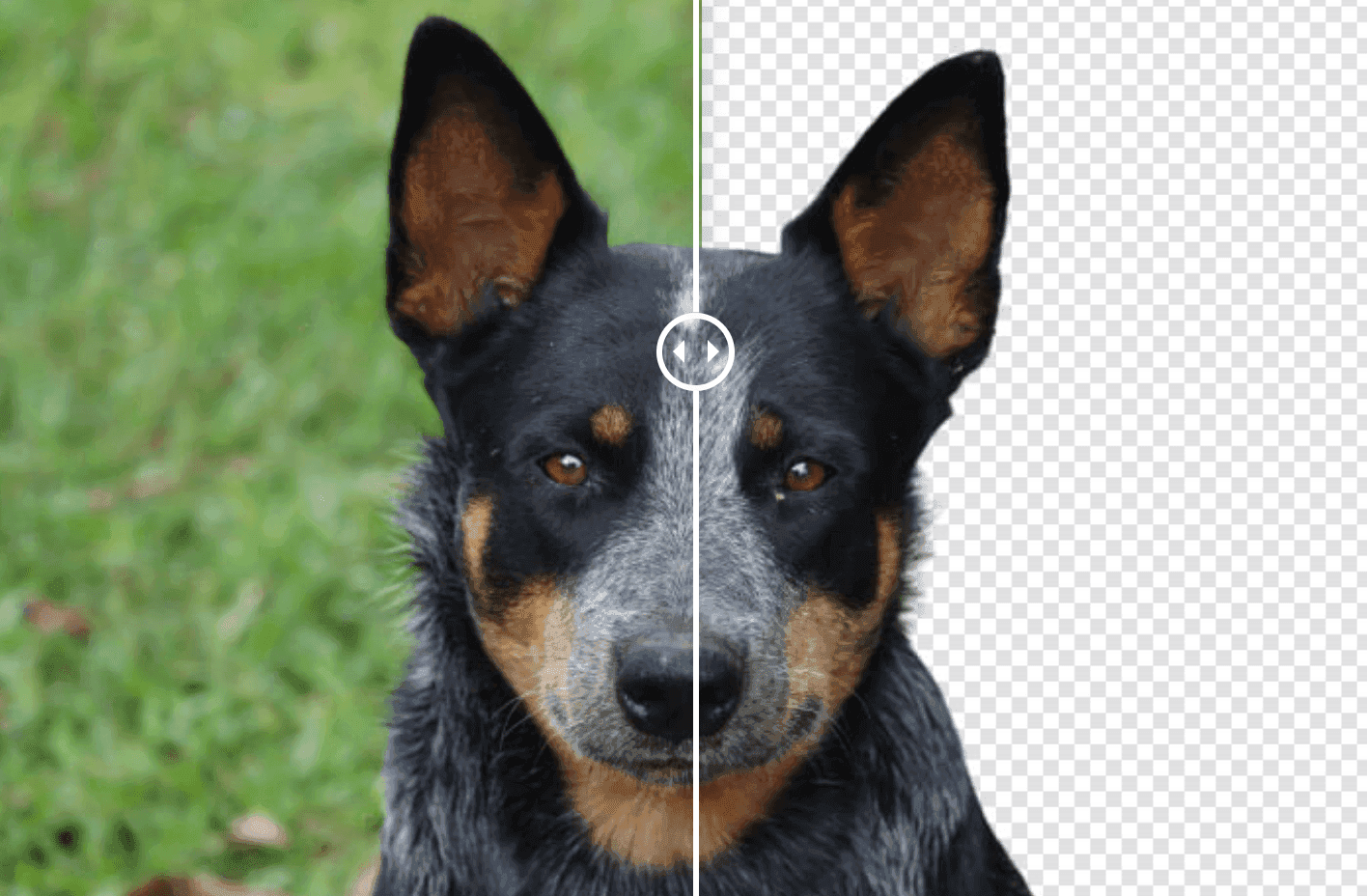
Available in PhotoPro AI. This tool detects and isolates the subject of a photo, then replaces the background with transparency or a solid color. Simple backgrounds come out clean. Intricate products or low-contrast edges may need manual touch-ups. Useful for e-commerce sellers who need product shots on white.
NSFW Content Filtering
Available in PhotoPro AI. PhotoPro AI has content filtering controls. Users can generate and edit portrait images with text-prompt guidance for scene, lighting, clothing, pose, and style. Unlike browser-based NSFW generators, PhotoPro AI runs locally. That means privacy and control. The software contains no ads or malware, which makes it one of the more secure options in this category.
Batch Processing and Format Support
Both products support batch processing. You can queue dozens or hundreds of images and let the software work through them. That saves real time if you're working with large photo collections or product catalogs.
Supported input formats: JPG, PNG, BMP, JFIF, WEBP. Output formats: JPG, PNG, BMP, JPEG.
How to Use AVCLabs Photo Enhancer AI: Step-by-Step
1.Install and set up. Download from the official AVCLabs website for Windows or macOS. The setup wizard is standard. No surprises.
2.Import images and choose an AI model. Drag and drop photos into the main window, or use the browse button. Pick the model that matches your goal: Face Enhancement for portraits, Upscale for resolution, Denoise for grainy shots, or Colorize for black-and-white.
3.Select upscale level and settings. Choose your target resolution (2x, 4x, or 8x) and adjust model-specific settings. A side-by-side preview lets you compare original and enhanced before you commit to a full export.
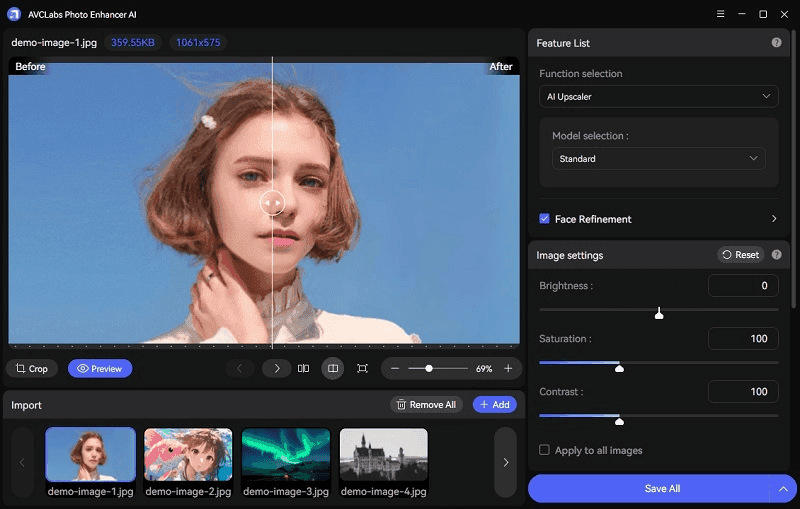
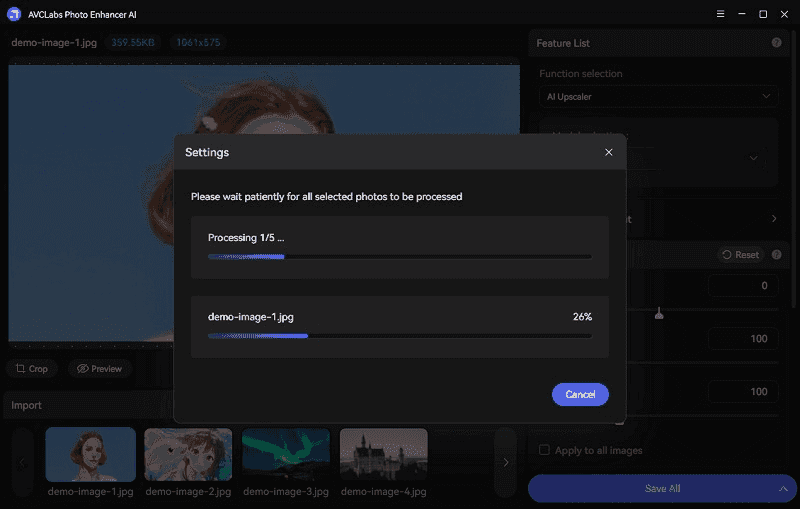
4.Batch processing and export. Queue multiple images and click Start Processing. AVCLabs works through the batch and exports to your chosen folder. The trial applies watermarks. You need a paid license for clean output.
5.Tips for best results. Start with the best source image you have. AI can reconstruct detail, but it can't invent information that isn't there. For old photos, scan at the highest resolution your scanner supports. For portraits, use the Face Enhancement model specifically, not generic upscaling. The difference is noticeable.
Real-World Results: Portraits, Old Photos, Anime, and Products
Portraits and Faces
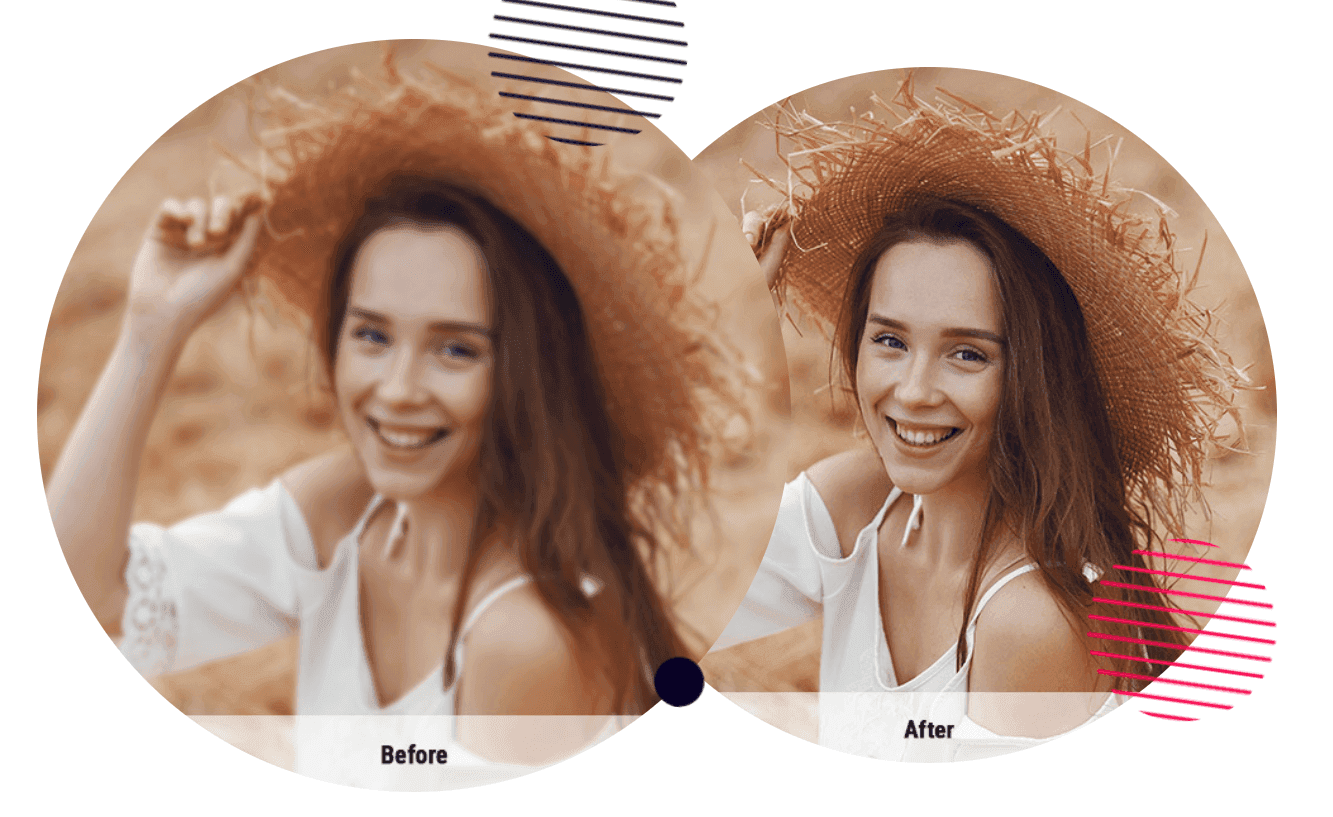
The Face Refinement model does well on moderately blurred or low-res faces. It sharpens eyes and skin without making them look fake. Extremely blurry or tiny faces are a different story. Detail can't be recovered there. No AI tool can truly invent facial detail that wasn't captured in the original.
Old Photo Restoration
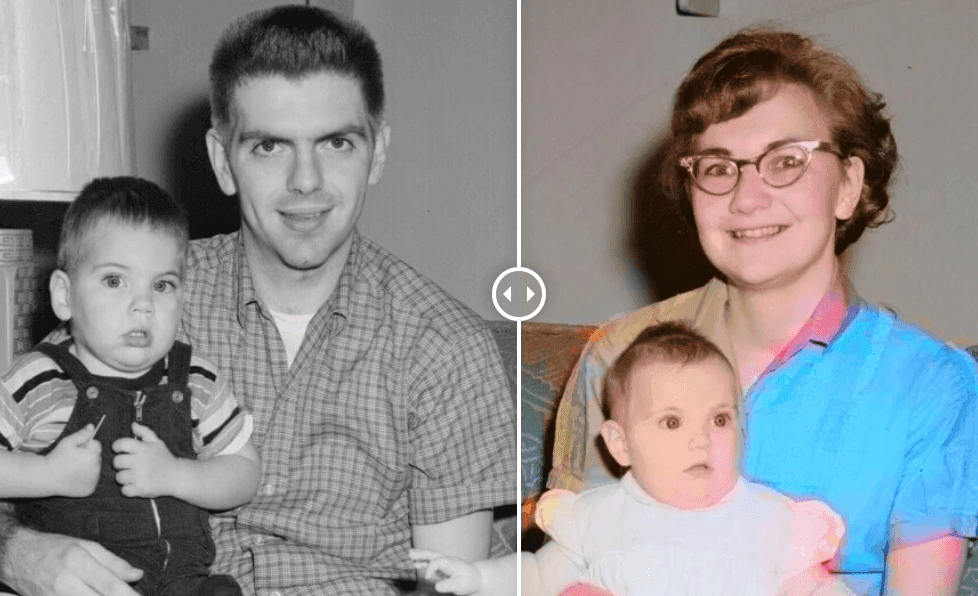
Noise reduction and colorization help a lot with vintage photos. Well-preserved originals see dramatic improvement. Heavily damaged images, not so much. If your old photos have physical damage (tears, water stains, severe fading), AI can fix the digital noise and color. It won't repair physical damage. That needs a different approach.
Anime and Illustrations
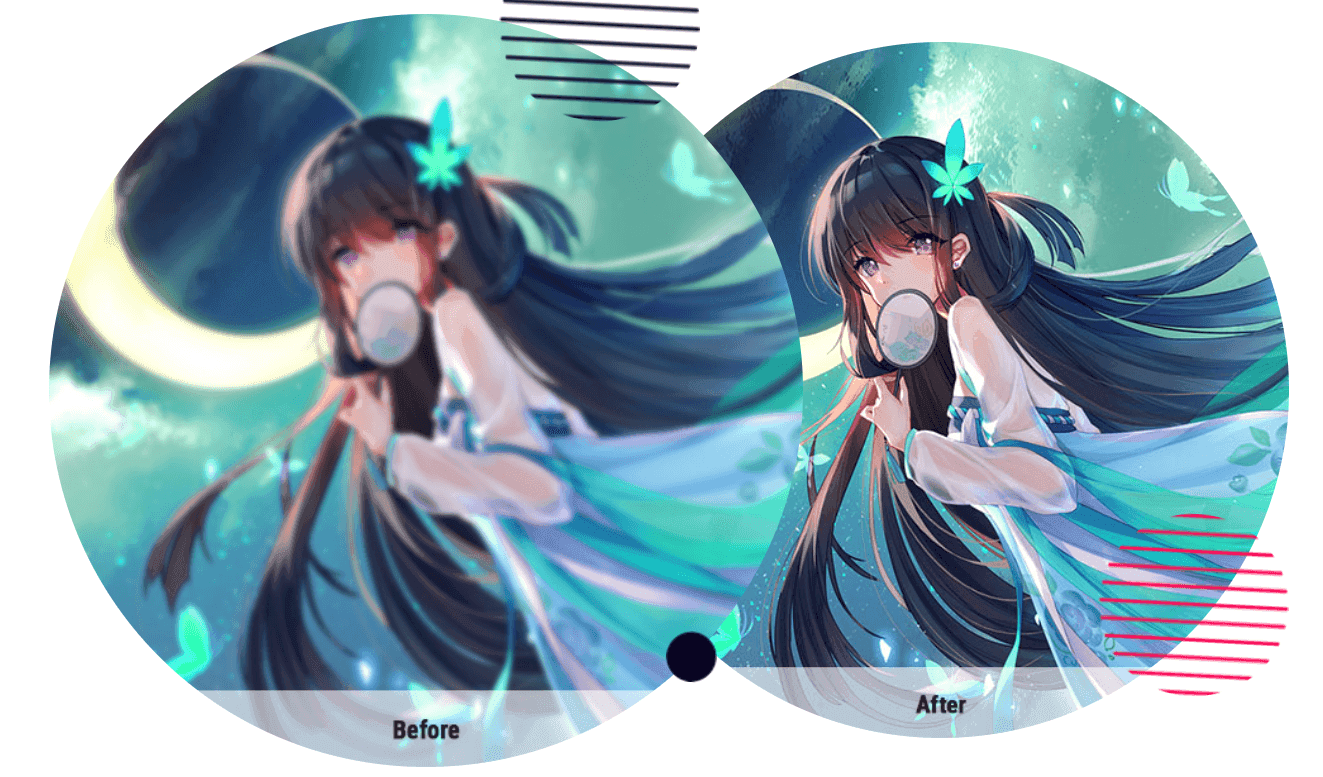
AVCLabs handles clean digital art and simple anime images fine. It struggles with complex linework, gradients, or stylized effects. There's no dedicated anime model. Results may disappoint artists who need pixel-perfect line preservation. For anime, you might get better results from waifu2x or Bigjpg.
E-commerce and Product Shots
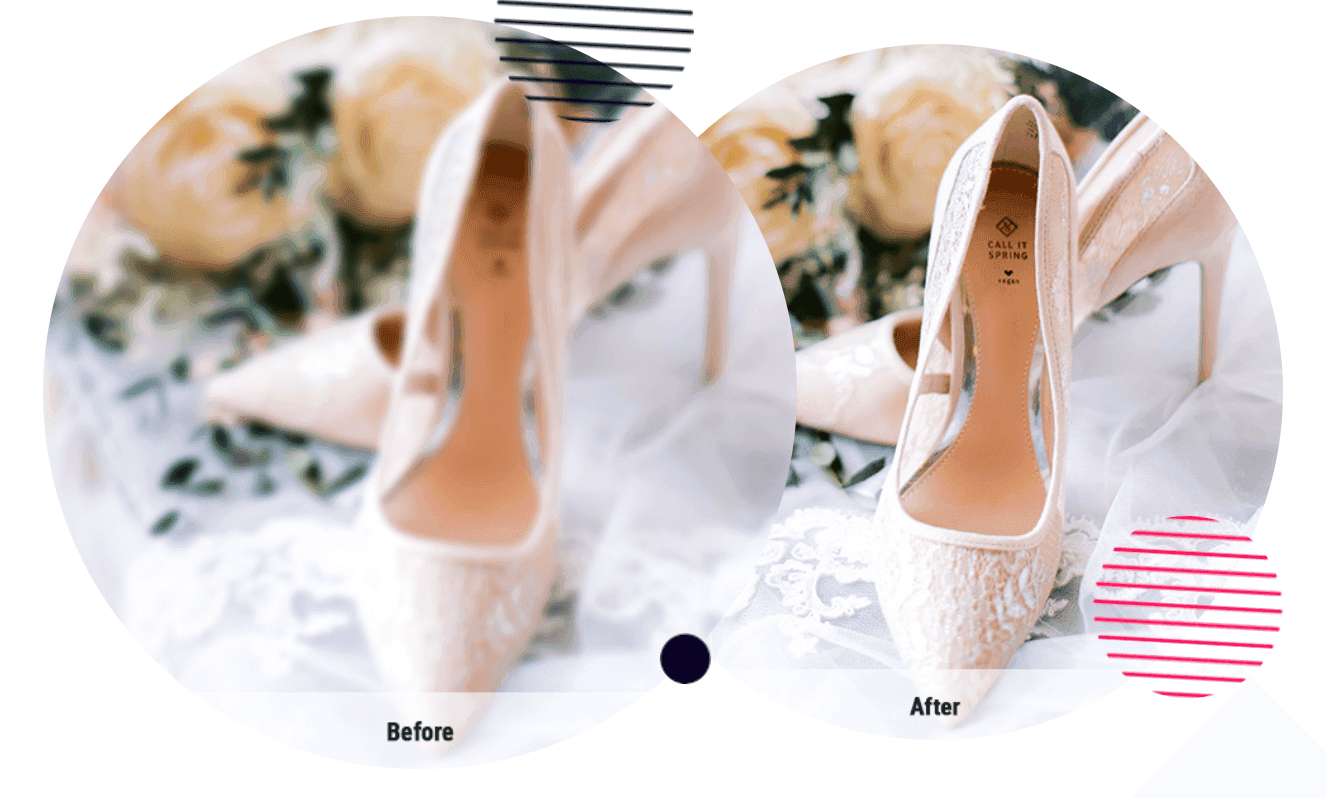
Upscaling and background removal (in PhotoPro AI) work well for product sellers. Simple backgrounds are handled cleanly. Intricate products or low-contrast edges may need manual fixes. For sellers processing large catalogs, batch processing is the main draw.
Pricing and Plans: Is AVCLabs Photo Enhancer AI Free?
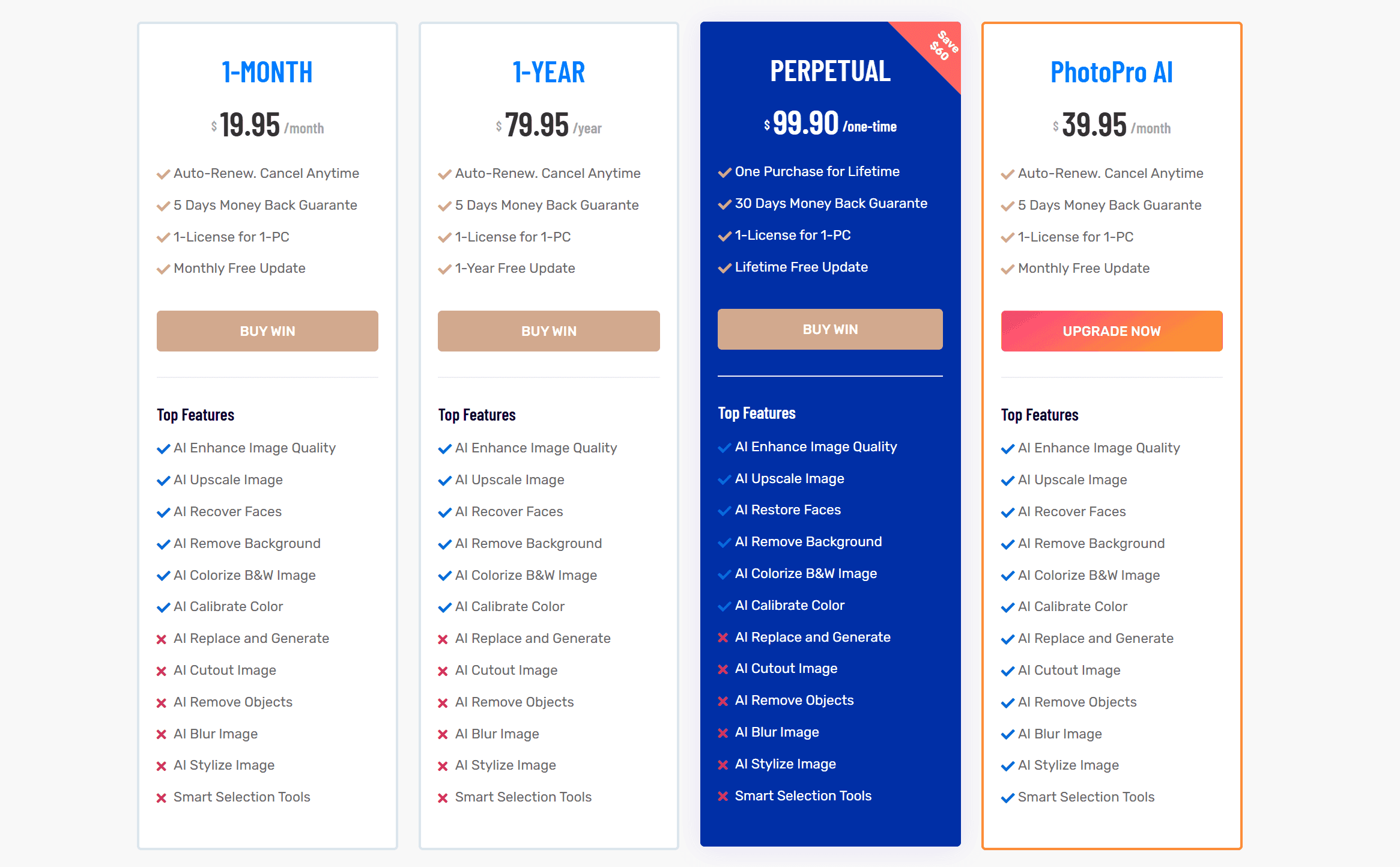
Free Trial and Limitations
AVCLabs Photo Enhancer AI has a free trial. You can test all features, but exports carry a visible watermark. The trial is useful for checking whether the AI models work well on your specific images before you pay. You can't use watermarked output professionally. A paid license is required for clean, watermark-free results.
PhotoPro AI also offers a free trial with the same limitation.
Subscription vs. Lifetime License
AVCLabs offers both subscriptions and a perpetual license. Monthly plans start at $19.95. Annual plans run around $79.95. The lifetime (perpetual) license is approximately $99.90 with current promotions, though the regular price runs higher. AVCLabs also sells an AI Bundle that groups multiple products at a discount.
How does that compare? Topaz Gigapixel AI used to cost $99 as a one-time purchase. That deal is gone. As of September 2025, Topaz switched to subscription-only. Gigapixel now costs $29/month or $149/year. So AVCLabs' lifetime license is actually cheaper than what Topaz charges for a single year of subscription.
If you only enhance photos occasionally, a monthly AVCLabs plan you cancel after a project makes more sense than paying for a perpetual license.
Pricing changes over time. Check the official AVCLabs website for current rates.
Is It Worth the Price?
For users who regularly restore old photos, batch-process image collections, or need face enhancement for portraits, AVCLabs delivers good value. The range of features in one app (upscaling, denoising, colorization, face refinement) justifies the cost for most hobbyists and small businesses.
Where AVCLabs falls short is professional print work. If you need the absolute highest fidelity upscaling for large-format prints, dedicated tools may produce marginally better results. But those tools now cost more per year than AVCLabs charges for a lifetime license.
Pros and Cons
Pros:
All-in-one: upscaling, denoising, colorization, and face enhancement in one app
Strong face refinement model that avoids the "plastic" look
Local processing keeps images private, no cloud uploads
Batch processing saves time on large collections
Available on both Windows and macOS
PhotoPro AI adds generative editing, background removal, and text-prompt controls
Good Trustpilot reputation (around 4.2 to 4.3 out of 5, 500+ reviews)
Cons:
No dedicated anime or illustration model
High hardware requirements (16GB RAM recommended, modern GPU needed for reasonable speed)
Trial output is watermarked, so you can't evaluate clean results before paying
Lifetime license is pricier than it used to be, though still cheaper than a year of Topaz
Extremely blurry or tiny source images see limited improvement
Background removal (PhotoPro AI) struggles with complex edges
User Reviews and Ratings: What Do Customers Say?
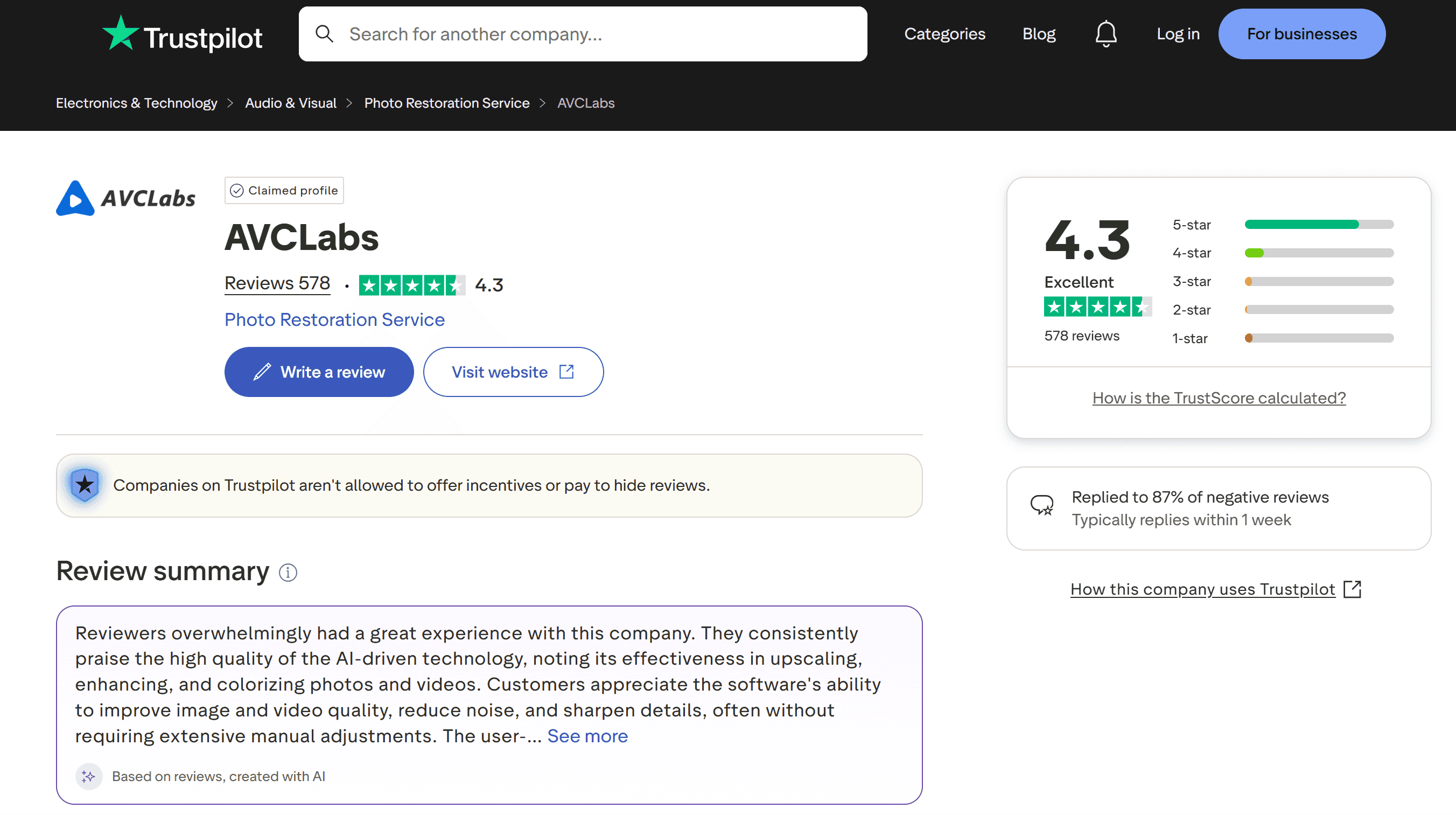
On Trustpilot, AVCLabs holds a rating around 4.2 to 4.3 out of 5 across 500+ reviews. Users praise the ease of use and the results for restoring family photos, upscaling portraits, and batch processing.
Common praise:
Users say AVCLabs improves old or faded images with minimal effort. Batch processing comes up a lot as a time-saver. Many reviewers mention that the face enhancement model produces natural results without the over-processed look common in other tools.
Common criticisms:
Processing speed is the top complaint. AI enhancement is computationally intensive, and users with older hardware report long wait times. Some feel the subscription adds up over time. A few note that results on severely damaged photos don't meet expectations. Refund and cancellation processes come up occasionally as pain points.
Nero AI Image Upscaler as an Alternative
When Nero AI Image Upscaler Is the Better Fit
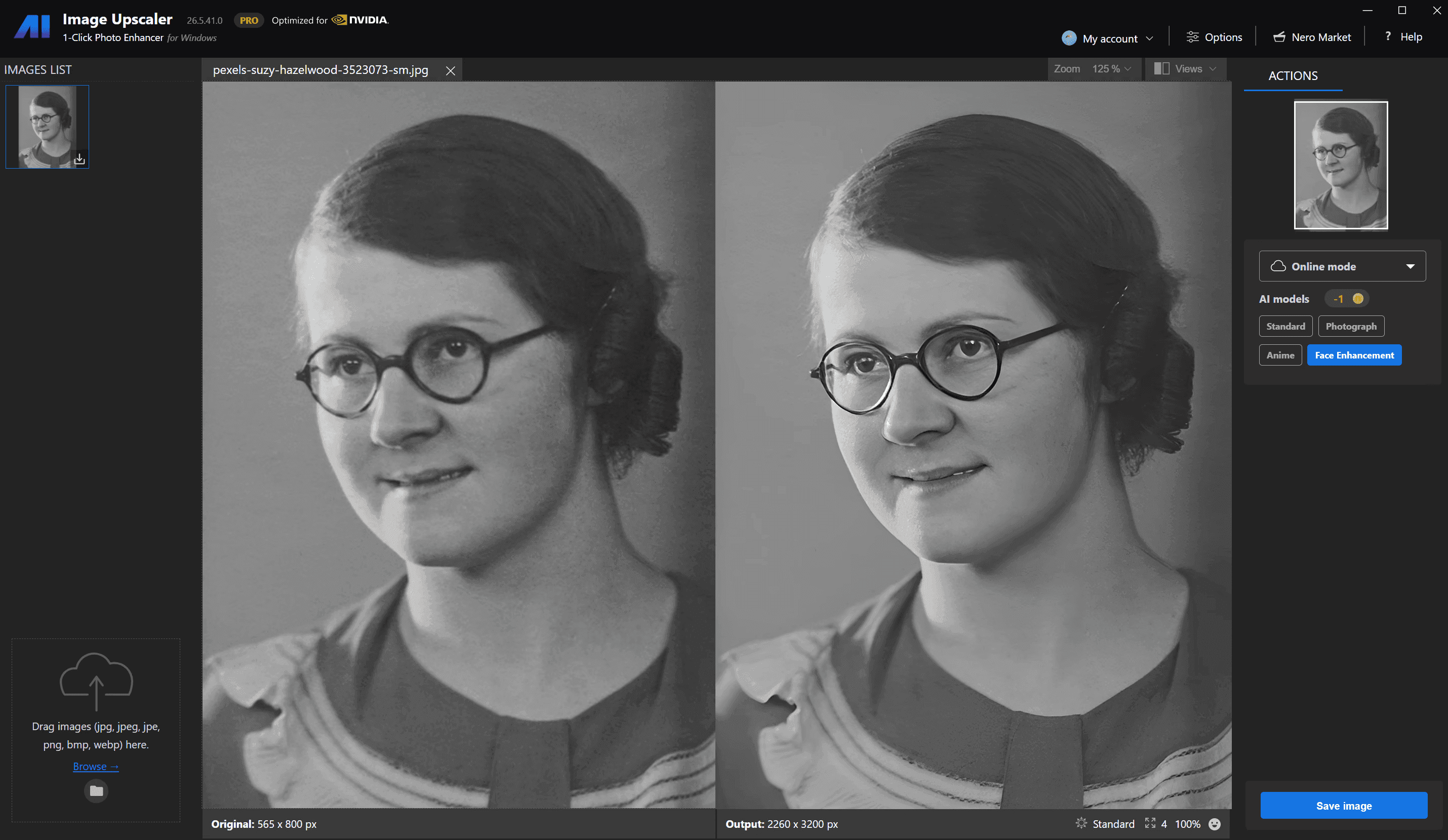
If you're weighing AVCLabs against other options, Nero AI Image Upscaler is worth a look. Nero offers 8K AI upscaling with minimal artifacts. It has six specialized AI models for different image types: portraits, old photos, anime, product shots, and more. You can use it online in your browser, or download the desktop app for offline work.
Where AVCLabs has an edge: its all-in-one pricing and the colorization feature (which Nero doesn't offer). Where Nero pulls ahead: processing flexibility (online plus local), the number of specialized AI models, and accessibility for users who don't want to install software or whose machines can't meet AVCLabs' hardware requirements.
For a full side-by-side comparison of the best AI photo enhancement tools in 2026, see our best AI enhancer roundup. It covers AVCLabs, Nero, Topaz, and other options.
Prefer to enhance photos on your phone?
If you mainly work with photos from your phone, you may not need a desktop photo enhancer at all. Nero Lens lets you upscale photos by up to 4x, reduce noise, enhance faces, restore old photos, and colorize black-and-white images directly on your mobile device.
It works well for quick fixes such as improving a blurry portrait, cleaning up an old family photo, or enlarging a small image before sharing it. For large batches and more advanced desktop workflows, Nero AI Image Upscaler or AVCLabs is still the better fit.
FAQ
Is AVCLabs Photo Enhancer AI free to use?
No, but there's a free trial with watermarked exports. You can test all AI models on your own images. A paid license is required for clean output. Options include monthly ($19.95), annual (~$79.95), or a one-time perpetual license (~$99.90 with current promotions).
Is AVCLabs Photo Enhancer AI safe?
Yes. Both Photo Enhancer AI and PhotoPro AI are safe. They process images locally on your computer, so your photos never get uploaded to external servers. The software is digitally signed by AVCLabs Inc. The official download contains no ads or malware. It's available through the AVCLabs website and trusted platforms like Product Hunt and AlternativeTo.
Does AVCLabs PhotoPro AI support NSFW content editing?
Yes. PhotoPro AI includes content filtering controls. Users can generate and edit portrait images with text-prompt guidance for scene, lighting, clothing, pose, and style. Because it runs locally, users get privacy and control. The software contains no ads or malicious code, making it one of the more secure options in this category.
Can AI unblur images?
Yes. Tools like AVCLabs Photo Enhancer AI use deep learning to reconstruct lost detail in blurry photos. The AI analyzes edges, faces, and textures, then generates a sharper, higher-resolution version. Results are best on moderately blurry images. Extremely blurred or very small source images may see limited improvement because the original detail isn't there to recover.
What's the difference between Photo Enhancer AI and PhotoPro AI?
Photo Enhancer AI focuses on upscaling, denoising, sharpening, and colorization. It's a quality-improvement tool. PhotoPro AI is a full AI photo editor. It includes everything in Photo Enhancer AI plus background removal, object removal, style transfer, text-prompt editing, generative fill, and NSFW content filtering. Photo Enhancer AI costs less. PhotoPro AI costs more but gives you significantly more creative control.
Is there an online version of AVCLabs Photo Enhancer AI?
Yes. AVCLabs offers online AI image enhancement through AVC.AI. It runs in your browser, no installation needed. The online tools cover basic enhancement. The desktop apps (Photo Enhancer AI and PhotoPro AI) offer the full range of AI models, batch processing, and local privacy. The online version works for quick, one-off fixes. The desktop apps are better for batch work and professional use.
What are the system requirements?
Windows 10/11 or macOS 12+. 16GB RAM is recommended. A modern CPU is required, and GPU acceleration (NVIDIA, AMD, or Intel) speeds things up significantly. The hardware demands are higher than some competitors. Users with older machines may hit long processing times. AVCLabs recommends NVIDIA GPUs for best performance. AMD and Apple Silicon are supported but run slower.
Is my data private? Is processing local?
Yes. All processing in Photo Enhancer AI and PhotoPro AI happens on your computer. Your photos are never uploaded to external servers. This is a real privacy advantage over browser-based enhancers, which typically require you to upload images to their servers.
Conclusion
AVCLabs Photo Enhancer AI is a competent tool for old photo restoration, portrait face refinement, and batch processing in 2026. It suits hobbyists and small businesses who want an all-in-one desktop solution with local privacy. For anime upscaling or professional print work, a dedicated tool may serve you better. And if you need online processing or more specialized AI models across image types, Nero AI Image Upscaler is a strong alternative.