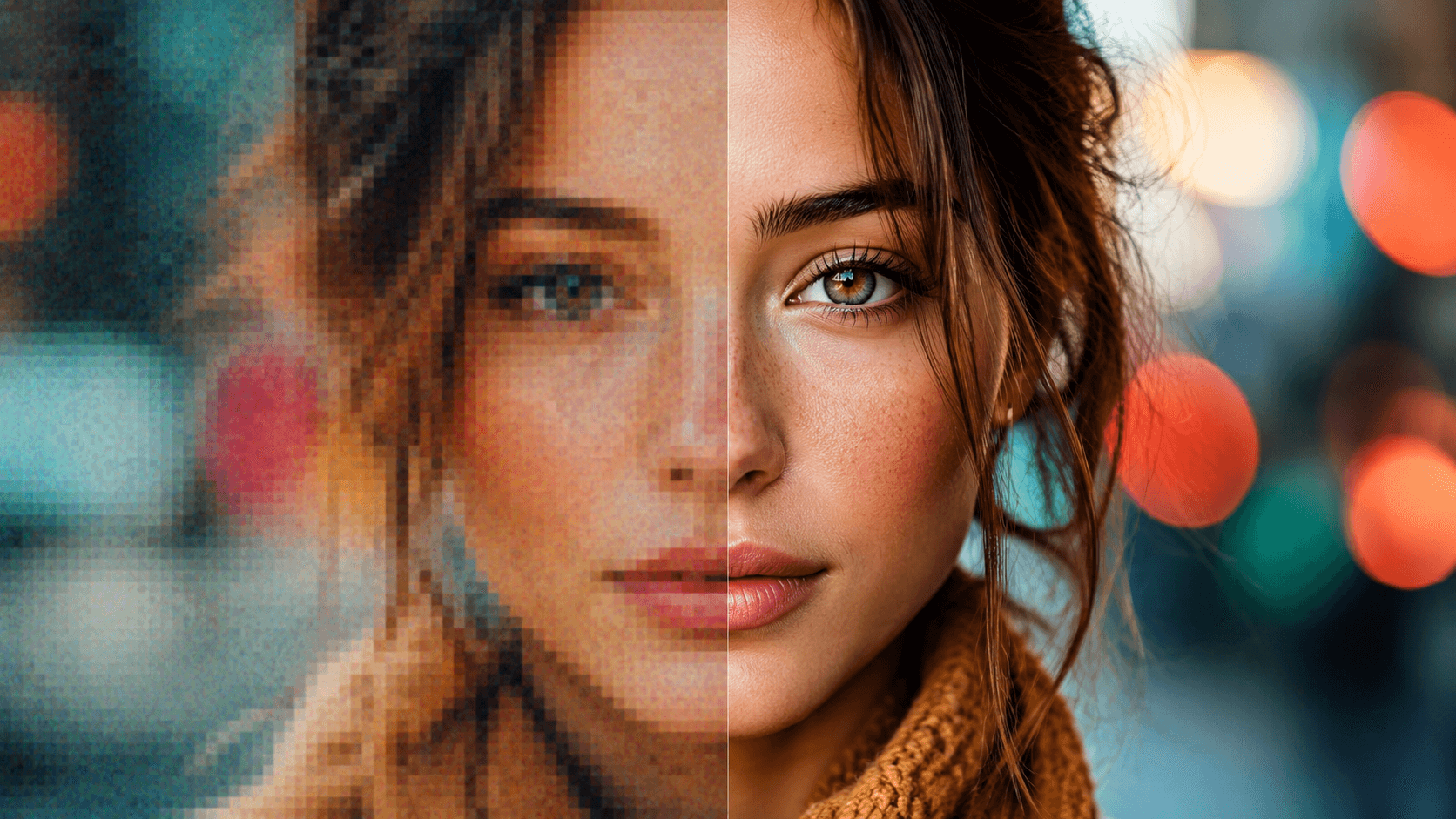
A low-resolution image limits everything you try to do with it. Print it and it comes out pixelated. Crop it and the quality collapses. Post it on social media and the platform’s compression makes it worse.
AI image upscaling has gotten good enough to reliably beat traditional interpolation, but the gap between the best tool and an average one is bigger than most people expect.
I tested five AI image upscalers : Nero AI Image Upscaler, Topaz Gigapixel AI, AVCLabs Photo Enhancer AI, HitPaw FotorPea, and Fotor. I ran them through the same set of questions: how far can they upscale, how many AI models do they offer, how well do they handle faces, can they batch process, what hardware do they need, and what do they actually cost.
At a Glance: How the Five Compare
Tool | Max Upscale | Models | Face Enhancement | Batch | Starting Price |
Nero AI Image Upscaler | 8x (32K output) | 7 | Face Recovery | Yes | $39.96/yr (Permanent $103.96) |
Topaz Gigapixel AI | 6x | 9 | Recover Faces | Yes | $149/yr |
AVCLabs PhotoPro AI | 4x (16K output) | Multiple | Face & Object Detection | Yes | $19.95/mo (Perpetual $99.90) |
HitPaw FotorPea | 8x (32K output) | 9 | Face Model | Yes | $22.39/mo (Perpetual $130.39) |
Fotor | 4x | 4 | No | Yes | $39.99/yr (7-day free trial) |
How I Evaluated Each Tool
I measured every tool against seven things: maximum upscale factor, AI model variety, output image quality, face enhancement, batch processing, hardware demands, and pricing. Instead of comparing spec sheets, I focused on how each tool handles the kinds of images people actually work with: portraits, old damaged photos, landscapes with fine detail, and anime art.
I tested each tool using its own sample images to see what it can do under optimal conditions. The goal was practical: what should you expect when you install the software and throw your own images at it.
Topaz Gigapixel AI
Topaz Gigapixel has been the default pick for professional photographers for years. It ships with 9 enhancement models that cover a lot of ground: zoom, weddings, astrophotography, fine art, events, and more. The Recover Faces feature handles facial detail restoration well, and the model ecosystem is mature enough that you rarely feel like you are beta testing anything.
The pricing is the sticking point. Topaz is subscription only. Personal starts at $149 per year billed annually, and there is no way to buy it once and be done.
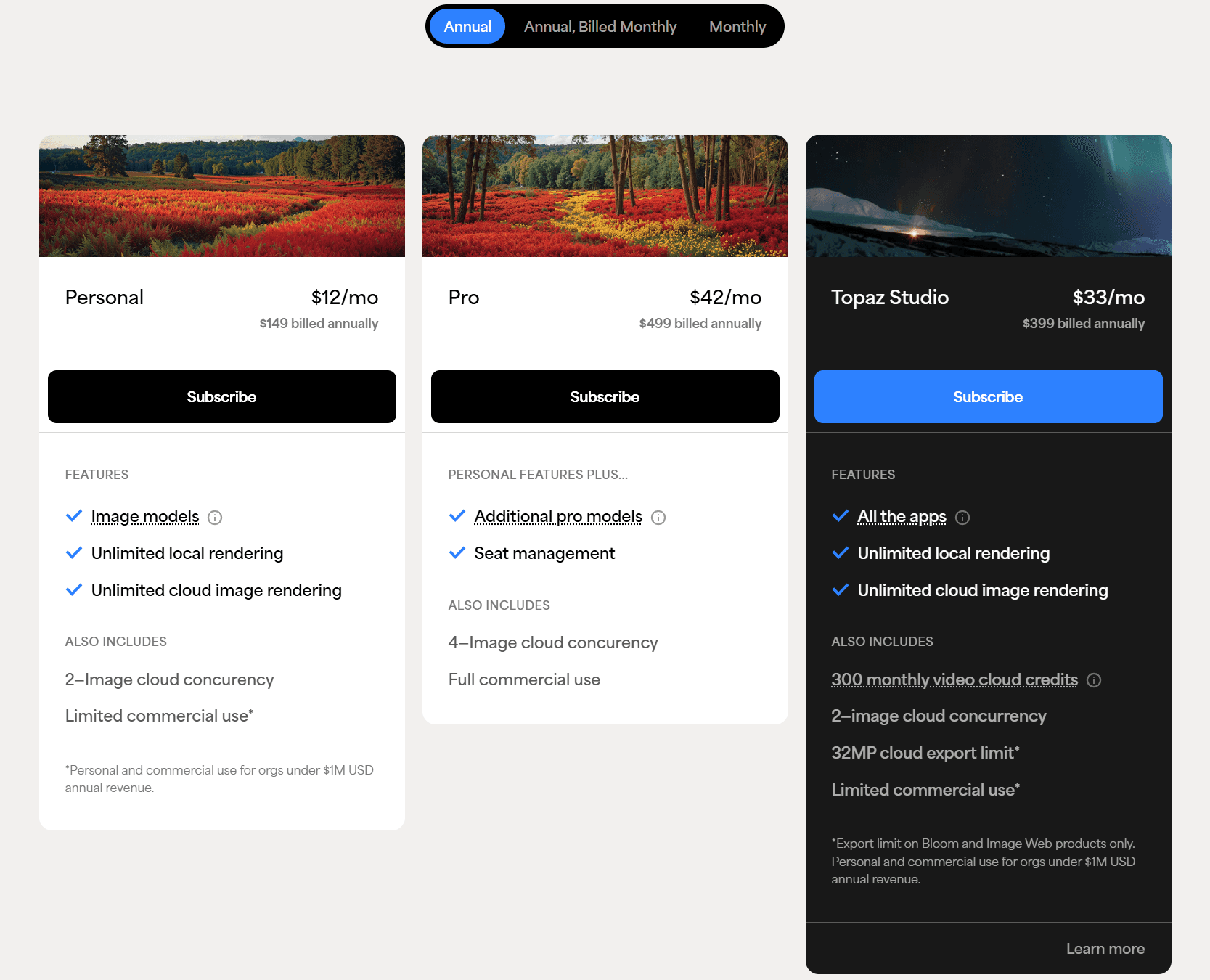
Local rendering keeps your files on your machine, which is good for client work, but you need a real GPU to get reasonable speeds. The cloud rendering option is there if you are on a plan that includes it, but if you are on the cheapest tier, that door is closed.
Topaz Gigapixel is still the benchmark for professional upscaling. On Capterra, one longtime user writes that they are “genuinely impressed by the software’s simplistic interface and robust capabilities to exponentially enhance my photos.” The Reddit community at r/TopazLabs echoes this — photographers consistently recommend Gigapixel for batch-upscaling old archives, with one commenter noting it “does a great job finding faces” across large sets.
If you are a working photographer who wants predictable output across 9 models and does not mind paying every year, it is hard to beat. I just wish they offered a buy-once option.
If the subscription-only pricing is making you reconsider, see our full guide to the best Topaz Gigapixel AI alternatives for a closer comparison of pricing, AI models, hardware requirements, and one-time license options.
AVCLabs PhotoPro AI
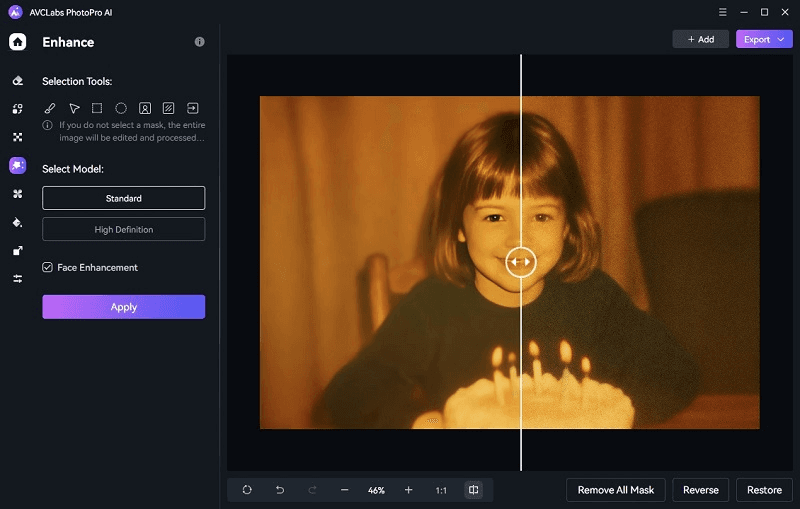
AVCLabs PhotoPro AI casts a wider net than a pure upscaler. Alongside AI resolution enhancement up to 4x with 16K output, it handles denoising, color calibration, background removal, black-and-white colorization, and scratch removal via its Inpaint tool. Face and object detection are built in, and everything processes locally, which is great for privacy but means you need the GPU to back it up.
The pricing is flexible in a way that stands out. $19.95 a month, $79.95 a year, or a Perpetual license at $99.90 that includes lifetime updates. If you want to pay once and never think about it again, that Perpetual price is one of the cheapest in this comparison.
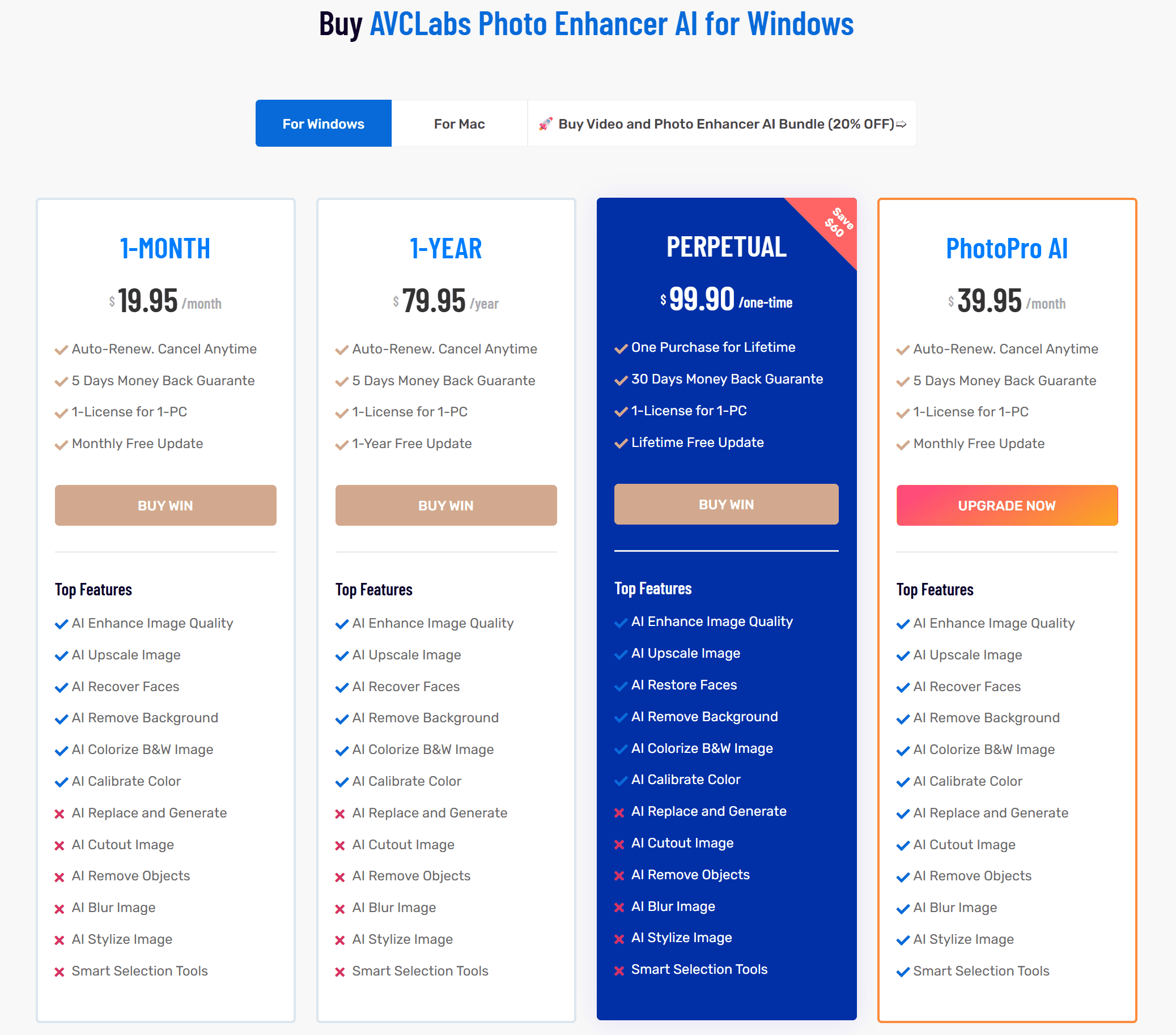
On Trustpilot, AVCLabs holds a 4.3/5 rating across 500+ reviews — users consistently praise its ease of use for restoring family photos and batch processing. Just make sure your hardware can keep up: it needs Windows 10/11 or macOS 12+, with 16 GB of RAM recommended, since everything renders locally.
The trade-off is the 4x ceiling. If you need 8x enlargement, Nero AI and HitPaw leave AVCLabs behind on that axis. But for denoising grainy photos, colorizing old black-and-white scans, and general-purpose photo cleanup, it covers more ground than most dedicated upscalers do. Our full AVCLabs PhotoPro AI Review goes deeper on the feature set.
HitPaw FotorPea
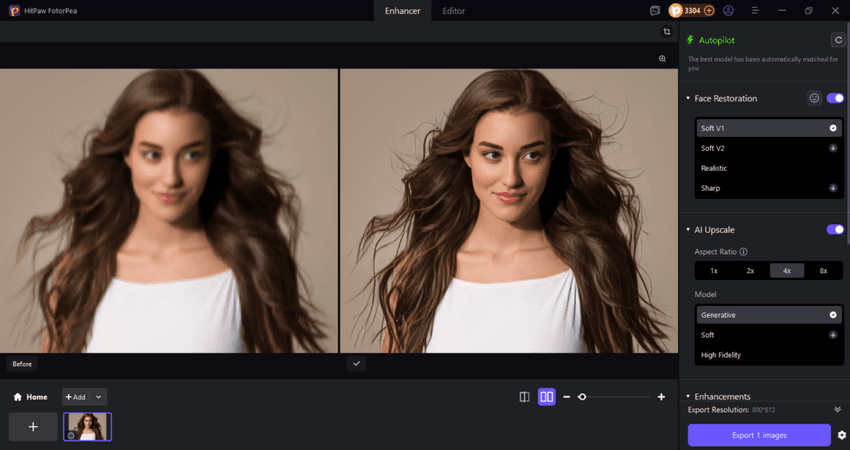
HitPaw FotorPea is the most aggressive tool in this lineup. It matches Nero AI at 8x upscale with 32K output and offers 9 AI models: Face, Blur Repair, Denoise, Colorize, Upscale, and others. There is also Background Removal, AI Swap, and a few more extras that make it feel like a full editing suite rather than a single-purpose upscaler.
Pricing gets interesting if you plan to own the software. $130.39 for a Perpetual license is more than AVCLabs and Nero charge for their buy-once options, but HitPaw gives you the broadest model selection in exchange. The monthly rate of $22.39 is the highest in this group, and the free trial watermarks your exports, which makes it harder to judge results before paying.
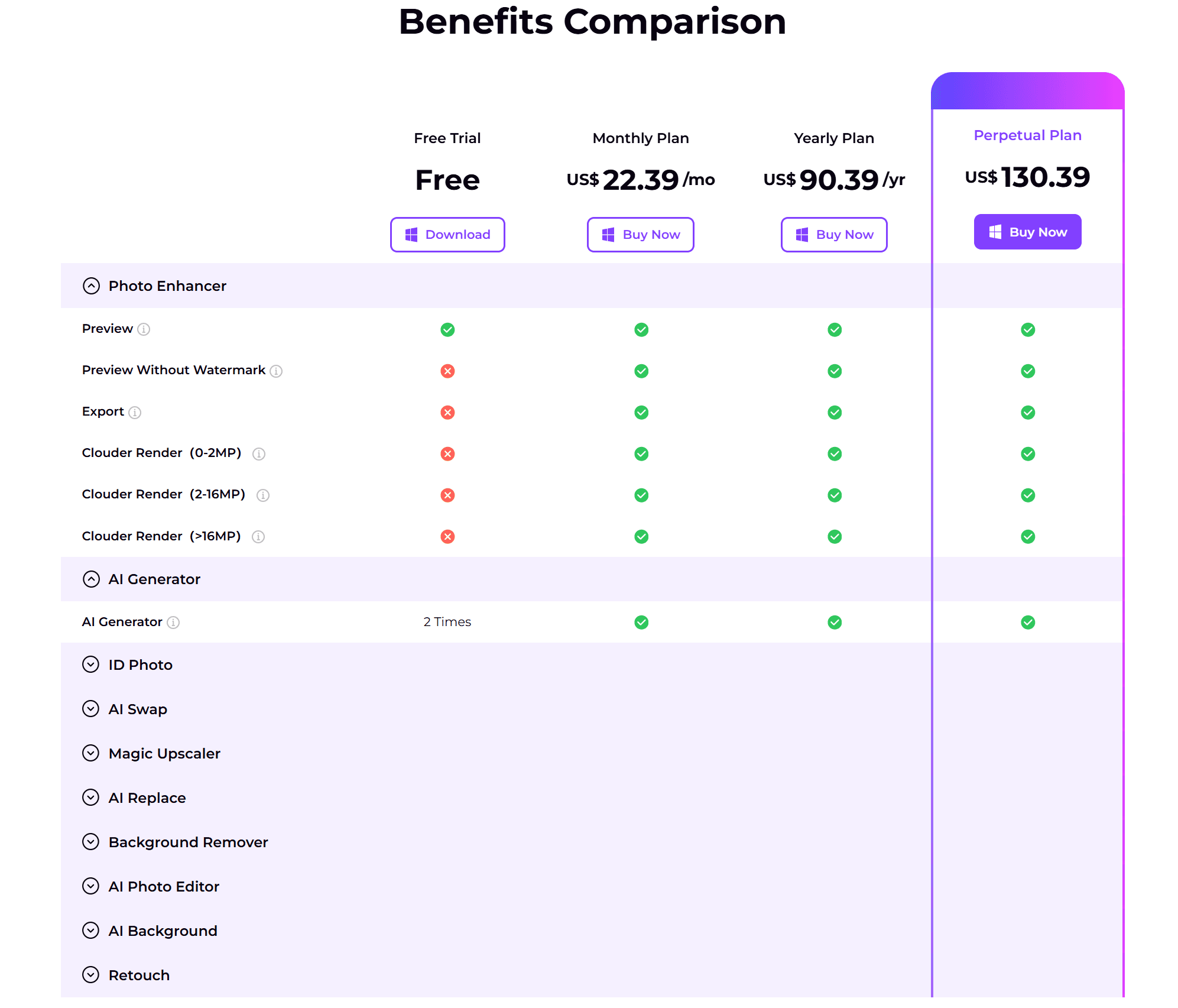
HitPaw goes head to head with Topaz on model variety and beats it on upscale factor, while offering a buy-once path that Topaz simply does not. On Trustpilot, HitPaw holds a 4.2/5 rating across thousands of reviews — users consistently praise how natural the output looks. One reviewer restoring old family photos put it well: “HitPaw FotorPea made them look so much clearer without that over-processed AI look you get from some tools.”
Another noted “amazing improvement of sharpness on my old colour slides — it’s now even sharper than the original.” If you want the highest upscale ceiling, lots of models, and the ability to stop paying after the first purchase, it is a strong option.
If HitPaw's desktop workflow feels slow on your computer, or you only need to upscale a few images, read our guide to upscaling without installing another desktop app. It compares HitPaw FotorPea with Nero AI Image Upscaler Online and explains when a cloud workflow makes more sense.
Nero AI Image Upscaler
Nero AI Image Upscaler takes a different bet than the competition. Where Topaz and HitPaw chase model count, Nero focuses on depth within 7 specialized models: Standard, Photograph, Anime, Face Enhancement, Iris, and Fast, plus dedicated Sharpen and Unblur modes for recovering soft-focus shots and motion blur.
For a real-world example, follow our step-by-step guide on how to unblur images with AI, where we repair motion-blurred F1 photos, compare different models, and prepare images for output up to 32K.
The Face Enhancement model is the one worth paying attention to. It includes Face Recovery and Skin Retouch in a dedicated face pipeline that none of the other tools match in precision.
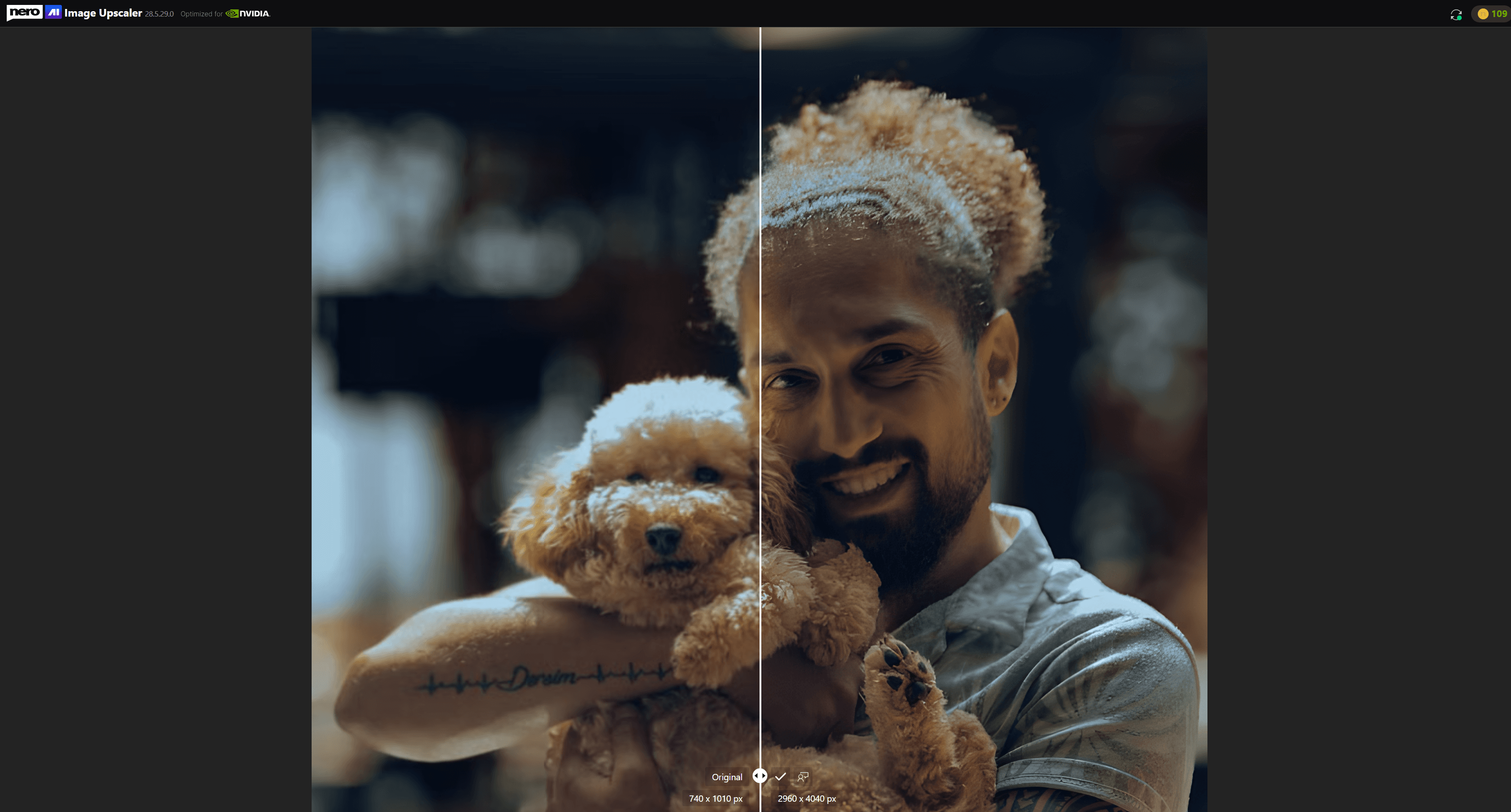
The thing that actually changes how you use the tool is the dual Cloud GPU and local rendering mode. You do not need a dedicated graphics card. If your machine can handle local processing, great.
If not, the cloud picks up the slack. This alone makes it the most practical option for anyone on a mid-range laptop or an older desktop. Nero AI is also the only tool here available on all three platforms: Windows, macOS, and web browser.
At 8x upscale with 32K output and up to 1024 MP image size, Nero AI ties HitPaw for the highest enlargement factor in this comparison. The three comparison views (Single, Slider, and Split) make it easy to fine-tune model parameters, and batch processing handles up to 100 images at a time without friction.
If you're enlarging AI-generated artwork for posters, canvas prints, or other physical output, see our guide on how to upscale AI-generated images to 4K or 8K for print, including print-resolution calculations and recommended output settings.
Pricing is simple. $39.96 a year for a subscription, or a Permanent License at $103.96. That yearly rate is the lowest annual cost of any tool tested.
The Permanent License sits right near AVCLabs’s Perpetual price at $99.90. Both are solid one-time-buy deals.
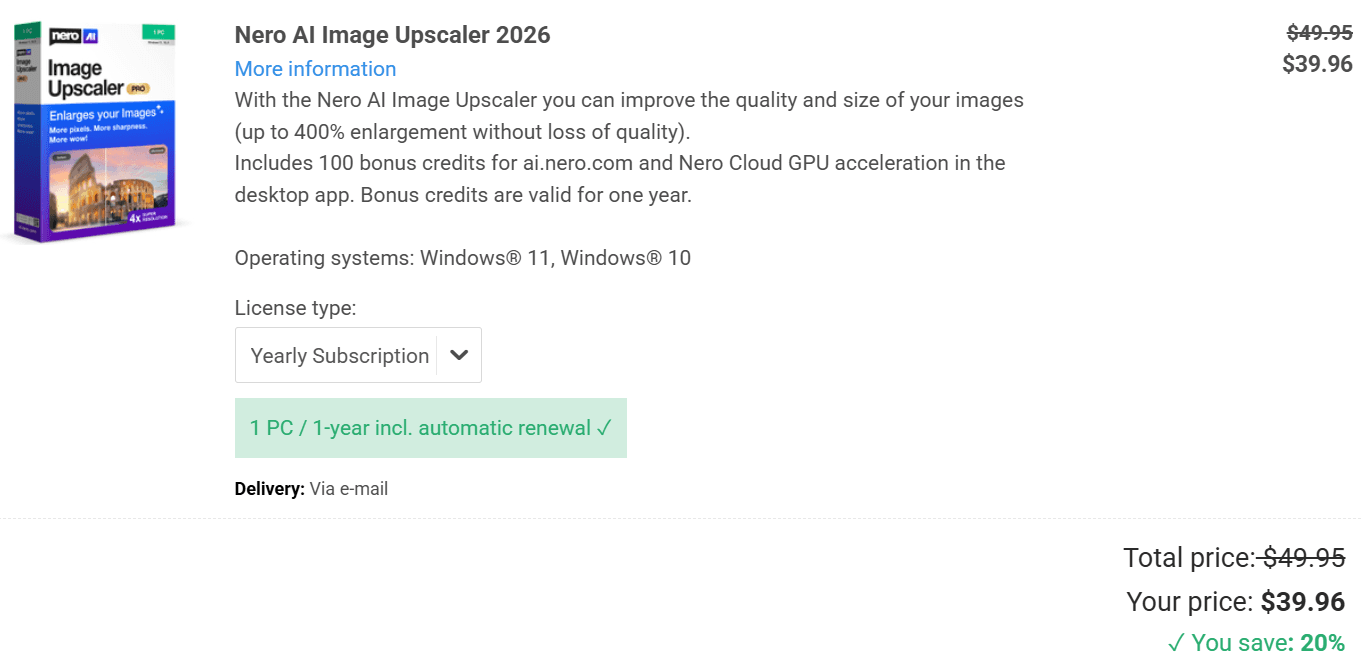
Third-party reception backs up the value. Nero AI holds a 4.8/5 rating on Trustpilot across over 1,500 reviews, with users consistently noting how natural the output looks — the Trustpilot summary describes “natural and professional-looking results without over-editing.” On G2, reviewers call it “a must-have for its diverse capabilities and outstanding performance,” and the anime model in particular gets singled out as “perfect for creating AI art and cartoons.”
One honest caveat: 8x upscale is tough territory for any AI model. Whether Nero AI’s 8x output looks better or worse than HitPaw’s 8x output depends on the image. Extreme upscale factors magnify whatever weaknesses the model has.
You should test with your own photos.
Fotor
Fotor is the easiest tool to get into. It runs in a browser, on desktop, and on mobile. Its main identity is an all-in-one creative workspace — AI video generation, virtual models, smart listings, background editing, and Vibe Marketing tools all live alongside the upscaler.
The AI Upscaler is one feature among many, offering 4 models: Standard, Advanced, Topaz, and Topaz Generative, all capped at 4x enlargement. At $39.99 a year for Pro, it ties Nero AI for cheapest annual cost, and the 7-day free trial asks for nothing upfront.

The flip side is depth. Fotor is an all-in-one photo editor with AI upscaling added on, not a dedicated upscaling tool.
It handles batch processing for up to 50 images at once, and its one-click enhancement is genuinely the simplest to use out of everything tested. But if you need the kind of fine detail recovery that Topaz’s 9 models or Nero’s Face Enhancement pipeline deliver, Fotor will not keep up.
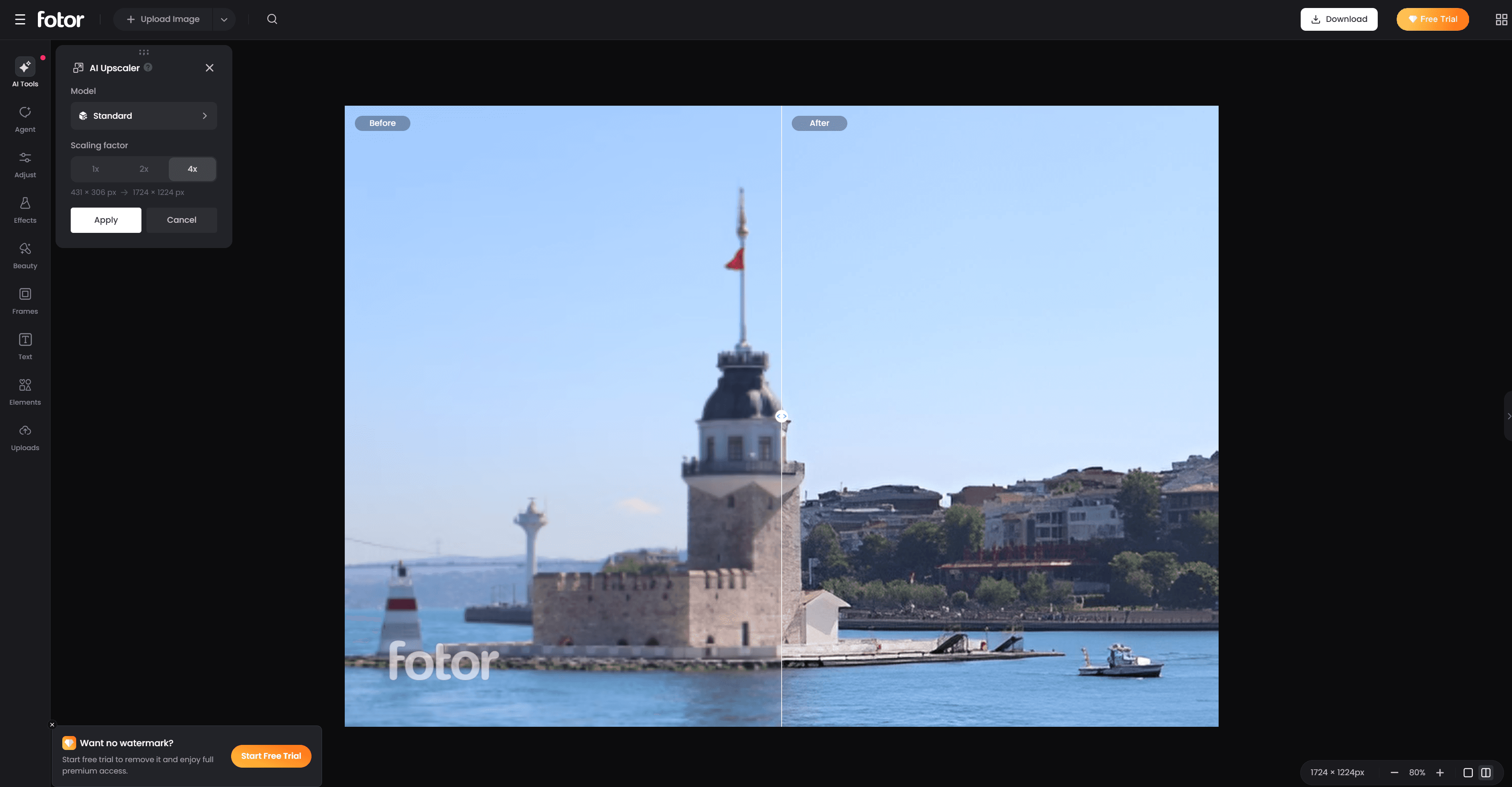
For casual users who occasionally need to enlarge an image for Instagram or a small print, Fotor is a perfectly fine choice. It holds a 3.8/5 rating on Trustpilot across over 1,500 reviews, with users consistently calling it “incredibly easy to use, even for those who are not tech-savvy.” The recurring negative, though, is about subscription billing clarity — worth keeping in mind if you start with the free trial.
For anyone doing this professionally or in volume, the dedicated desktop tools in this roundup produce better results. We put together a more detailed comparison in our Fotor alternative guide.
Pricing: What You Actually Pay
Yearly cost and whether you can buy once. Those are the numbers that matter.
Tool | Pricing Model | Lowest Annual Cost | Buy-Once Option | Free Tier |
Nero AI | Subscription + buy-once | $39.96 | $103.96 (Permanent) | 7-day free trial |
Topaz Gigapixel | Subscription only | $149 | Not available | Not available |
AVCLabs | Subscription + buy-once | $79.95 | $99.90 (Perpetual) | Not available |
HitPaw FotorPea | Subscription + buy-once | $90.39 | $130.39 (Perpetual) | Free trial (watermarked) |
Fotor | Subscription only | $39.99 | Not available | 7-day free trial |
A few things jump out. Topaz is the only tool with no buy-once path. You stop paying, you stop using it.
At $149 a year minimum, that piles up fast. AVCLabs and Nero AI both offer permanent licenses around $100 — AVCLabs at $99.90, Nero AI at $103.96.
HitPaw's Perpetual license at $130.39 costs more but comes with the widest model selection. Fotor at $39.99 a year is the cheapest way in, but the upscaling capability gap is real and worth factoring in.
If you plan to use an upscaler regularly for more than two years, buying once almost always beats subscribing. The break-even on Nero AI's Permanent License versus its yearly plan is about two and a half years. AVCLabs's Perpetual license pays itself off in just over a year compared to monthly billing.
Which AI Image Upscaler Should You Choose?
No single tool wins every category. Here is what leads in each area based on features, pricing, and user feedback.
Portrait and face work: Nero AI's Face Recovery and Skin Retouch pipeline is the most purpose-built option in this group. If most of what you upscale has people in it, this is the feature that makes a difference.
Professional photography: Topaz Gigapixel's 9-model ecosystem and mature track record make it the safest pick for photographers who want consistent, predictable output and already have the GPU to back it up.
Highest upscale factor: HitPaw FotorPea and Nero AI both reach 8x with 32K output. HitPaw brings 9 models, Nero counters with cloud rendering that removes the hardware requirement.
Old photo restoration: AVCLabs PhotoPro AI and HitPaw are stronger when you want colorization, denoising, and scratch repair inside one app. Nero AI is a better fit for low-resolution family portraits that mainly need upscaling and face recovery.
Follow our guide on how to restore old photos with AI for recommended models, enhancement settings, and 2x or 4x workflows.
One-time purchase: AVCLabs at $99.90 and Nero AI at $103.96 are the two strongest buy-once deals. HitPaw at $130.39 is also available as a Perpetual license if you want the extra models.
Lowest annual cost: Fotor Pro at $39.99 a year is the cheapest way in. It fits casual users who upscale occasionally, not professionals doing it daily.
What if you want to upscale photos on your phone?
If the photo is already on your iPhone or Android device, moving it to a computer just to improve the resolution can add an unnecessary step. Nero Lens is the mobile option for quick photo upscaling and enhancement directly from your phone.
Open a photo from your gallery, use AI Enhance to improve its resolution and clarity, preview the result, and save it back to your device. Nero Lens can upscale images by up to 4x, and it also includes tools for restoring old photos, reducing noise, enhancing faces, and colorizing black-and-white images.
For a few photos, social media images, or old family pictures stored on your phone, Nero Lens is the more convenient option. If you need larger upscale factors, batch processing, 32K output, or more control over AI models, Nero AI Image Upscaler on desktop is still the better fit.
Download Nero Lens:
Want to see more features before installing?
Conclusion
The fact that no single tool dominates every scenario is a good thing. It means the market is competitive enough that you can pick based on what you actually need rather than defaulting to the one name everyone recognizes. Try the one that lines up with your workflow — upload a low-resolution portrait, an old scan, or a landscape that could use more detail, and see what comes back.
Try Nero AI Image Upscaler for free. Pick a model, drop in an image, and see what 32K upscaling looks like on your own photos.