The right choice depends on where AI video enhancement fits in your workflow. VideoProc Converter AI is designed for people who want conversion, recording, downloads, and related media tasks in the same desktop application. Nero AI Video Upscaler is the more relevant option when AI video enhancement is the task you are selecting software to do.
This is not a feature-count contest. The practical choice is whether a broader media toolkit or a dedicated enhancement workflow better fits the footage you process and the output you need.
The Core Difference: Media Toolkit or Dedicated Enhancement Workflow?
VideoProc Converter AI is a media-processing suite. Its official feature overview positions it for video conversion, DVD conversion, compression, downloads, screen recording, and AI-powered media enhancement on Windows and Mac. The same page lists AI video features including Super Resolution, frame-rate conversion, stabilization, and vocal/noise removal.
Nero AI Video Upscaler is a desktop product focused on AI video enhancement. Nero’s current product information describes local processing, a seven-day trial without a credit card, and 4K/8K output options; confirm the applicable plan and price before buying.
The difference is not that one product has “more” value in every case. VideoProc’s value is strongest when its surrounding media tools are part of your regular process. Nero’s value is strongest when the enhancement workflow itself is the reason you need a tool.
Your primary need | Start by evaluating | Why |
Conversion, recording, downloads, and occasional video enhancement | VideoProc Converter AI | A single media toolkit may reduce application switching. |
A dedicated AI video enhancement workflow | Nero AI Video Upscaler | The product is designed around that task rather than a wider media suite. |
A mixed or unusually demanding project | Both on one representative clip | Your source, output target, and processing conditions should decide. |
Compare the Task, Not Just the Feature List
A useful comparison follows the path of the project: input, processing goal, and output.
Start With the Source Footage
Identify the limitation in the video you actually need to process. It may be low resolution, compression artifacts, motion complexity, or a delivery requirement that calls for a larger output. A short, lightly compressed clip is not equivalent to a long, difficult source file, so a product-page feature list cannot settle every decision.
Define the Processing Goal
State what you need before comparing modes: a larger output, a different frame rate, stabilization, noise cleanup, or another supported task. Check the capability in the current version you intend to buy rather than assuming similarly named AI features work the same way.
Do not infer a quality or speed winner from specifications alone. Results vary with the source file, selected settings, software version, hardware, and output target. Any published performance comparison should use the same representative footage and disclose those conditions.
Match the Output and Workflow
Your output requirement may matter more than the headline feature. Confirm the target resolution, format, turnaround time, and whether you need one export or repeatable batch work. VideoProc’s format and platform details describe support for 420+ output formats and Windows/Mac availability; verify the specific formats and functions you need in the version available to you.
Use this compact checklist before you choose:
Check | Question |
Source | What are the resolution, compression level, motion characteristics, and visible limitations? |
Goal | Which specific, currently supported enhancement task do you need? |
Output | Which resolution, format, and delivery time are required? |
Workflow | Do you also need conversion, recording, downloading, or batch processing? |
Validation | Can you test a representative clip under the same output conditions? |
Real-World Upscaling Test: VideoProc vs Nero on the Same Beach Clip
While workflow fit should be the first decision factor, a same-source comparison can help illustrate how different enhancement approaches may render fine details. This is a single-sample visual comparison, not a benchmark or a general quality ranking.
Test Setup
The source clip was 854 × 480 at 30 FPS. Both outputs were exported at 1708 × 960, retaining 30 FPS. VideoProc was set to Gen Detail v3 with High Quality Mode enabled and a 2× scale. Nero used the Realistic AI model at 2× and retained the original frame rate.
Test condition | VideoProc Converter AI | Nero AI Video Upscaler |
Source | Same beach clip, 854 × 480, 30 FPS | Same beach clip, 854 × 480, 30 FPS |
Output target | 1708 × 960, 30 FPS | 1708 × 960, 30 FPS |
Model / mode | Gen Detail v3; High Quality Mode | Realistic AI Model |
Scale | 2× | 2× |
Watch the original beach clip, used for both 2× exports.

VideoProc settings: Gen Detail v3, High Quality Mode, and 2× scale.
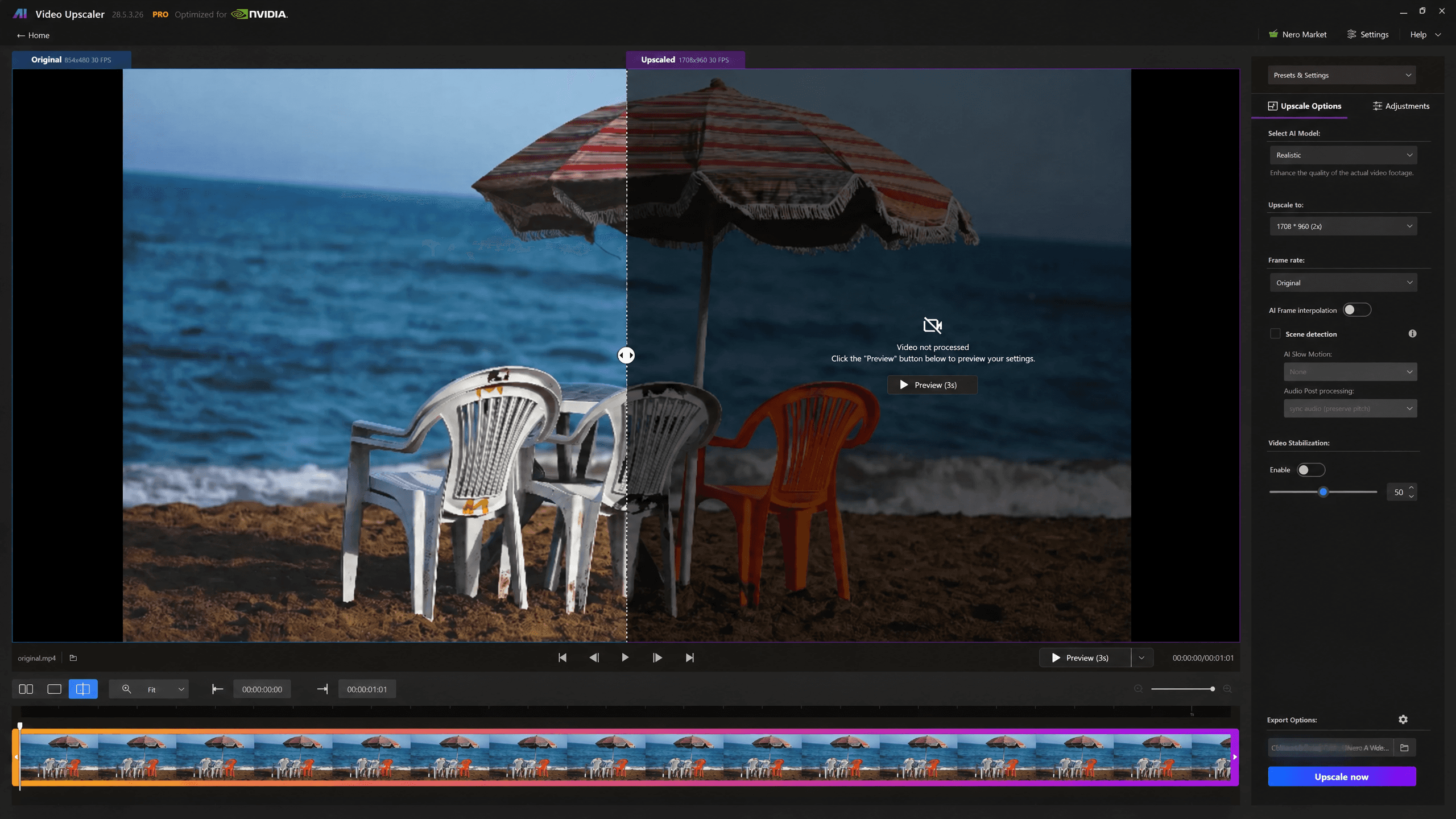
Nero settings: Realistic AI Model, 2× output, original frame rate.
What We Looked For
We compared the umbrella fabric and fringe, the plastic chair backs and edges, the texture of the water and sand, and the overall color and contrast treatment. The goal was not to treat extra sharpness as an automatic win, but to see how each rendering treated fine texture, edges, and possible processing artifacts in this particular frame.
What This Clip Shows
Both exports make the low-resolution source easier to inspect at a larger size. In this sample, the biggest differences appear around the umbrella fringe, the striped fabric, and the slats in the white chairs.
The VideoProc output looks more contrast-forward in several areas. The umbrella stripes, chair edges, and dark shadow transitions appear more pronounced, while some fine structures—especially around the fringe and chair-back grid—show stronger edge emphasis. The result may suit viewers who prefer stronger edge definition, but it is worth checking those high-detail areas at full size.
The Nero output presents a more restrained treatment in this clip. The umbrella, chairs, and water retain a slightly softer overall appearance, while adjacent chair shapes and sections of the fabric pattern maintain clearer separation in this frame. Whether that balance is preferable depends on whether you prioritize a more forceful sharpened look or a less aggressive rendering of small textures.
Watch the VideoProc Converter AI 2× output, exported at 1708 × 960.
Watch the Nero AI Video Upscaler 2× output, exported from the same clip at 1708 × 960.
How to Read This Result
This test is limited to one beach clip at one scale factor and the settings shown above. It cannot establish a general ranking for image quality or predict results for faces, animation, low-light footage, fast motion, archival video, or long files.
The useful takeaway is to compare the areas that matter in your own material: fine lines, textures, shadows, color, and any artifacts you would rather avoid. On this clip, the decision is less about a universal winner than about which rendering style better fits the detail you want to preserve.
Which Workflow Fits You Better?
Choose VideoProc Converter AI if Media Tasks Come First
Choose VideoProc Converter AI if video enhancement sits inside a broader, recurring media workflow. It is a sensible starting point when you routinely convert files, work with DVDs, record your screen, download permitted content, or use other media utilities alongside enhancement.
That recommendation depends on fit, not on a claim that a larger toolkit is automatically better. Confirm that its available AI video features, export options, and system requirements support the footage and delivery requirements that matter to you.
Explore Nero AI Video Upscaler if Enhancement Is the Main Job
Explore Nero AI Video Upscaler if your main goal is a dedicated AI video enhancement workflow. It is the more relevant option to evaluate when the selection begins with a video-improvement task rather than the need for a general-purpose media suite.
Nero’s current Windows workflow and trial details describe local processing and a seven-day trial. Those conditions may appeal to Windows users who want to evaluate the workflow with their own clip before purchasing.
This is a conditional recommendation. Check current system requirements, available models or modes, output options, and pricing before committing, especially if your project involves long videos or repeated processing.
Test When Project Conditions Are Material
A representative test is most useful when you work with long files, batch jobs, unusual formats, strict delivery specifications, or time-sensitive exports. Use the same source clip and output goal for both candidates. Record the software version, device configuration, settings, and export conditions if processing time or visual results will drive the decision.
Product Facts to Check Before You Buy
The following table is intentionally small: it compares purchase-relevant facts without pretending that an untested specification establishes a quality winner.
Decision factor | VideoProc Converter AI | Nero AI Video Upscaler |
Platform | Windows and Mac | Windows |
Main focus | Broad media processing: conversion, recording, downloads, DVDs, and AI features. | Dedicated AI video enhancement workflow. |
AI video role | One component of a wider media toolkit. | Core product purpose. |
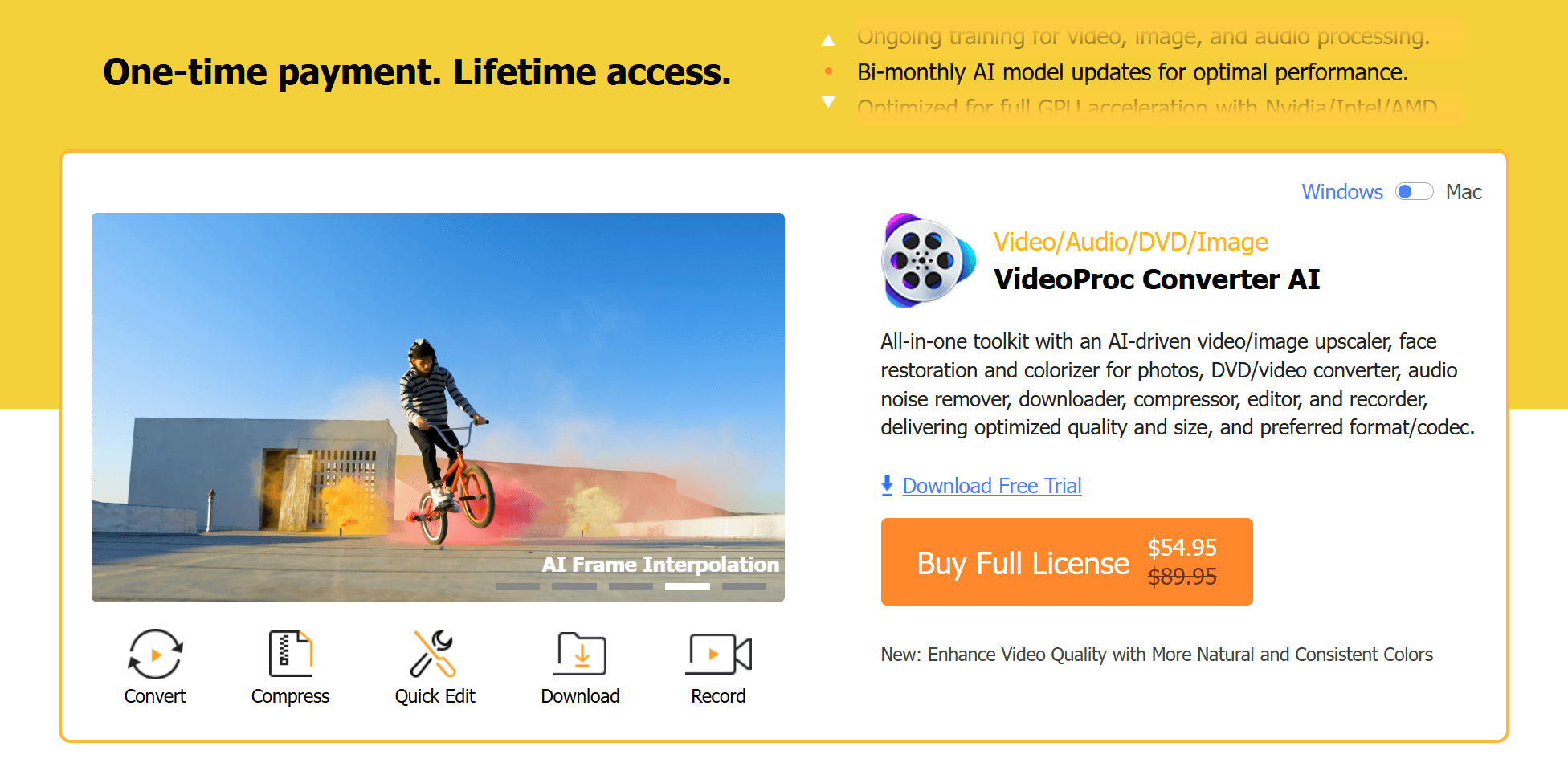
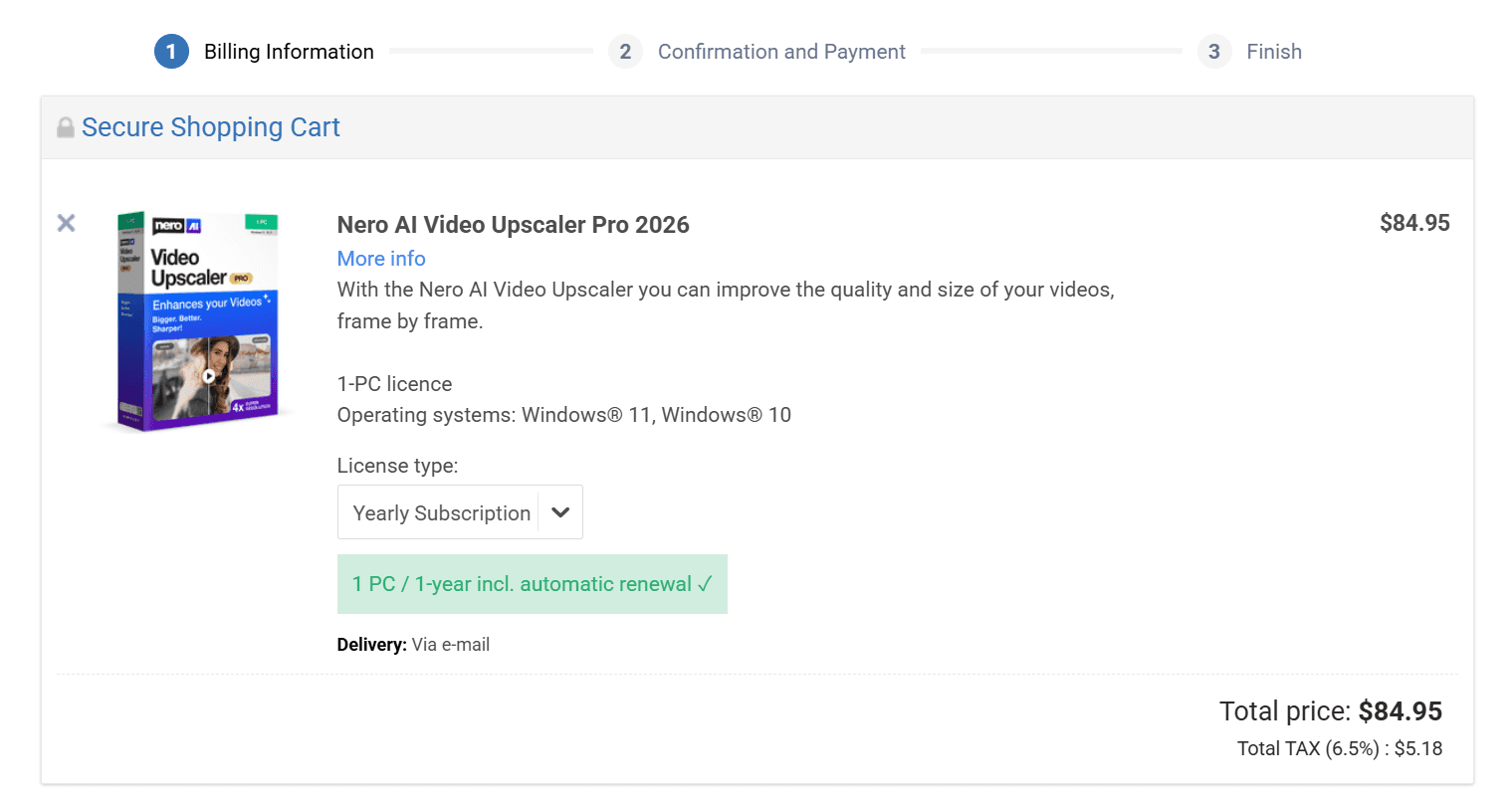
Trial / pricing model | Official materials describe a free trial and time-limited promotional lifetime-license pricing; check the live offer for your market. | Nero lists a seven-day, no-card trial and a standard price of $84.95 per year. |
VideoProc’s displayed prices can be promotional and market-specific. Check the current plans, license scope, and trial limitations directly in the VideoProc Converter AI store before publication or purchase.
For Nero, confirm the current annual price, trial terms, and Windows hardware requirements on the Nero AI Video Upscaler product page. Nero’s 2026 update guidance says local acceleration requires an NVIDIA GTX 1080 or higher; treat this as a starting point for validation against the current release and your workload.
Bottom Line
The workflow sections above should make the direction clear. If a dedicated AI video enhancement workflow matches your project, explore Nero AI Video Upscaler and validate the current requirements and output options with a representative clip.