What Is Nero AI Video Upscaler?
FACTS AT A GLANCE
Platform
Windows 10/11, 64-bit
Max resolution
Up to 7680×4320 (8K)
Frame interpolation
Up to 120 FPS
Common inputs
MP4, MOV, AVI, MKV, WMV and more
Export
MP4 with H.264 or H.265
Trial
7-day free trial · no credit card required
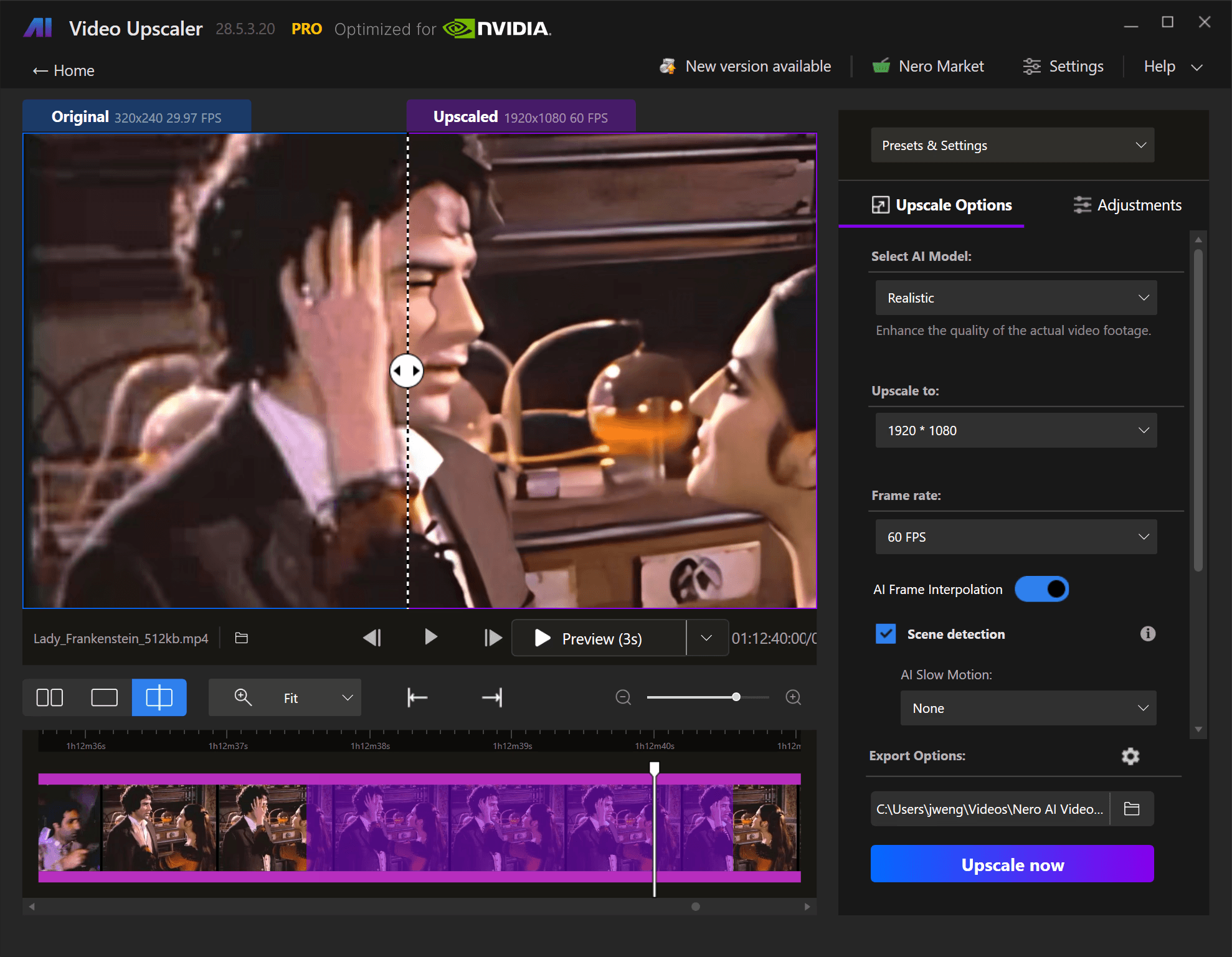
See How AI Video Upscaling
Improves Real Clips
AI Video Upscaling Models for Every Type of Video
How to Upscale a Video with Nero AI

7 Day Free Trial
No Credit Card Required
100% Safety
What’s New in
Nero AI Video Upscaler 2027?
System and Hardware Requirements
CPU
AMD Ryzen / Intel Core processors released in 2017 or newer
Graphics Card (GPU)
Minimum: AMD Radeon 500 series / NVIDIA GeForce GTX 900 series or higher, 4 GB VRAM for Full HD upscaling to 4K
Recommended: AMD Radeon RX 6700 XT / NVIDIA GeForce RTX 3060 or higher, 12 GB VRAM for 4K upscaling to 8K
Hear from our users
This tool brilliantly upscaled my old product videos, enhancing details and boosting their overall appeal. No need to shoot new videos and save on the budget.

Jamie Teller
From Microsoft Store
I use it to upscale my old family videos. It's like taking a trip down memory lane in HD. A must-have for anyone wanting to preserve their treasured moments.

Alex Rivera
From Microsoft Store
Incrivel.já tinha testado vários outros com a mesma proposta, mas nenhum me permitia editar um vídeo com o tamanho e duração máxima. esse foi o primeiro.

Morgan Lee
From Feedback






We’ve got you covered
What is AI video upscaling?
AI video upscaling uses artificial intelligence to increase video resolution while rebuilding missing details frame by frame. With Nero AI Video Upscaler, you can turn low-resolution clips into clearer 1080p, 4K, or 8K videos.