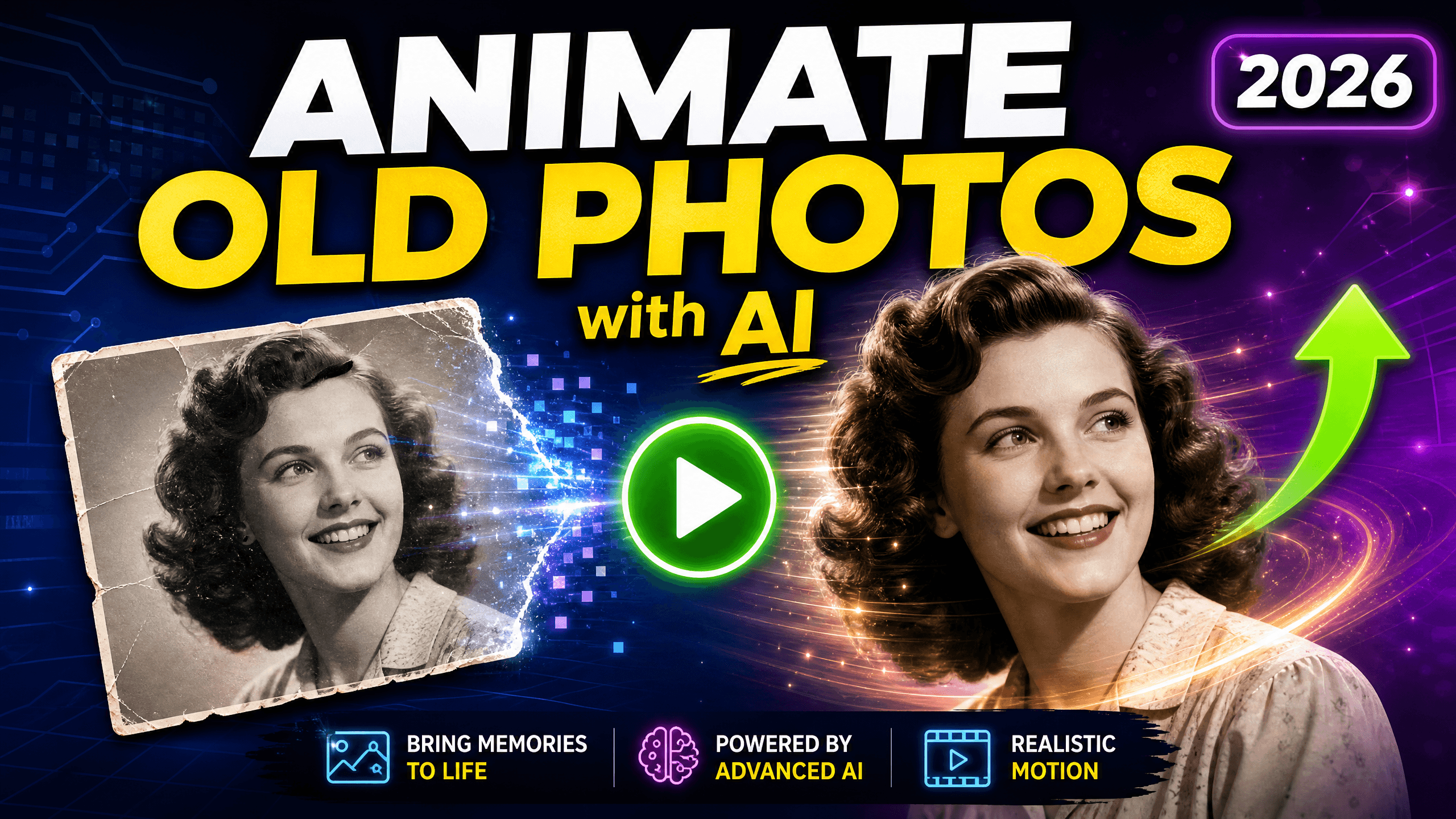
An old black-and-white family photo has been sitting in an album for decades. A familiar face is frozen in time—smiling softly, surrounded by people and places that now feel distant.
Then the photo moves. The eyes blink. The smile returns. The memory suddenly feels alive again.
This is AI photo animation. It transforms old photographs into short video clips in minutes. The technology uses facial recognition and motion synthesis to make people in static photos blink, smile, and move naturally.
You can use it to preserve family history, create memorial tributes, or bring historical figures back to life. The process is simple. The results feel magical.
Animated photos create deeper emotional connections with the past. They transform static memories into living moments that engage younger generations.
Why Animate Old Photos with AI?
Old photographs are windows into the past. But they can feel distant. Disconnected from our present lives.
AI animation bridges that gap. It transforms historical artifacts into engaging memories that resonate across generations.
AI animation creates deeper emotional connections. It helps younger generations engage with their heritage. Good for memorial tributes, historical documentation, and creative storytelling.
Five ways to use animated photos
Preserve family memories. Make ancestors' photos come alive for younger generations who never met them.
Social media content. Create nostalgic content that stands out in crowded feeds.
Memorial tributes. Honor loved ones with moving video tributes.
Historical education. Bring historical figures and events to life for students.
Creative projects. Add emotional depth to documentaries and presentations.
Animated photos help bridge the emotional gap for younger generations. They transform cold historical artifacts into vibrant memories.
How to Animate Old Photos in 4 Simple Steps
Ready to bring your old photos to life? Here’s how to create your first animated photo using Nero AI Face Animator.
Step 1: Prepare your photo
Your photo needs to meet these basic requirements:
Minimum resolution: 512x512 pixels
Clear facial features (the face should be visible)
Supported formats: JPG, PNG, HEIC
Scanning tip: For physical photos, scan at 300 DPI or higher
The AI works best when facial features are clearly visible. If you’re scanning physical photographs, take time to do it properly. Good lighting and a flat surface make a big difference.
Step 2: Upload to Nero AI
Visit ai.nero.com/face-animation
Log in to your account (free registration available)
Click “Upload Photo”
Select your photo and upload
Step 3: Choose animation effect
Nero AI offers various face animation effects:
Expressive effects: Birthday, YES!, Like/Dislike reactions
Fun effects: Ring, Trophy, Beer, Rose, Rainbow
Emotional effects: Warning, NO NO NO, Beam
Creative effects: Magic and more
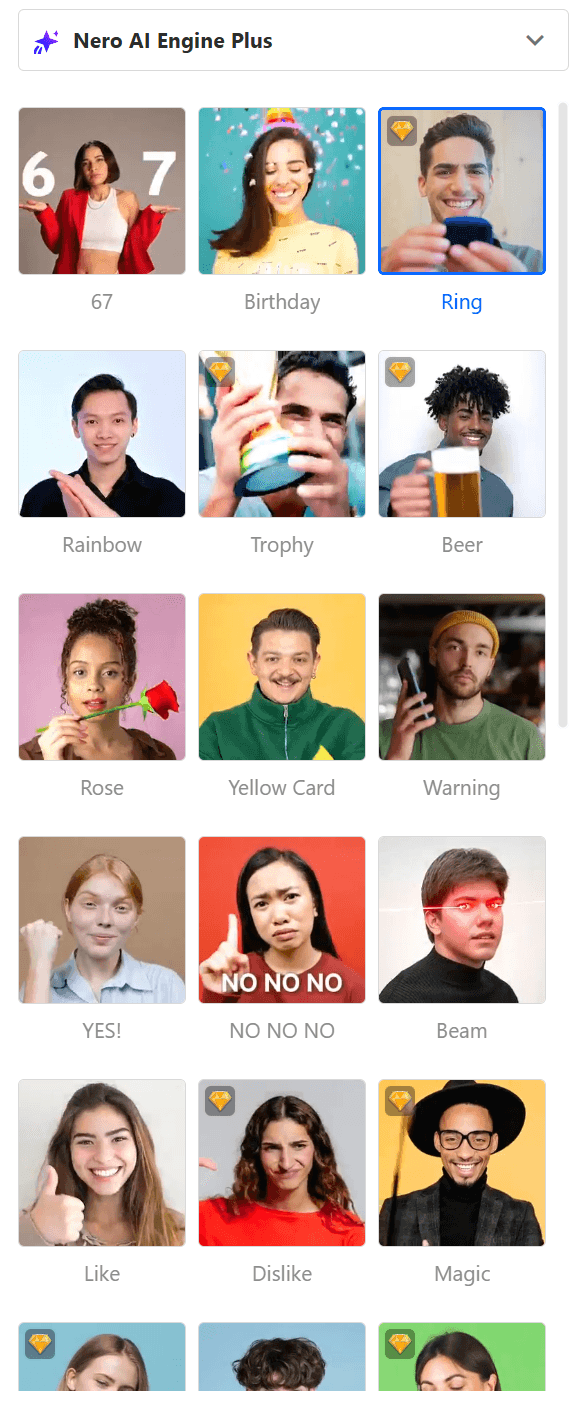
Choose an effect that matches your photo’s mood. For historical or memorial photos, subtle expressive effects work best. For social media, fun effects add entertainment value.
Step 4: Generate and download
Once you select your effect, the AI does the work:
Processing time: About 2 minutes
Download format: MP4 video
Resolution options: 480P (free), 720P (Pro Pass)
The AI analyzes facial features, generates natural movements, and renders the animation. You don’t need technical skills or video editing experience.
Best Practices for Animating Old Photos
Getting good results is not difficult. Follow these practices to create animations that look natural.
Photo quality tips
Use minimum 512x512 pixel resolution. Higher resolution produces smoother animations.
Scan physical photos at 300 DPI or higher. This captures enough detail while preserving the vintage character.
Make sure the face occupies at least 30% of the image frame. If the face is too small, the AI may struggle.
Good lighting and clear facial features improve quality. Photos with strong shadows or motion blur are harder to process.
Getting the best results
Crop tightly around the face before uploading. This helps the AI focus on important details.
Adjust brightness/contrast if the photo is dark or faded. Simple adjustments can improve the AI's ability to detect features.
Damaged photos: Use Nero AI Photo Restoration tool first. Repair scratches and fading before animation.
Frequently Asked Questions
Is it free to use?
Yes. Nero AI Face Animator offers free access with no watermarks. You can animate photos and download in 480P resolution for free. Higher resolution (720P) requires a Pro Pass subscription.
How do I get started?
Visit ai.nero.com/face-animation and create a free account. Upload your photo, choose an animation effect, and generate your video in about 2 minutes.
How long does processing take?
Most photos are processed in about 2 minutes. Processing time may vary based on image quality and server load.
Is my photo data safe?
Yes. Nero AI follows strict privacy policies. Photos are processed securely according to GDPR standards.
What photo quality do I need?
Minimum 512x512 pixels with clear facial features. Works with both color and black-and-white photos. Higher resolution produces better results.
Start Bringing Your Memories to Life
Every old photo holds a story waiting to be retold.
AI face animation transforms static memories into living moments. It connects generations. It preserves family history. It creates emotional experiences that static images cannot match.
The process is simple. No technical skills required. Nero AI processes photos in about 2 minutes. Free access with privacy protection that complies with GDPR standards.
Whether you’re honoring ancestors you never met, creating memorial tributes, or bringing historical figures to life, animated photos make the past feel present.