
作成と編集
音声編集
音声編集
音声編集
無料オーディオエディタ&レコーダー
無料オーディオエディタ&レコーダー
無料オーディオエディタ&レコーダー
録音、カット&トリム
録音、カット&トリム
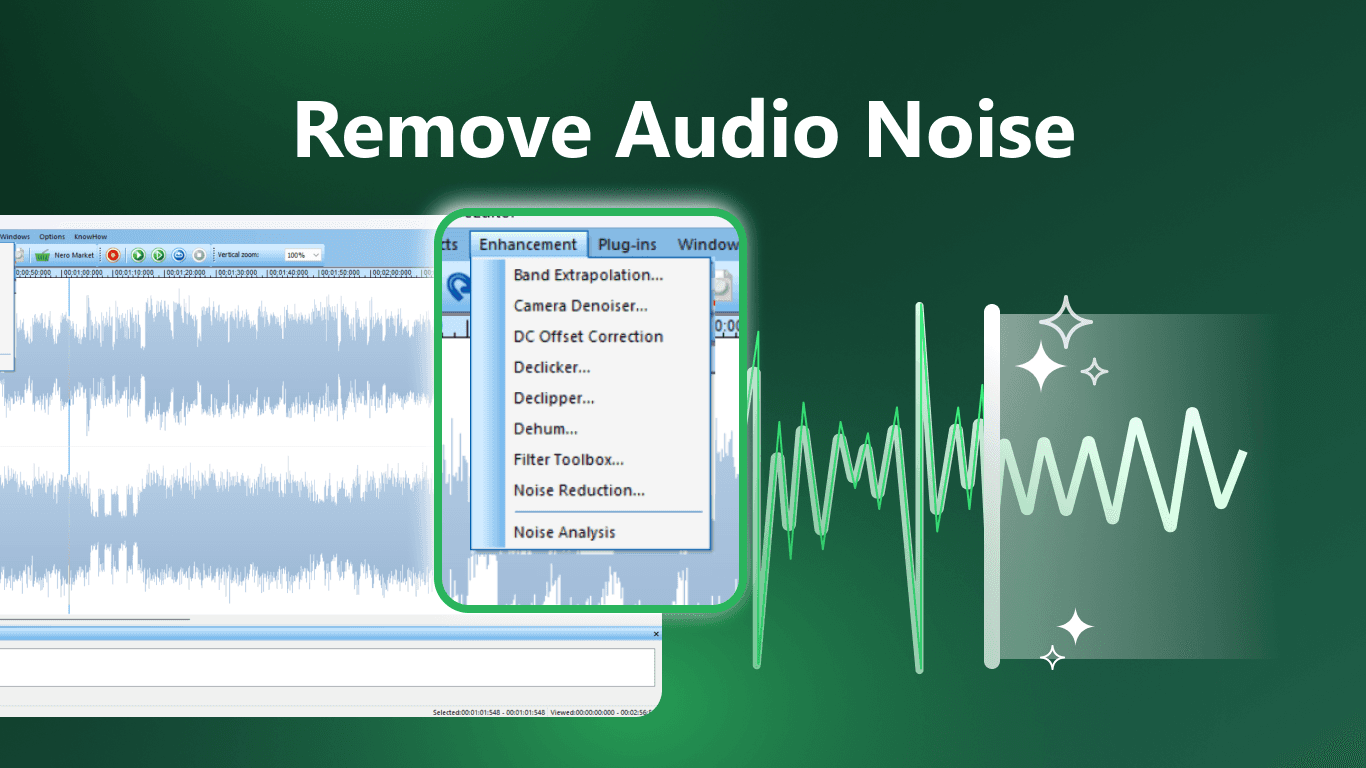
音声ノイズを除去する
音声ノイズを除去する
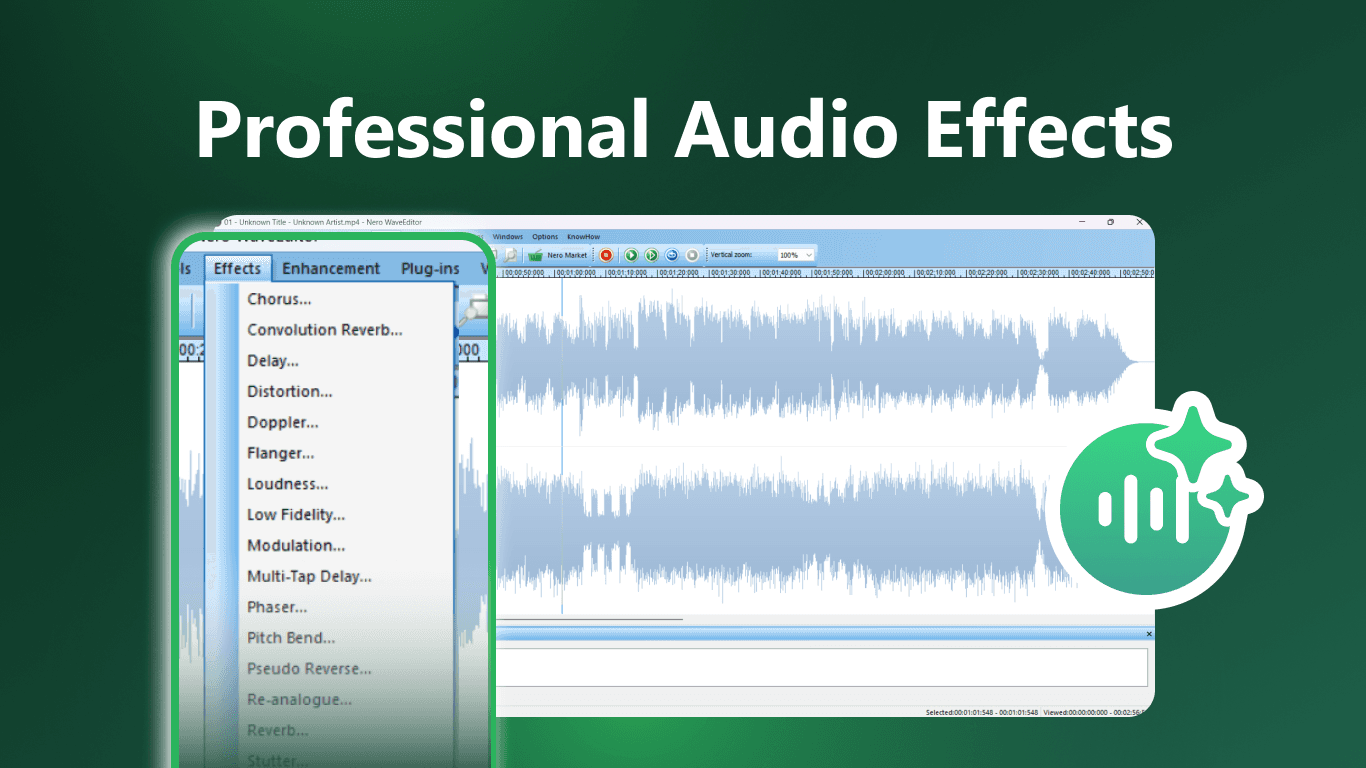
プロフェッショナルなオーディオエフェクト
プロフェッショナルなオーディオエフェクト

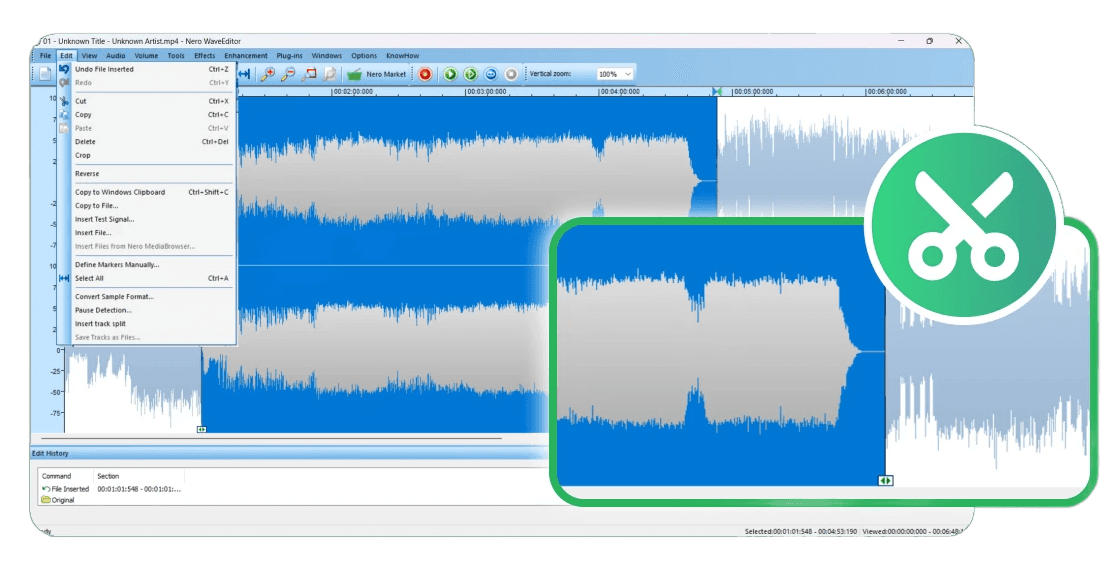
高度な音声編集
音声ノイズ除去
多彩な音声エフェクト
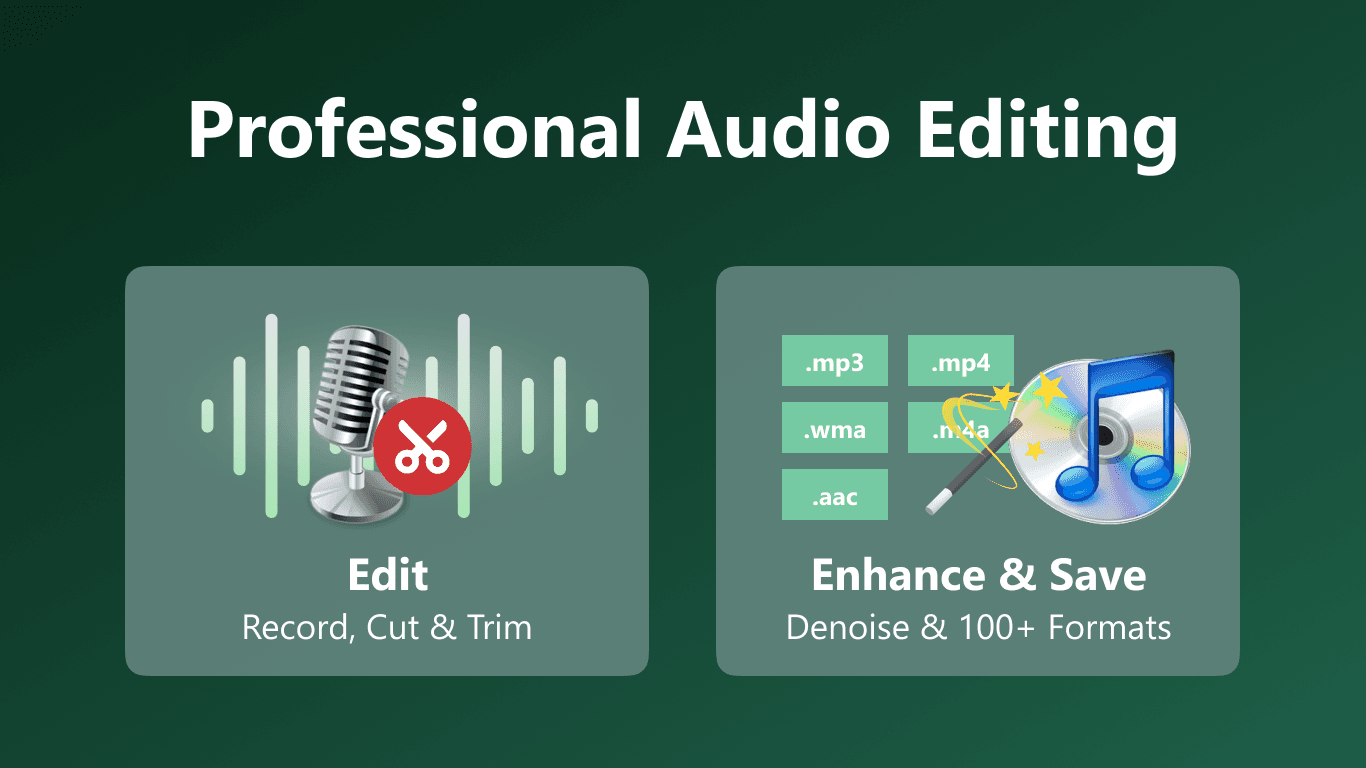
高度な音声編集
音声ノイズ除去
多彩な音声エフェクト
FREE Audio Editor & MP3 Editor by Nero: The Ultimate Tool for Professional Audio Results
If you are looking for a powerful, cost-effective solution to edit, record, and master audio, Audio Editor & MP3 Editor by Nero (commonly known as Nero WaveEditor) is a top-tier choice. Designed for both beginners and audio professionals, this software offers a suite of advanced tools wrapped in an intuitive user interface—completely for free.
Whether you are a podcaster needing to cut tracks, a musician looking to master a song, or a hobbyist digitizing old recordings, Nero provides the versatility required to bring your audio projects to life.
Why Choose Audio Editor by Nero?
Unlike many free tools that offer limited functionality, Nero WaveEditor is a full-featured workspace. It combines essential editing operations with high-end processing capabilities.
1. Non-Destructive Editing & Visualization
One of the software’s standout features is its non-destructive editing workflow. You can experiment freely with your audio files using full Preview and Undo features. If a cut or effect doesn't sound right, you can simply revert it without permanently damaging the original file.
To ensure precision, the software offers three distinct viewing modes:
Wave Display: For standard cutting and splicing.
Spectrogram Display: For frequency analysis.
Wavelet Display: For detailed audio texture analysis.
2. Advanced Audio Restoration & Enhancement
Do you have a recording with background hiss or low volume? Audio Editor by Nero excels at fixing lower-quality sources.
Normalization: Instantly boosts the overall file volume to industry standards.
Noise Analysis & Reduction: Tools like the Noise Gate and Filter Toolbox help clean up distinct audio artifacts.
Band Extrapolation: intelligently recreates missing high frequencies.
3. Professional Effects and Plugin Support
For creative sound design, the software is packed with internal effects including Reverb, Delay, Distortion, Phaser, and Stutter. It also includes pitch tuning and voice modification tools.
Crucially, for advanced producers, the software supports third-party VST and DirectX plugins. This allows you to expand the software’s capabilities infinitely by adding industry-standard external effects.
4. Versatile Recording Studio
This isn't just an editor; it is a robust recorder. You can capture audio from:
Microphones: Perfect for voiceovers and vocals.
Line Input: Ideal for recording instruments or digitizing vinyl/cassettes.
Computer Playback: Record internal system audio directly.
Supported Formats
Nero ensures you can work with almost any file type. It supports Convert Sample Format options and handles a massive list of extensions, including:
.mp3, .wav, .wma, .ogg (Standard)
.aac, .mp4, .m4a, .m4b (MPEG/Apple)
.nwf, .ac3, .aif, .aiff (High fidelity/Surround)
Best Alternatives to Nero WaveEditor
While Audio Editor & MP3 Editor by Nero is a powerhouse, users often compare it to other market leaders. Here is how it stacks up against the competition:
Audacity: The most famous open-source competitor. While Audacity is excellent, many users find Nero’s interface more modern and its Spectrogram/Wavelet visualization options more intuitive for specific editing tasks.
Ocenaudio: Known for being lightweight and fast. However, it often lacks the depth of the Filter Toolbox and specific enhancement features found in Nero.
Adobe Audition: A paid, subscription-based professional suite. Nero offers a surprising amount of similar functionality (such as Spectral views and VST support) without the monthly cost.
The Verdict: If you want a free tool that bridges the gap between the simplicity of Ocenaudio and the complexity of paid software, Audio Editor & MP3 Editor by Nero is the superior choice.
Conclusion
Audio Editor & MP3 Editor by Nero remains a hidden gem in the audio world. By offering features like Stereo Processing, Band Extrapolation, and comprehensive format support at no cost, it empowers users to achieve professional-sounding audio without the price tag.
FREE Audio Editor & MP3 Editor by Nero: The Ultimate Tool for Professional Audio Results
If you are looking for a powerful, cost-effective solution to edit, record, and master audio, Audio Editor & MP3 Editor by Nero (commonly known as Nero WaveEditor) is a top-tier choice. Designed for both beginners and audio professionals, this software offers a suite of advanced tools wrapped in an intuitive user interface—completely for free.
Whether you are a podcaster needing to cut tracks, a musician looking to master a song, or a hobbyist digitizing old recordings, Nero provides the versatility required to bring your audio projects to life.
Why Choose Audio Editor by Nero?
Unlike many free tools that offer limited functionality, Nero WaveEditor is a full-featured workspace. It combines essential editing operations with high-end processing capabilities.
1. Non-Destructive Editing & Visualization
One of the software’s standout features is its non-destructive editing workflow. You can experiment freely with your audio files using full Preview and Undo features. If a cut or effect doesn't sound right, you can simply revert it without permanently damaging the original file.
To ensure precision, the software offers three distinct viewing modes:
Wave Display: For standard cutting and splicing.
Spectrogram Display: For frequency analysis.
Wavelet Display: For detailed audio texture analysis.
2. Advanced Audio Restoration & Enhancement
Do you have a recording with background hiss or low volume? Audio Editor by Nero excels at fixing lower-quality sources.
Normalization: Instantly boosts the overall file volume to industry standards.
Noise Analysis & Reduction: Tools like the Noise Gate and Filter Toolbox help clean up distinct audio artifacts.
Band Extrapolation: intelligently recreates missing high frequencies.
3. Professional Effects and Plugin Support
For creative sound design, the software is packed with internal effects including Reverb, Delay, Distortion, Phaser, and Stutter. It also includes pitch tuning and voice modification tools.
Crucially, for advanced producers, the software supports third-party VST and DirectX plugins. This allows you to expand the software’s capabilities infinitely by adding industry-standard external effects.
4. Versatile Recording Studio
This isn't just an editor; it is a robust recorder. You can capture audio from:
Microphones: Perfect for voiceovers and vocals.
Line Input: Ideal for recording instruments or digitizing vinyl/cassettes.
Computer Playback: Record internal system audio directly.
Supported Formats
Nero ensures you can work with almost any file type. It supports Convert Sample Format options and handles a massive list of extensions, including:
.mp3, .wav, .wma, .ogg (Standard)
.aac, .mp4, .m4a, .m4b (MPEG/Apple)
.nwf, .ac3, .aif, .aiff (High fidelity/Surround)
Best Alternatives to Nero WaveEditor
While Audio Editor & MP3 Editor by Nero is a powerhouse, users often compare it to other market leaders. Here is how it stacks up against the competition:
Audacity: The most famous open-source competitor. While Audacity is excellent, many users find Nero’s interface more modern and its Spectrogram/Wavelet visualization options more intuitive for specific editing tasks.
Ocenaudio: Known for being lightweight and fast. However, it often lacks the depth of the Filter Toolbox and specific enhancement features found in Nero.
Adobe Audition: A paid, subscription-based professional suite. Nero offers a surprising amount of similar functionality (such as Spectral views and VST support) without the monthly cost.
The Verdict: If you want a free tool that bridges the gap between the simplicity of Ocenaudio and the complexity of paid software, Audio Editor & MP3 Editor by Nero is the superior choice.
Conclusion
Audio Editor & MP3 Editor by Nero remains a hidden gem in the audio world. By offering features like Stereo Processing, Band Extrapolation, and comprehensive format support at no cost, it empowers users to achieve professional-sounding audio without the price tag.
"Audio Editor by Nero redefines the standard for free software, seamlessly combining professional non-destructive editing and VST support into an intuitive, studio-grade package."
"Audio Editor by Nero redefines the standard for free software, seamlessly combining professional non-destructive editing and VST support into an intuitive, studio-grade package."
Nero Softwareのその他の製品
Nero Softwareのその他の製品


Related Source
Related Source

Nero Platinum Suite 2027 – What’s New
Discover what’s new in Nero Platinum Suite 2027, including subtitles, DVD subtitle export, media browsing, CD ripping, and AI image batch tools.
Read article

Best DVD Burning & Disc Copy Software for Windows 11 in 2026
Compare the best DVD burning software for Windows 11 in 2026, including Nero, ImgBurn, CDBurnerXP, and built-in tools for discs, ISOs, and copies.
Read article

How to Play DVDs on Windows 11: A Step-by-Step Guide
Learn how to play a DVD on Windows 11. Connect an internal or external DVD drive, use Nero DVD Player or VLC, and fix common playback problems.
Read article
Nero Platinum Suite 2027 – What’s New
Discover what’s new in Nero Platinum Suite 2027, including subtitles, DVD subtitle export, media browsing, CD ripping, and AI image batch tools.
Read article
Best DVD Burning & Disc Copy Software for Windows 11 in 2026
Compare the best DVD burning software for Windows 11 in 2026, including Nero, ImgBurn, CDBurnerXP, and built-in tools for discs, ISOs, and copies.
Read article
View all



Nero Softwareについて
Nero Softwareについて
私たちは、革新と最先端技術を損なうことなく、高品質で信頼性が高く、ユーザーフレンドリーなソフトウェアソリューションを顧客に提供することを目指しています。
30m+
ユーザー
30m+
ユーザー
30+
年の実績
30+
年の実績