Unblur images in seconds
Unblur images in seconds
Unblur images in seconds
Turn soft, blurry photos into crisp, high-resolution images. Nero AI Image Upscaler uses advanced AI models to unblur image details, remove noise, and upscale up to 16K—online or on your desktop.
Turn soft, blurry photos into crisp, high-resolution images. Nero AI Image Upscaler uses advanced AI models to unblur image details, remove noise, and upscale up to 16K—online or on your desktop.
Turn soft, blurry photos into crisp, high-resolution images. Nero AI Image Upscaler uses advanced AI models to unblur image details, remove noise, and upscale up to 16K—online or on your desktop.

Unblur to 16K with batch
Unblur to 16K with batch
Unblur to 16K with batch
Fix blur and boost resolution to 16K for dozens of images in a single run.
Fix blur and boost resolution to 16K for dozens of images in a single run.
6 Advanced AI models
6 Advanced AI models
6 Advanced AI models
Face, photo, anime, old prints — pick a tuned AI model and let it unblur the details.
Face, photo, anime, old prints — pick a tuned AI model and let it unblur the details.
Work anywhere
Work anywhere
Work anywhere
Unblur online for quick fixes, or use the desktop app for fast batch jobs.
Unblur online for quick fixes, or use the desktop app for fast batch jobs.
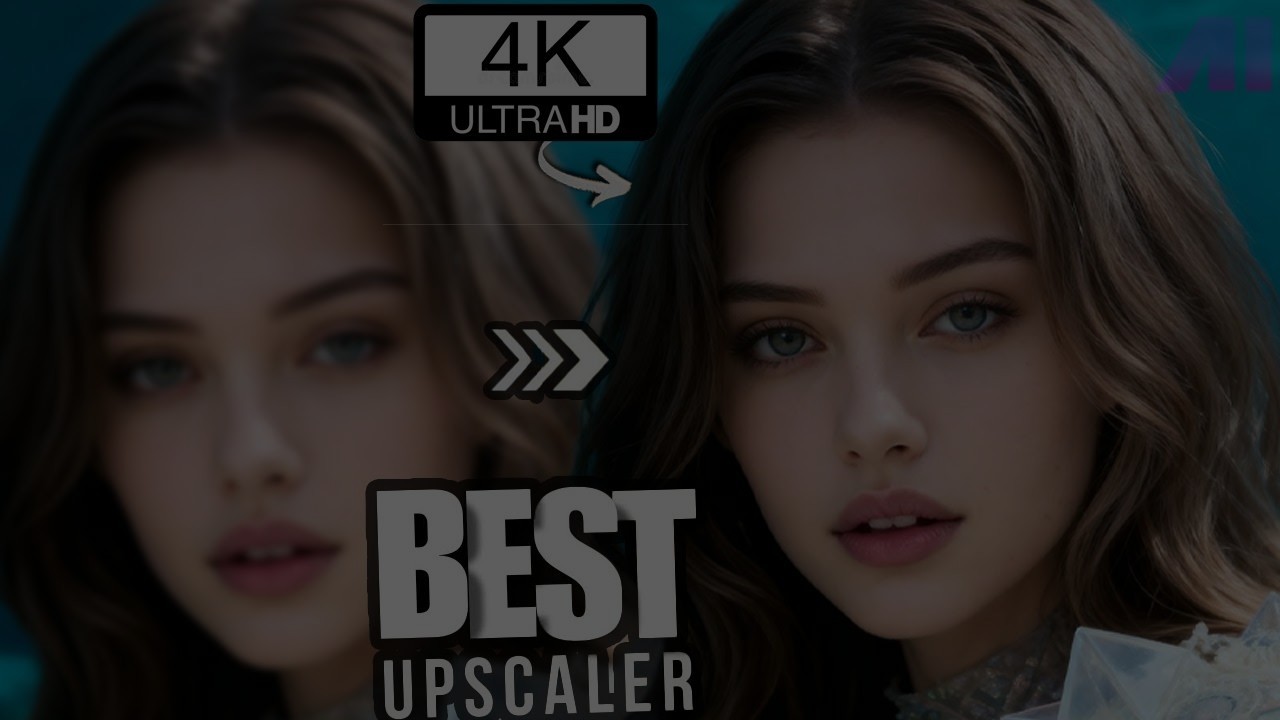
"Nero AI Image Upscaler took my blurry shots and made them sharp again in seconds."
"Nero AI Image Upscaler took my blurry shots and made them sharp again in seconds."
- Tech Ai
Full Review 👉
"Nero AI Image Upscaler took my blurry shots and made them sharp again in seconds."
- Tech Ai
Full Review 👉
Unblur faces that really matter.
Unblur faces that really matter.
Unblur faces that really matter.
Got a great moment, but the face is soft or slightly out of focus? Drop it into Nero AI Image Upscaler and unblur the image so eyes, hair, and skin look crisp again.
It works on everyday phone shots, selfies, and family photos. In a few seconds you get a sharper, more detailed portrait that still feels natural, not over-edited.
Got a great moment, but the face is soft or slightly out of focus? Drop it into Nero AI Image Upscaler and unblur the image so eyes, hair, and skin look crisp again.
It works on everyday phone shots, selfies, and family photos. In a few seconds you get a sharper, more detailed portrait that still feels natural, not over-edited.
Install & Unblur Now
Make old, blurry photos clear again.
Make old, blurry photos clear again.
Make old, blurry photos clear again.
Scan your old prints or low-res photos and let Nero AI Image Upscaler unblur the image, reduce grain, and bring back hidden details. Faded faces and backgrounds become much easier to see.
Once they’re cleaned up and upscaled, you can reprint them, share them with family, or use them in slideshows without worrying that they look too blurry or dated.
Scan your old prints or low-res photos and let Nero AI Image Upscaler unblur the image, reduce grain, and bring back hidden details. Faded faces and backgrounds become much easier to see.
Once they’re cleaned up and upscaled, you can reprint them, share them with family, or use them in slideshows without worrying that they look too blurry or dated.
Install & Unblur Now
Unblur photos for web, ads, and shops.
Unblur photos for web, ads, and shops.
Unblur photos for web, ads, and shops.
If your product photos or social images came out a bit blurry, Nero AI Image Upscaler can sharpen them up in one go. Edges, text, and textures become clearer so your images look more professional.
You can unblur single photos or whole batches, then upscale them for shops, ads, and social media. The result: cleaner, sharper images that stand out better in feeds and on storefronts.
If your product photos or social images came out a bit blurry, Nero AI Image Upscaler can sharpen them up in one go. Edges, text, and textures become clearer so your images look more professional.
You can unblur single photos or whole batches, then upscale them for shops, ads, and social media. The result: cleaner, sharper images that stand out better in feeds and on storefronts.
Install & Unblur Now
How to Unblur Images With Nero AI Image Upscaler?
How to Unblur Images With Nero AI Image Upscaler?
How to Unblur Images With Nero AI Image Upscaler?
Free Download
Free Download
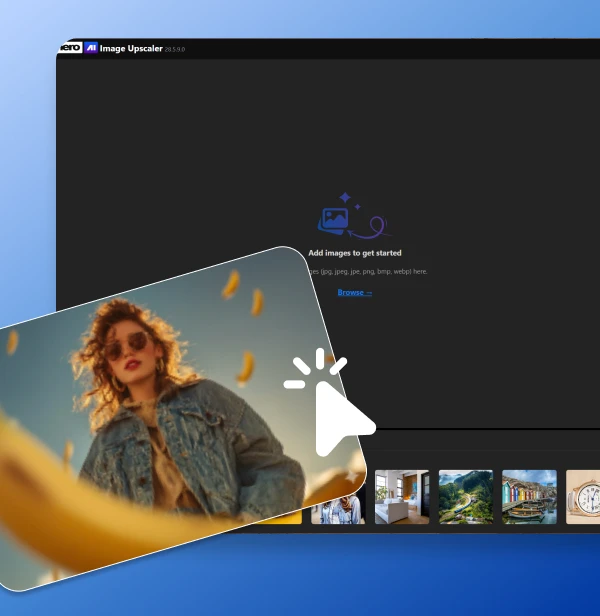
Upload your blurry image
Drag and drop your blurry photo into Nero AI Image Upscaler or click Upload to start.
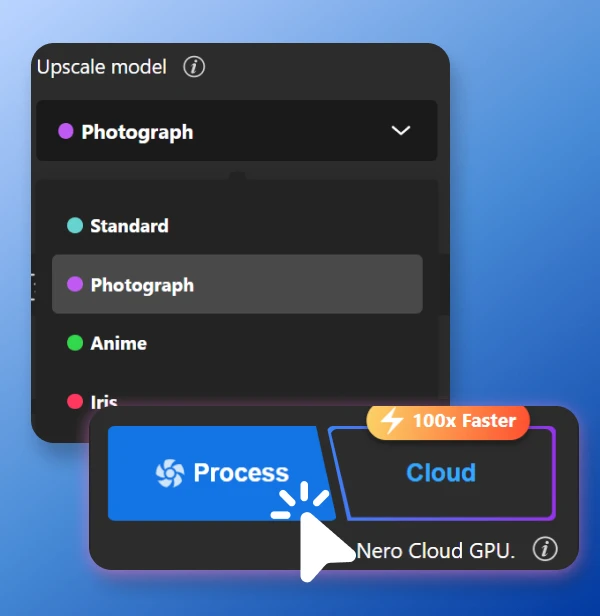
Choose an AI model and unblur
Select a model (Standard, Photo, Anime, Iris, Face, etc.), and preview how it unblurs your image.
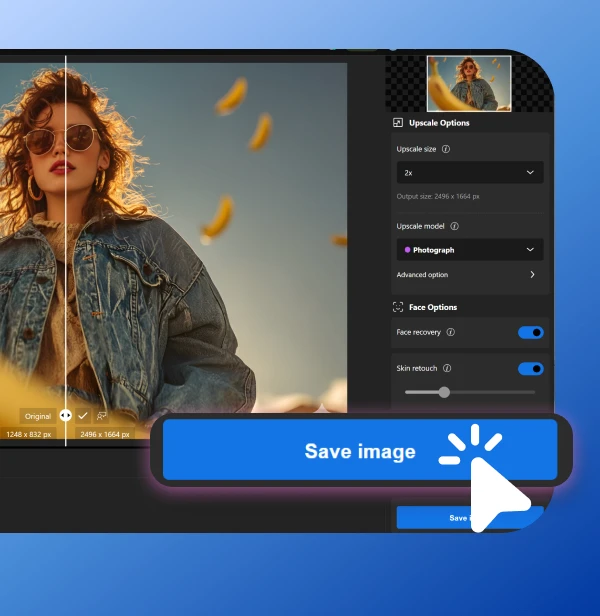
Download your sharper result
When it looks right, download your unblurred, upscaled image for print, web, or social.
Upload your blurry image
Drag and drop your blurry photo into Nero AI Image Upscaler or click Upload to start.
Choose an AI model and unblur
Select a model (Standard, Photo, Anime, Iris, Face, etc.), and preview how it unblurs your image.
Download your sharper result
When it looks right, download your unblurred, upscaled image for print, web, or social.
Upload your blurry image
Drag and drop your blurry photo into Nero AI Image Upscaler or click Upload to start.
Choose an AI model and unblur
Select a model (Standard, Photo, Anime, Iris, Face, etc.), and preview how it unblurs your image.
Download your sharper result
When it looks right, download your unblurred, upscaled image for print, web, or social.
Loved by 75k+ customers
Loved by 75k+ customers
Loved by 75k+ customers


Nero AI Image Upscaler has saved a few slightly blurry shots for me. It unblurs faces just enough to make them usable for albums.

I use it to fix soft product photos from suppliers. A quick unblur and upscale, and the images look much cleaner on my store.

Some of my old phone pics were too blurry to post. After running them through Nero AI, they actually look sharp enough for my feed.
We’ve got you covered
We’ve got you covered
We’ve got you covered
How do I use the Nero AI Image Upscaler?
To use the Nero AI Image Upscaler, you can download the app our official Nero Downloader. Import your image, select an AI model, and start processing. For more details, check our User Guide.
How does Nero AI Image Upscaler compare to Topaz Labs Gigapixel?
How does Nero AI Image Upscaler work?
Is there a free trial?
What types of images can your upscaler handle?
