Adobe announced an agreement to acquire Topaz Labs on June 25, 2026. The deal has not closed. Adobe expects it to close in the second half of 2026, after regulatory approval and other closing conditions.
Topaz will not disappear when that happens. Adobe says its products will remain available through the Topaz website. Eric Yang will also continue to lead the Topaz team.
So there is no reason to switch software because of the headline alone. A better question is whether the current Topaz plans still suit the work you do.
Adobe has agreed to buy Topaz Labs, but the transaction is still pending. No acquisition-related changes have been announced for existing accounts or subscriptions. New Topaz Video customers need a subscription. Owners of the discontinued Video AI can keep using the perpetual version they bought.
Adobe's planned acquisition of Topaz Labs
Has Adobe already acquired Topaz Labs?
No. Adobe has signed a definitive agreement, but the transaction is not complete.
After closing, Adobe plans to use Topaz image and video models in Firefly, Firefly Services and Creative Cloud apps. Its announcement also mentions Neurostream. Topaz developed this technology to run large AI models on consumer devices.
Adobe has confirmed the following plans:
Topaz products will remain available as standalone products.
Customers will continue to receive support and product investment.
Eric Yang will remain in charge of the Topaz team.
Neither company has announced a forced Creative Cloud subscription. There is also no confirmed post-acquisition price change. Details about future product integrations have not been published.
What changes for customers now?
Nothing changes because of the announcement. In a reply posted by Topaz staff, the company says current products, subscriptions and customer accounts are unaffected. Users can continue to renew and use their software.
Pricing could change later, as it can with any software. No such change has been tied to the Adobe deal so far. Check the live checkout page before buying or renewing.
Topaz pricing, licenses and cloud costs in 2026
Topaz sells several products under different billing models. The important distinction is between the current subscriptions and the discontinued apps that used perpetual licenses.
Topaz Video pricing
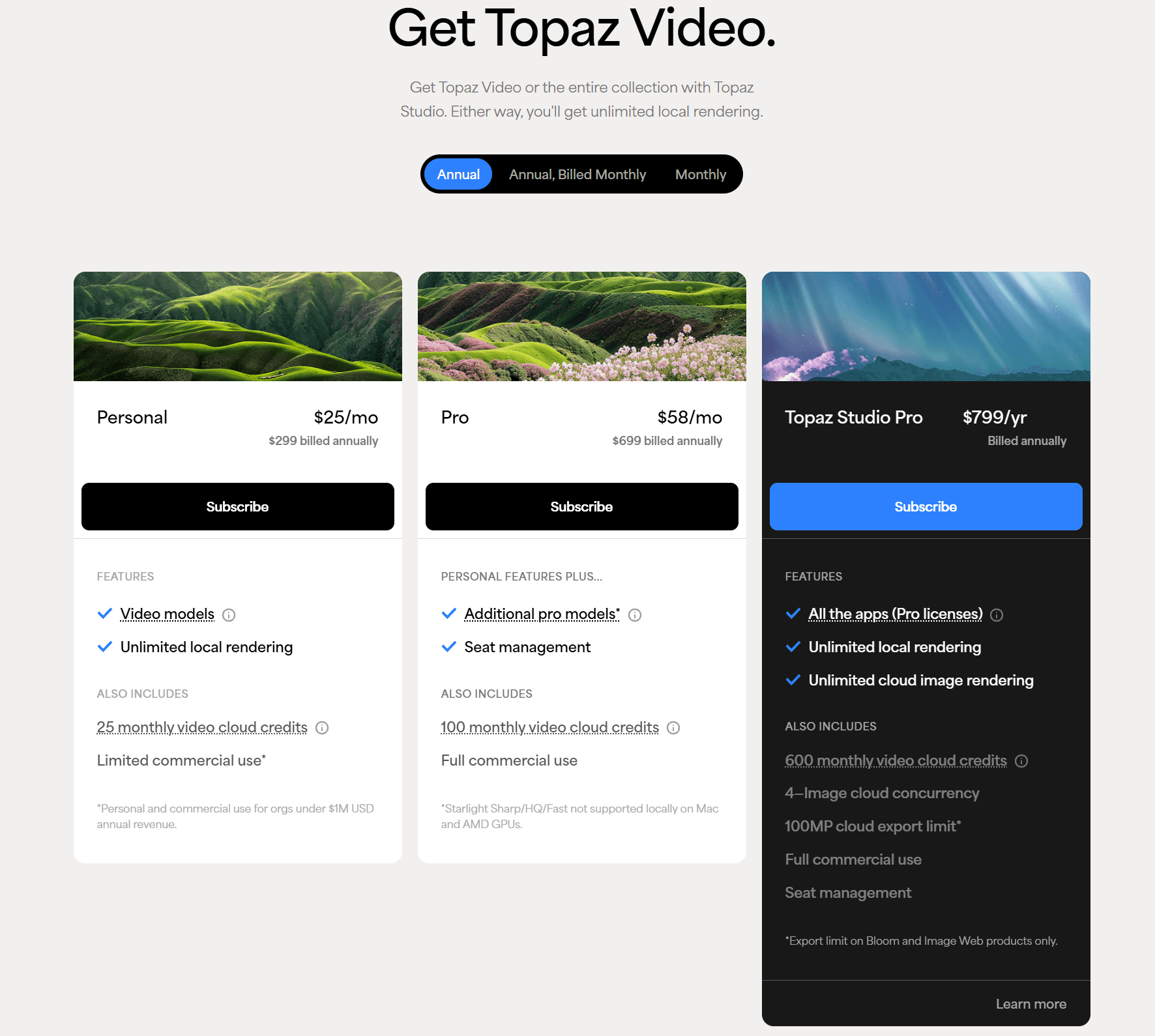
The actively developed Topaz Video is a subscription product. Its current product page shows three Personal billing options.
Billing option | Advertised price | Commitment | Video cloud credits |
Monthly | $59/month | Monthly | 25/month |
Annual, billed monthly | $39/month | 12 months | 25/month |
Annual, prepaid | $299/year | 12 months | 25/month |
Paying $299 upfront works out to about $24.92 per month before tax. That is the lowest effective monthly price shown for the Personal plan.
The subscription includes unlimited local rendering. Some Starlight models require cloud processing on a Personal license. Topaz also limits Personal commercial use to people and organizations with less than $1 million in annual revenue.
Pro plans are meant for studios, teams and larger businesses. They add broader commercial rights, more credits and extra local access for some Starlight models.
Topaz sometimes shows different promotional prices across its sales and support pages. Use the checkout total and billing terms when making the final comparison.
Can you still buy Topaz Video AI once and keep it?
Not if you are buying the current product. Topaz Video is subscription only.
The older Topaz Video AI used a perpetual license. It is now a discontinued legacy app. Version 7.1.5 is the final release, so it will not receive new models or features.
Existing owners can still use the version they bought. Topaz explains this in its Video AI and Topaz Video comparison. The installer remains in the Legacy area of the customer's account.
An "Expired" label on Video AI refers to updates. It does not cancel the purchased license. By contrast, Topaz Video stops working when its subscription expires.
Keeping the old app has a downside. Topaz warns that legacy applications may become incompatible with newer operating systems, drivers or hardware. Support is also limited because development has ended.
What happened to Topaz Photo AI and Gigapixel perpetual licenses?
Topaz Photo AI and Gigapixel AI also used perpetual licenses. Both are now discontinued legacy applications, so new customers cannot buy them as one-time purchases.
Existing owners keep access to the versions they purchased. Their installers remain in the Legacy section of the Topaz account page. A perpetual license does not include future models or unlimited compatibility with new hardware and operating systems.
Topaz Photo AI 4.0.4 was its final release. The current Topaz Photo requires a subscription. Owners of the old app do not have to switch if it still meets their needs.
Topaz Studio pricing
Studio combines Topaz image, video, mobile and web products in one plan. The live pricing page lists month-to-month access at $69.
The bundle includes Topaz Video, Photo, Gigapixel, Mobile, Bloom, Astra, Image and Mosaic. It also comes with local rendering, cloud image rendering and 300 monthly video cloud credits.
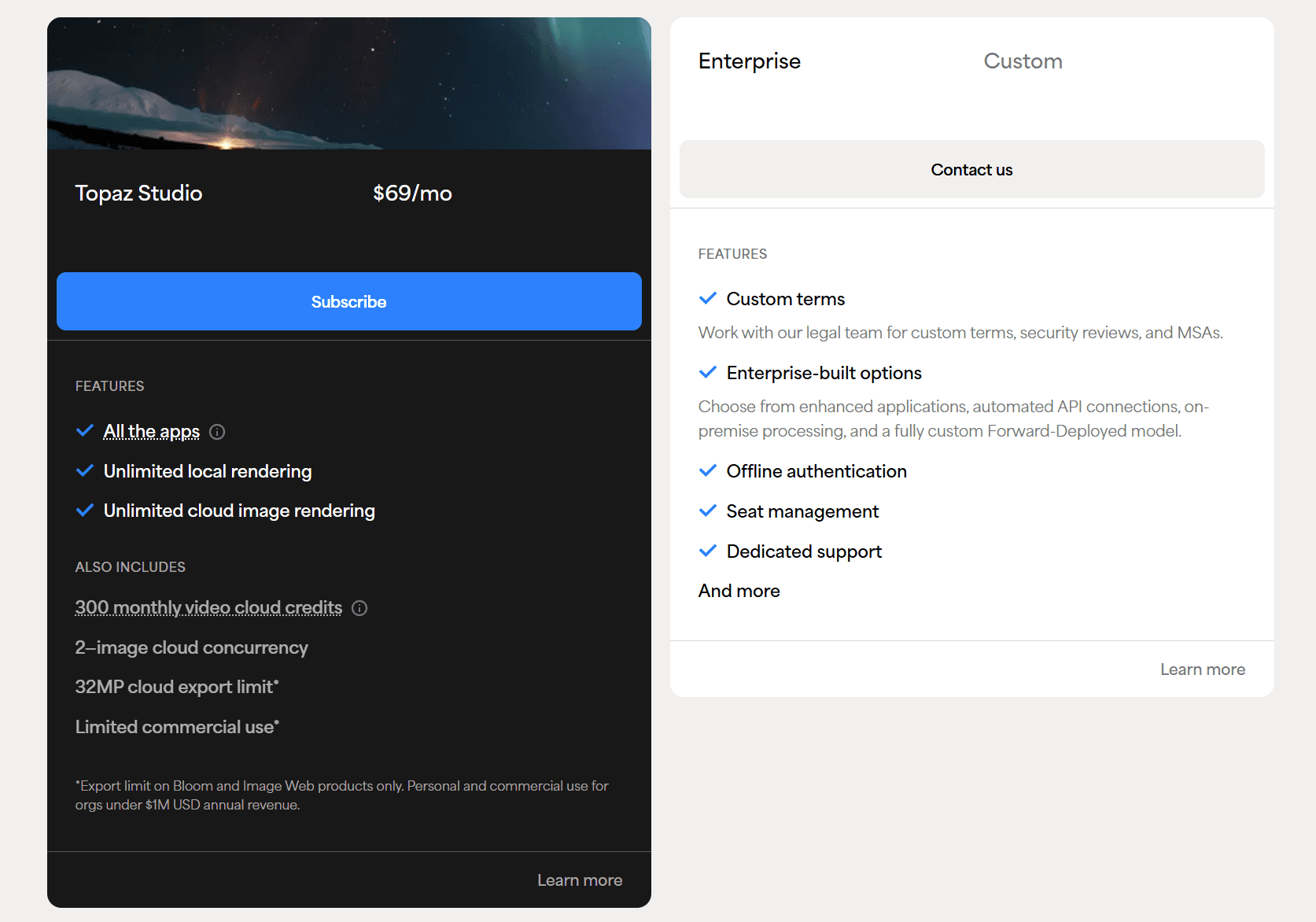
An annual prepaid price of $399 appears in the company's collection pricing documentation. Promotions and billed-monthly offers can change, so compare plans using the same commitment period.
Studio can make sense if you use several Topaz apps. Video-only users may pay for image and web tools that rarely get opened.
How Topaz cloud credits work
Local rendering does not use credits. Cloud rendering does.
The Topaz cloud rendering guide lists these monthly allowances:
Subscription | Personal | Pro |
Topaz Video | 25 credits | 100 credits |
Topaz Studio | 300 credits | 600 credits |
Desktop Collection | 50 credits | 200 credits |
Credits included with an app subscription reset each month. Unused credits do not roll over. Topaz also sells separate credit subscriptions and one-time packs.
The amount used depends on the model, resolution, frame rate and video length. Topaz estimates that one minute of 1080p footage at 30 fps can use about 34 credits when upscaled to 4K with several core models. Some Starlight jobs use more.
This detail matters when comparing prices. A Topaz subscription includes local rendering, but heavy cloud use may cost more than the plan itself. Old Video AI licenses do not include cloud credits either.
Why some users look for a Topaz alternative
Where Topaz Video has the edge
Topaz gives experienced editors more models and more control. It covers upscaling, denoising, frame interpolation, stabilization and deinterlacing. It also supports SDR to HDR conversion.
Mac support is another clear advantage. Nero AI Video Upscaler is currently a Windows product.
Professional users may also need Topaz codecs, detailed model settings or specific Starlight workflows. Those capabilities can justify the higher price when they are used on paid projects.
When Topaz becomes more than you need
Topaz earns its higher price when a project needs its full toolset. The value is less clear for people who use only a few video features.
Price is the first concern. Topaz Video costs $299 per year on the annual Personal plan. A creator who mainly upscales old clips may not need the extra models and production controls included in that price.
Cloud credits add another decision. Local rendering is unlimited, but some models depend on cloud processing. Heavy use can require extra credits, and the monthly allowance does not roll over.
The product structure also takes time to understand. Buyers must compare Video, Studio and Pro plans. They also need to know which models run locally and which ones use the cloud.
None of these points makes Topaz a poor product. They explain why another approach may fit users who want predictable costs and a more direct workflow.
Where Nero AI Video Upscaler makes more sense
Nero AI Video Upscaler is built around a shorter workflow. Import the video, pick a model, preview the result and export it locally.
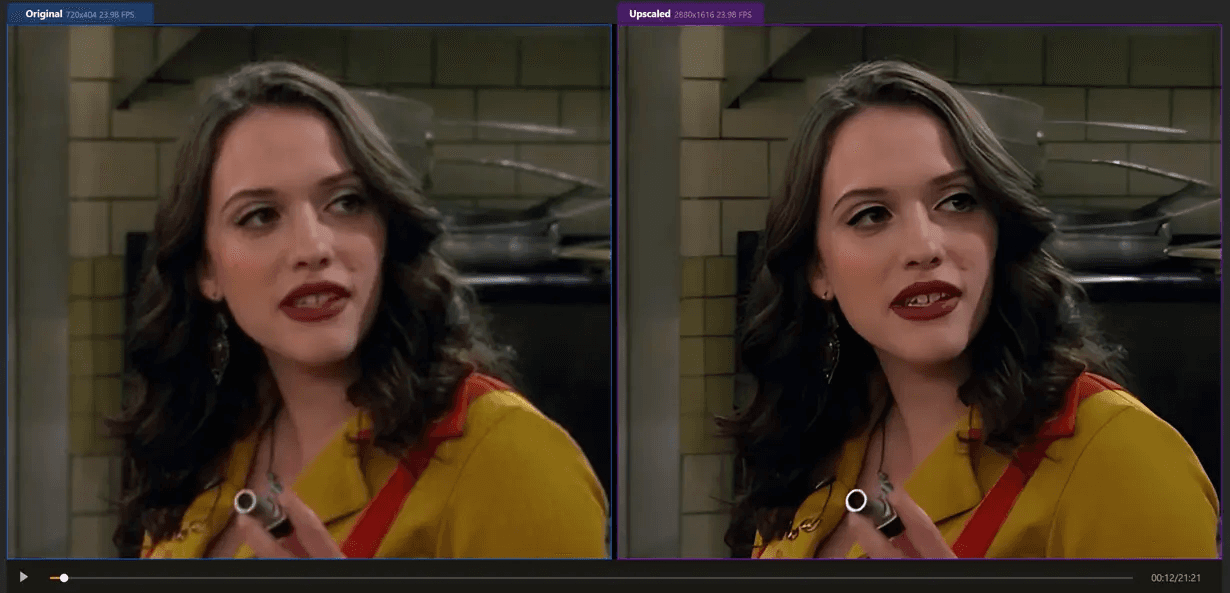
The current feature list supports output up to 7680 x 4320. It can also raise the frame rate to 120 fps. Seven AI models cover different image types and quality issues: Standard, Photo, Anime, Iris, Face Enhancement, Sharpen, and Unblur.
Batch import helps when several clips need the same treatment. Saved presets reduce repeated setup. A side-by-side preview lets you inspect the result before processing the full video.
Uploaded videos are not sent to a cloud server. Processing stays on the Windows PC. There is no separate video-credit system to calculate or top up.
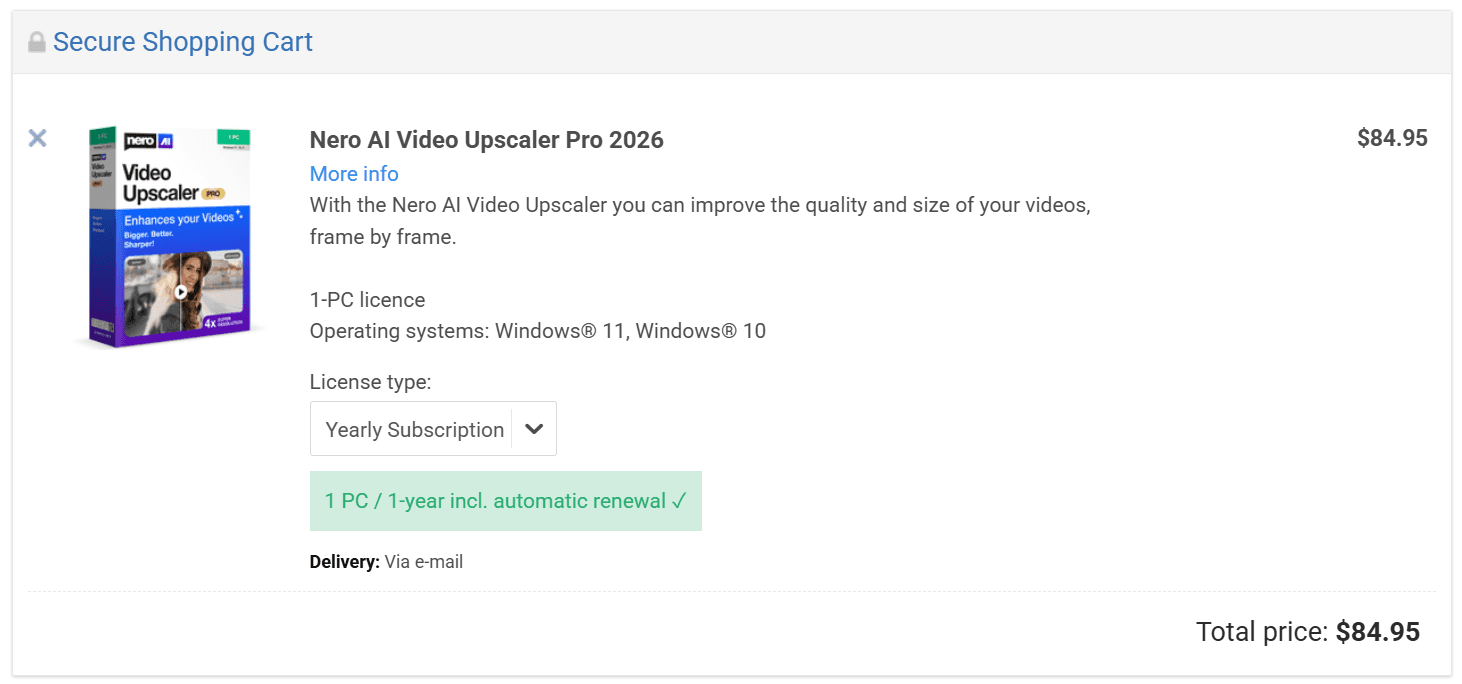
The standard price of Nero AI Video Upscaler is $84.95 per year. Topaz Video starts at $299 per year when paid annually. That leaves a difference of $214.05 before tax. Current discounts may change either price.
Nero AI Video Upscaler vs Topaz Video
Quick comparison
Category | Nero AI Video Upscaler | Topaz Video |
Main use | Local video upscaling, restoration and frame interpolation | Video enhancement with more models and detailed controls |
Systems | Windows 10 and 11 | Windows and macOS |
Advertised output | Up to 8K | Up to 24K on the Pro product page, depending on the model and workflow |
Frame interpolation | Up to 120 fps | Several interpolation and slow-motion models |
Processing | Local | Local, with cloud processing for some models |
Video credits | None required | Included allowance; more may be needed |
Standard annual price | $84.95/year | $299/year for Personal |
Learning curve | Preset-led workflow | More models and detailed controls |
Best fit | Windows users prioritizing local processing and predictable cost | Editors who need specific models, Mac support or deeper controls |
Choose Topaz when you need its exact models, Mac support, stabilization, SDR to HDR conversion or professional controls. Paying more can be reasonable if those features save time on client work.
Choose Nero when you want local 8K upscaling, restoration, face enhancement or output up to 120 fps. Its lower annual price is useful when those capabilities match the work you do.
Looking for a closer feature-by-feature comparison? Click and see how Nero AI Video Upscaler compares with Topaz Video.
Should you switch because of the Adobe deal?
The acquisition is not a reason to uninstall Topaz. Current licenses and subscriptions still work.
It is a useful time to look at the bill, though. Consider another tool when you use only a small part of Topaz, do not want to manage cloud credits, or prefer a direct local workflow.
Privacy may also affect the decision. Local processing keeps sensitive family footage or client material on the computer. Nero handles its video processing this way.
Users who need the full Topaz toolset should stay with it. Everyone else can compare output on their own footage before renewing. Nero offers a seven-day trial with no credit card required.
Our Windows AI video enhancer comparison also covers AVCLabs, HitPaw and Fotor. It is useful if neither Nero nor Topaz matches the job.
Which one should you choose?
Topaz Video suits editors who know they need its specific models and controls. It also works on Mac. Those are real advantages.
Nero AI Video Upscaler takes a different approach. It handles local upscaling, restoration and frame interpolation without a cloud-credit system. Nero’s separate image products cover photo enhancement when that work is also needed.
Try the software on a difficult clip before paying for another year. Check faces, motion and fine textures at full size. The result on your own footage matters more than a long feature list.
Try Nero AI Video Upscaler free. The trial lasts seven days and does not require a credit card.
Frequently asked questions
Has Adobe completed the Topaz Labs acquisition?
No. Adobe signed an agreement on June 25, 2026. It expects the deal to close in the second half of 2026, subject to approval and closing conditions.
Will Topaz become part of Creative Cloud?
Adobe plans to use Topaz technology in Firefly and Creative Cloud products. It also says Topaz products will remain available separately. Detailed packaging plans have not been announced.
Will Adobe increase Topaz prices?
No price change has been linked to the acquisition. Future prices are unknown. Check the current Topaz checkout page before buying or renewing.
Is Topaz Video AI a lifetime license?
The discontinued Video AI used a perpetual license for a specific version. Existing owners can keep using that version. The current Topaz Video requires a subscription.
Can existing owners still download Video AI?
Yes. The purchased installer remains in the Legacy area of a Topaz account.
Will the old Video AI receive new models?
No. Version 7.1.5 is the final release. New development now goes into Topaz Video.
What is the cheapest Topaz Video plan?
The current annual prepaid Personal plan costs $299. That equals about $24.92 per month before tax.
Does Topaz Video include cloud credits?
Yes. Personal includes 25 video credits each month, while Pro includes 100. Included credits expire at the end of the billing month.