Got blurry videos from an old camera? Compressed files that look terrible? Poor video quality kills your content before anyone watches it.
AI video enhancement software fixes this. It uses artificial intelligence to upscale resolution, reduce noise, sharpen details, and restore clarity. You can turn 480p footage into 4K or even 8K while keeping it looking natural.
We tested five AI video enhancers for Windows. Here's what actually works.
How We Tested These Tools
We evaluated each tool based on what matters most to real users.
Evaluation Criteria | Weight | Why It Matters |
AI Model Quality | 30% | Determines output clarity and detail preservation |
Upscaling Capability | 25% | Maximum resolution (1080p, 4K, 8K) |
Processing Speed | 15% | Time efficiency for different video lengths |
Ease of Use | 15% | User interface and learning curve |
Pricing & Value | 10% | Cost-effectiveness for features offered |
Format Support | 5% | Input/output format compatibility |
We tested each tool with videos from 480p to 1080p. Animation, realistic footage, old family videos, professional content. Processing times were measured on the same hardware. Quality was assessed through visual comparison and verified user feedback.
Quick Comparison: 5 Best AI Video Enhancers
Tool | Best For | Max Resolution | AI Models | Price | Platform | Rating |
Nero AI Video Upscaler | Animation & All-Purpose Enhancement | 4K/8K | 6 AI models (Fast, Animation, Realistic, Versatile, Face Enhancement, Restoration) | $84.95/year + 7-day free trial | Windows | ★★★★★ |
Topaz Video AI | Professional Film & Cinema | 8K | Multiple AI models | $19-$299/mo (monthly) or $27.33-$209.33/mo (annual) | Windows/Mac | ★★★★☆ |
AVCLabs Video Enhancer AI | Comprehensive Enhancement | 8K, 120 FPS | CNN, RNN, LSTM, GAN | $199.90 lifetime / $39.95/mo / $95.96/yr | Windows/Mac | ★★★★☆ |
HitPaw Video Enhancer | Auto Enhancement & Batch Processing | 4K/8K | Multiple AI models | Visit official site for pricing | Windows/Mac | ★★★★ |
Fotor Video Enhancer | Quick Online Enhancement | 4K | One-click AI | Free / $3.30-$11.20/mo (annual) | Online/Mobile | ★★★★ |
1. Nero AI Video Upscaler: Best for Animation
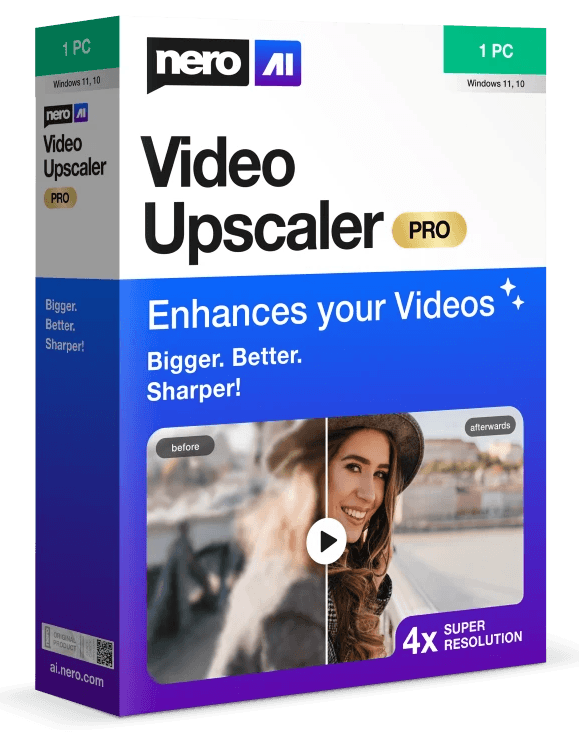
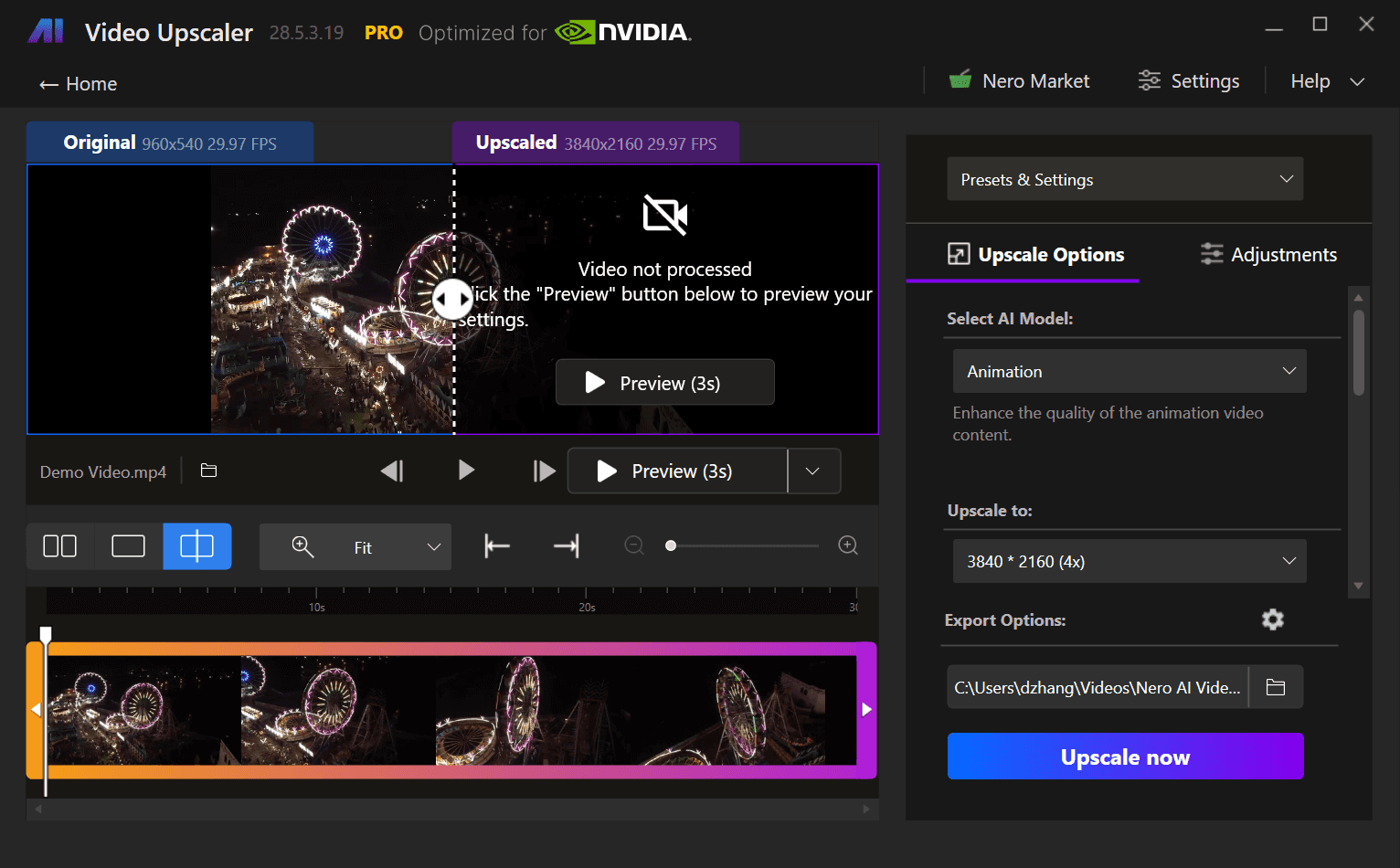
Nero AI Video Upscaler runs on Windows and has six specialized AI models. It upscales videos up to 4x (to 4K). The Animation model beats competitors for cartoon content. You also get frame interpolation up to 120 FPS and real-time preview.
Key Features
6 Specialized AI Models: Fast, Animation, Realistic, Versatile, Face Enhancement, and Restoration
4x Upscaling: Support from 720*576 up to 8K (7680×4320)
AI Frame Interpolation: Boost frame rate up to 120 FPS for smoother motion
Real-Time Preview: Side-by-side comparison before you export
Color Adjustment: Fine-tune brightness, contrast, saturation, sharpness, white balance
Batch Processing: Import multiple videos or entire folders at once
Upscale Presets: Save and reuse custom settings
Wide Format Support: MP4, AVI, MOV, MKV, WMV, FLV, and more
Pros
✅ Best for animation. Users confirm it “easily beats Topaz” for cartoon content.
✅ Simple interface. Much easier than Topaz (verified by a 2-year Topaz user who switched).
✅ 6 specialized AI models for different content types.
✅ Frame interpolation up to 120 FPS (same as AVCLabs).
✅ Real-time preview with side-by-side comparison.
✅ Works great for both animation AND realistic footage (family videos, product videos).
✅ Highly rated for old family video restoration.
✅ Batch processing for multiple videos.
✅ Affordable. $84.95/year vs Topaz (from $19/mo) and AVCLabs ($199.9).
✅ 7-day free trial to test everything.
✅ No watermark on exports.
✅ Full color adjustment tools.
Cons
❌ Windows only. No Mac version.
❌ No built-in stabilization or colorization. Focuses on core upscaling.
Best Use Cases
Anime and animated content
Old family video restoration (VHS, old camera footage, wedding videos)
Product videos that need detail enhancement
Art projects and creative work
Classic film and archived footage
Memory preservation (home movies, childhood recordings)
Content creators who need quick, quality upscaling
Learn more about Nero AI Video Upscaler
Pricing
$84.95/year $67.96/year (yearly subscription, 1-PC license) — Save 20% with current promotion
7-day free trial to test all features
Automatic renewal (cancel anytime)
Best value for animation and general upscaling
System Requirements
Minimum:
CPU: AMD Ryzen / Intel Core (2017 or newer)
OS: Windows 10/11 64-bit
RAM: 8 GB
GPU: AMD Radeon 500 series / NVIDIA GeForce GTX 900 series or higher, 4 GB VRAM
Disk: 20 GB free space
Recommended:
RAM: 32 GB or above
GPU: AMD Radeon RX 6700 XT / NVIDIA GeForce RTX 3060 or higher, 12 GB VRAM
Download: Nero AI Video Upscaler
2. Topaz Video AI: Best for Professional Film
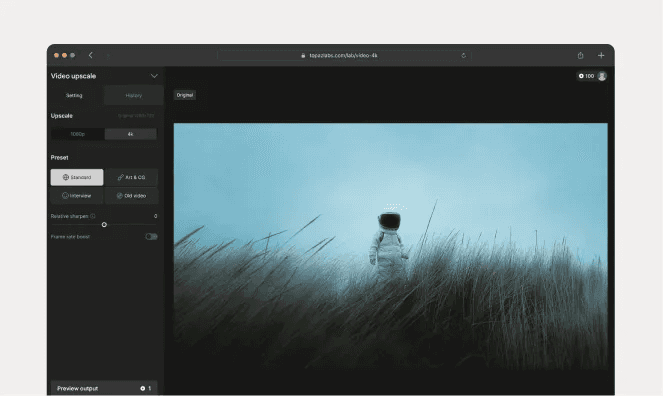
Topaz Video AI is professional-grade software that upscales footage to 8K. Filmmakers and video pros trust it. Multiple AI models for different content types. Extensive customization for precise control. The learning curve is steeper though.
Key Features
8K Upscaling: Industry-leading maximum resolution
Multiple AI Models: Specialized algorithms for different content
Advanced Controls: Fine-tune every aspect of enhancement
Professional Workflow: Integrates with editing suites
Frame Interpolation: Increase frame rates for smoother motion
Pros
Highest quality output for professional film projects
Extensive model selection and customization
Strong reputation in the film industry
Works on both Windows and Mac
8K output capability
Cons
Steeper learning curve for beginners
Subscription-only pricing
Slower processing times (quality focus)
Complex for casual users
Best Use Cases
Professional film restoration
Cinema-quality upscaling
Documentary enhancement
Commercial video production
Projects requiring 8K output
Pricing
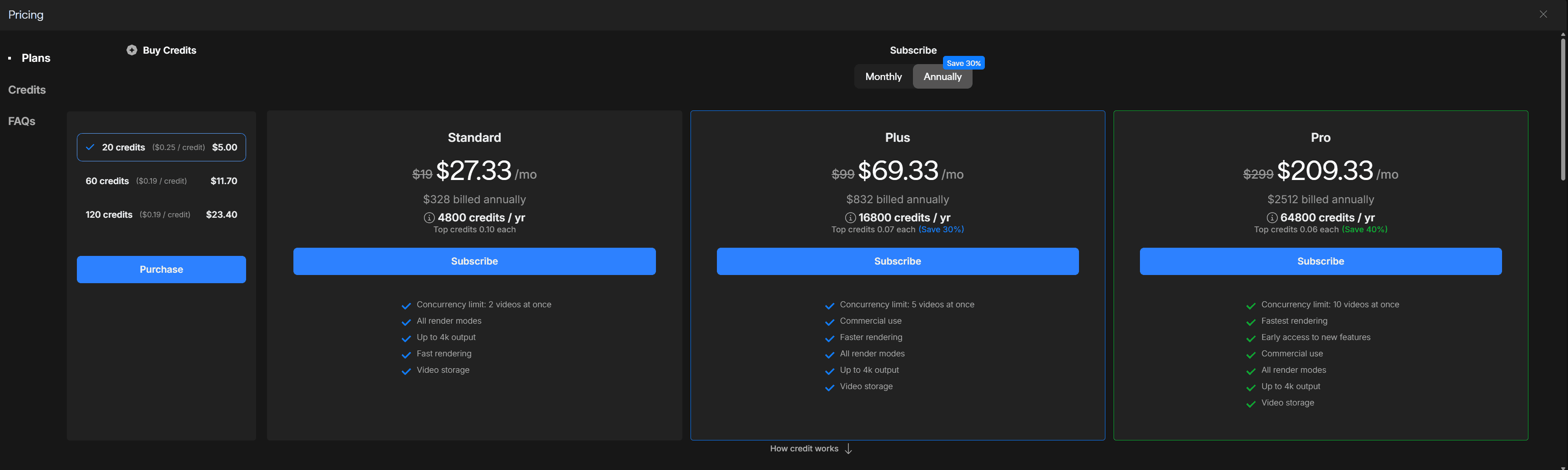
Credit-based subscription
Monthly plans:
Standard: $19/mo (400 credits/mo, up to 4K output)
Plus: $99/mo (1400 credits/mo, commercial use)
Pro: $299/mo (5400 credits/mo, fastest rendering)
Annual plans (save 30%):
Standard: $27.33/mo ($328 billed annually, 4800 credits/yr)
Plus: $69.33/mo ($832 billed annually, 16800 credits/yr)
Pro: $209.33/mo ($2512 billed annually, 64800 credits/yr)
The $299 one-time perpetual license is no longer available for new users.Learn more about Topaz’s switch to subscription and the best alternatives.
Link: Topaz Video AI
3. AVCLabs Video Enhancer AI: Most Features
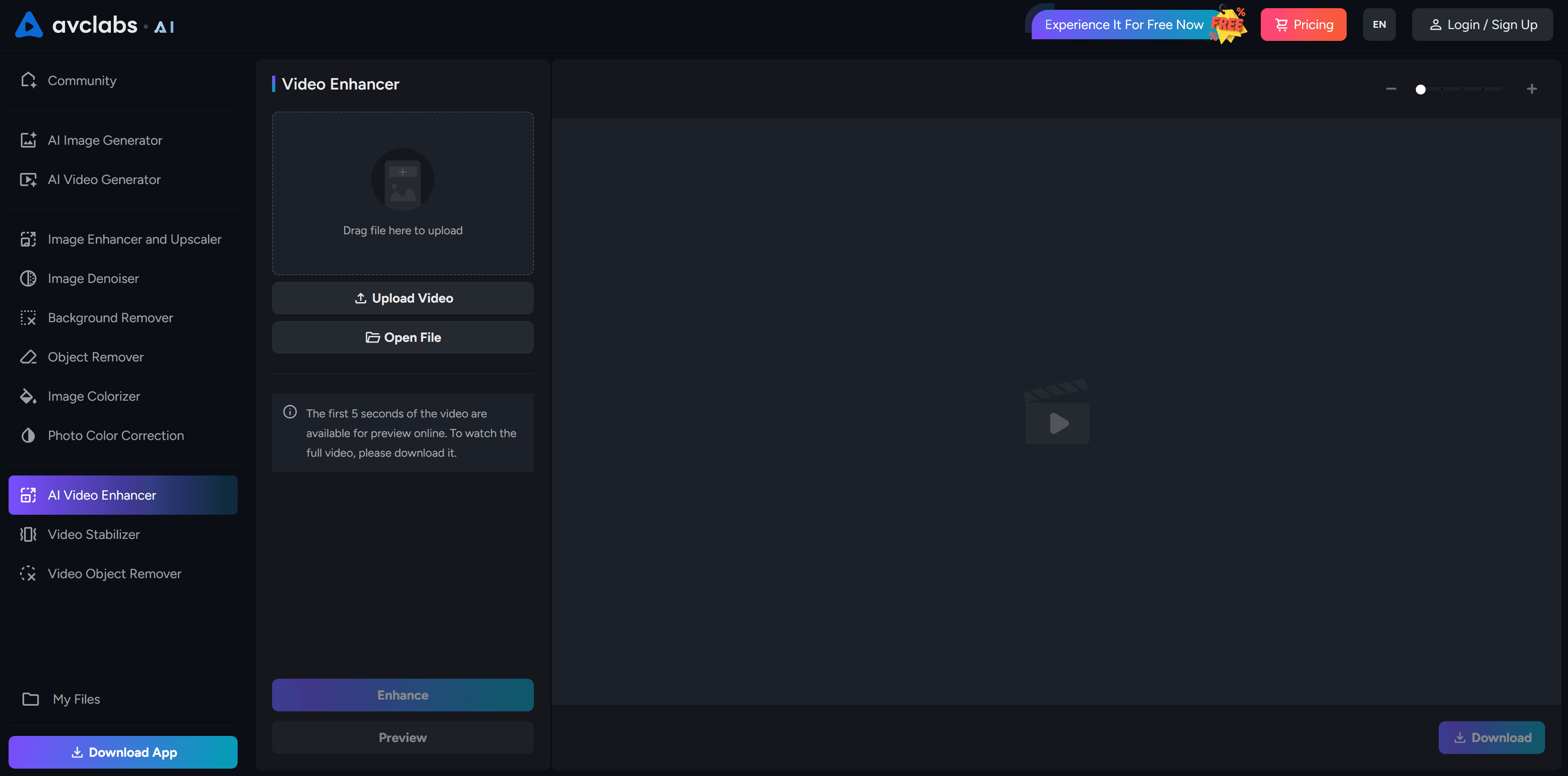
AVCLabs combines upscaling, denoising, colorization, stabilization, and frame interpolation in one package. Uses advanced AI (ViT Transformer, GAN, RNN, CNN). Can upscale to 8K at 120 FPS. Flexible AI models for different needs. Read our full AVCLabs Video Enhancer AI review for detailed feature analysis and comparison with Nero AI.
Key Features
8K & 120 FPS: Maximum resolution and frame rate
Multiple AI Modes: Ultra, Standard, Anime, Denoise, Colorize
Batch Processing: Enhance multiple videos at once
Comprehensive Tools: Stabilization, colorization, frame interpolation, deinterlacing
Local Processing: Privacy-focused, no cloud upload
Video Colorization: Turn black & white footage into color
Pros
Most comprehensive feature set among all tools
Flexible AI model selection
Trusted by TV stations (TBS used it for historical colorization)
Batch processing for efficiency
Lifetime license option available
Includes colorization and stabilization (unique features)
Cons
Higher price ($199.90 lifetime or $39.95/month)
Requires powerful hardware for best results
Windows/Mac only (no online version)
Can be overwhelming if you just need basic upscaling
Best Use Cases
Video restoration projects
Black & white film colorization
Surveillance footage enhancement
Large video archive processing (batch)
Historical footage restoration
Projects needing stabilization plus upscaling
Pricing
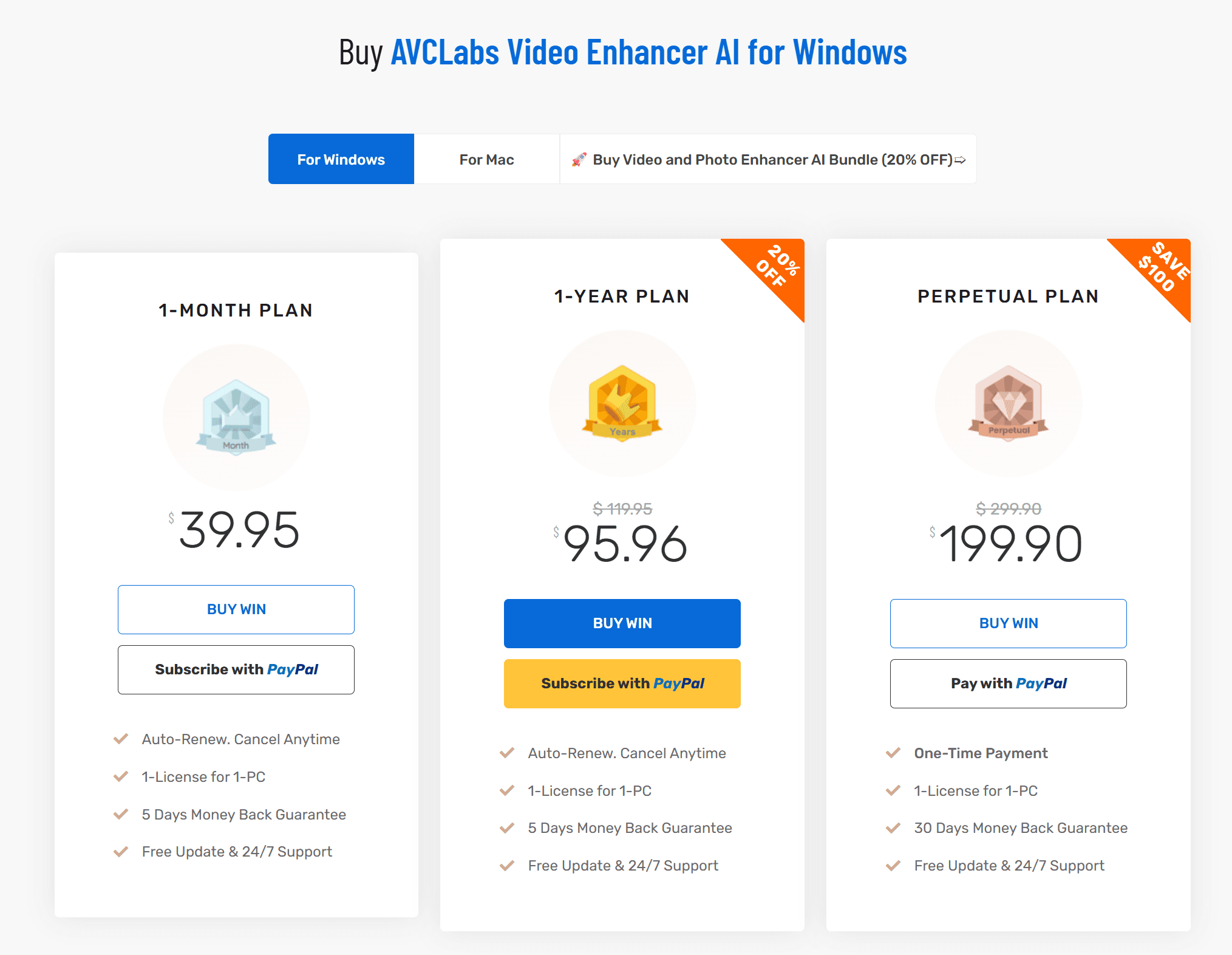
Perpetual: $199.90 (one-time, save $100)
Monthly: $39.95/month
Annual: $95.96/year (20% off, was $119.95)
Link: AVCLabs Video Enhancer AI
4. HitPaw Video Enhancer: Best for Auto Enhancement
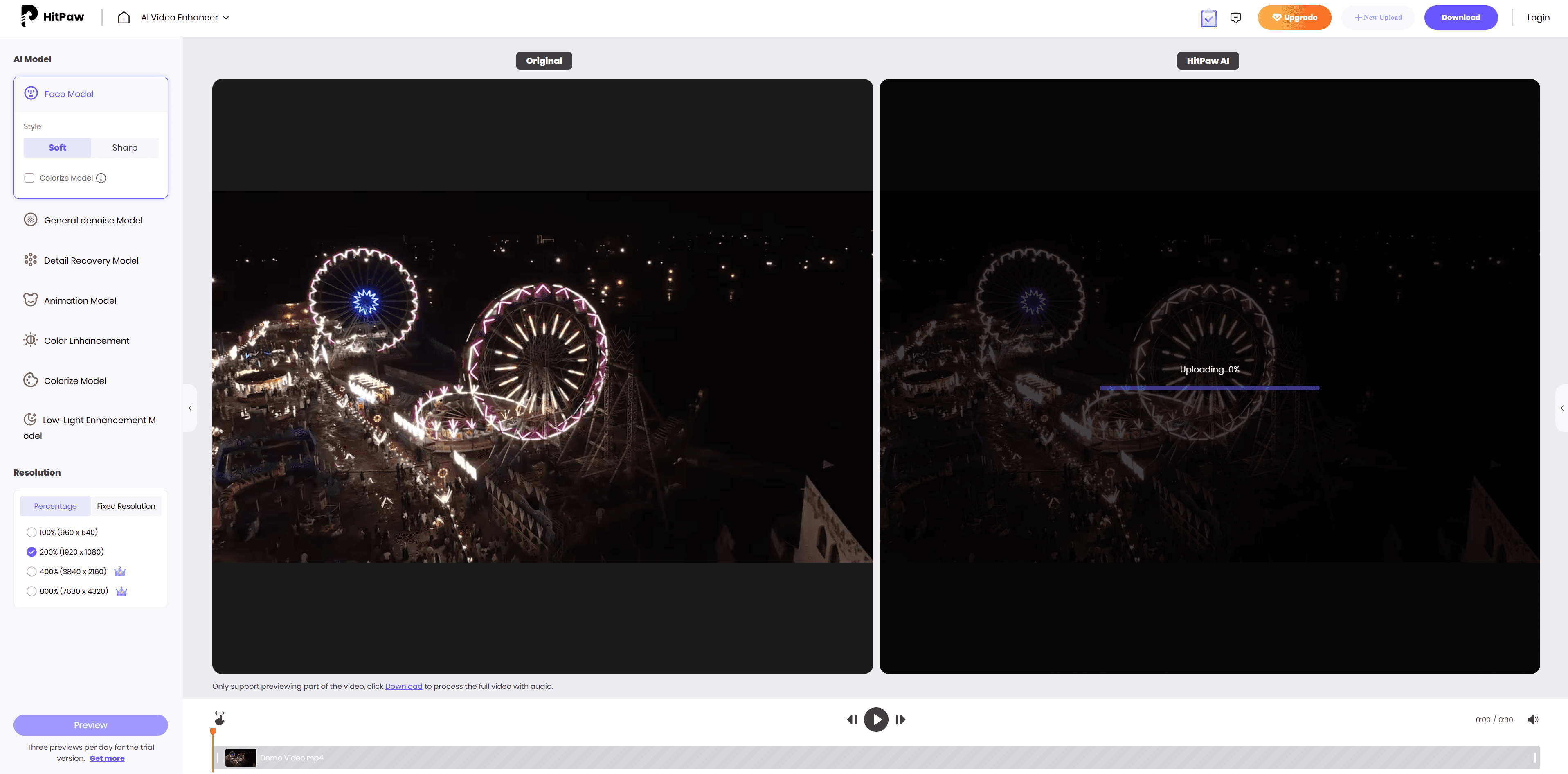
HitPaw Video Enhancer (also called HitPaw VikPea) offers automatic enhancement with one-click processing. Batch processing. Supports upscaling to both 4K and 8K. Works on Windows and Mac. Balances ease of use with professional features. Free trial included.
For a deeper comparison of HitPaw vs Nero AI, see our head-to-head test of the best AI video upscaler for 8K.
Key Features
Multiple AI Models: Different models for different video types (General Denoise, Animation, Face, Colorize)
Auto Enhancement: One-click automatic improvement
4K/8K Upscaling: Flexible resolution options
Batch Processing: Process multiple videos at once
Video Colorization: Turn black & white videos into color
30+ Format Support: Wide compatibility
Free Trial: Preview results before buying
Pros
Auto enhancement for beginners
Batch processing capability
Both 4K and 8K output
Works on Windows and Mac
Good format support (30+ formats)
Free trial with preview
Cons
May lack the professional controls of Topaz or AVCLabs
Best Use Cases
Users who want automatic enhancement without manual tweaking
Batch processing multiple videos
Users needing both 4K and 8K options
General-purpose video enhancement
Colorizing old black & white footage
Pricing
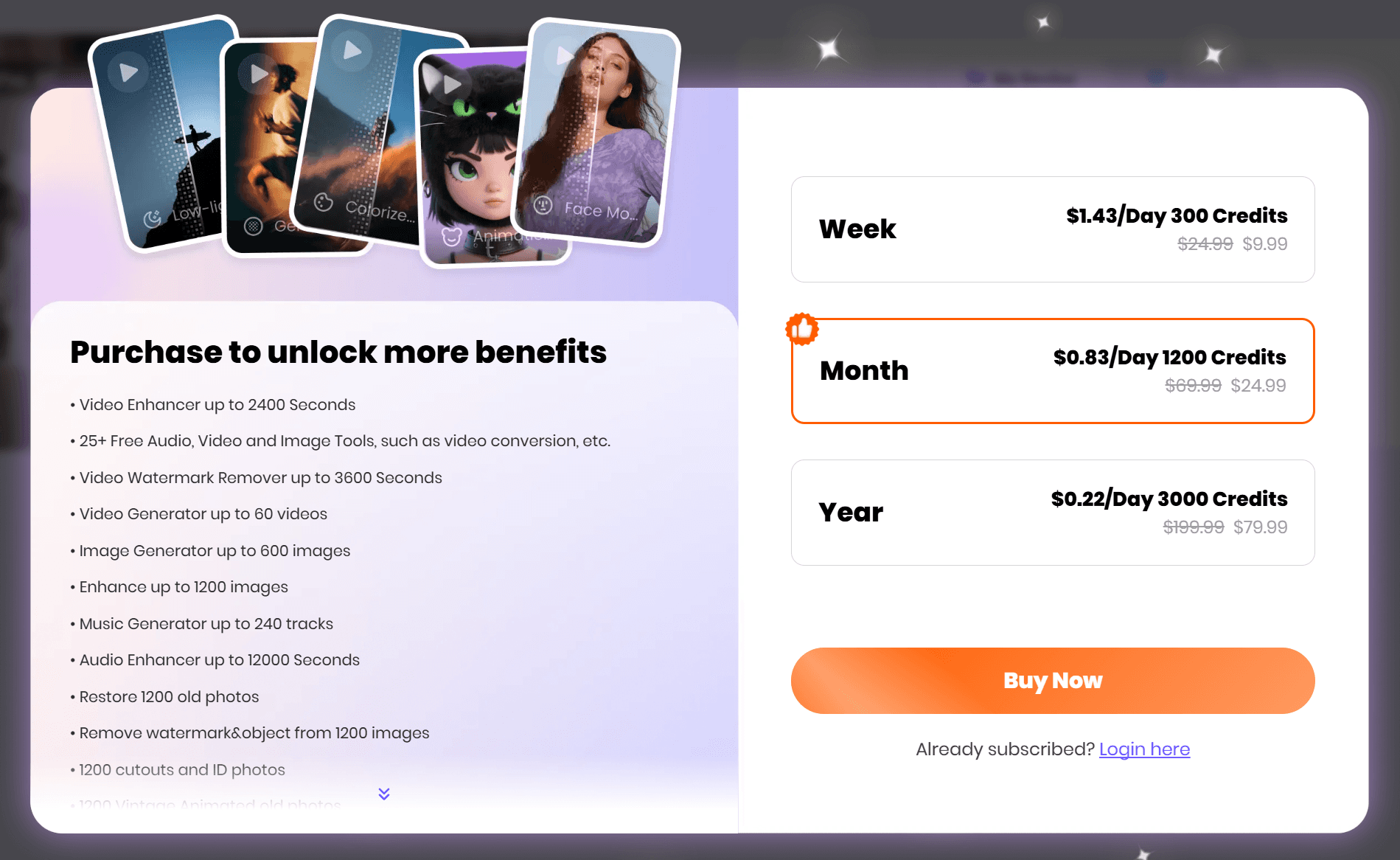
Multiple pricing tiers available
Free trial with preview capability
Visit official website for current pricing (varies by region and promotions)
Link: HitPaw Video Enhancer
5. Fotor Video Enhancer: Best for Quick Online Jobs
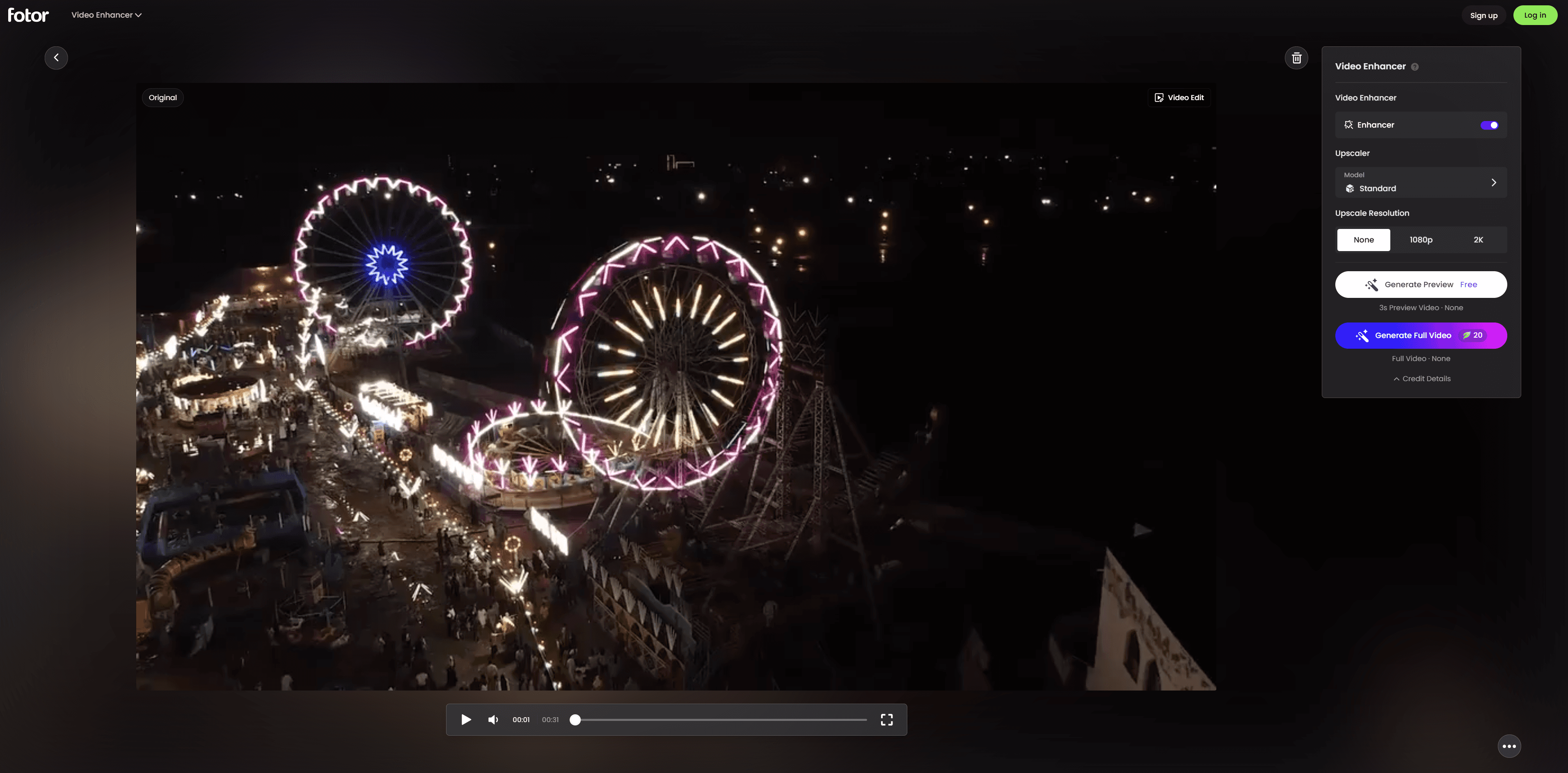
Fotor Video Enhancer is an online tool. No software installation needed. One-click AI enhancement. Works on any device. Good for quick improvements to social media content. Features like brightness adjustment, noise reduction, and 4K upscaling right in your browser.
Key Features
Online & Mobile: No installation required
One-Click Enhancement: Instant AI improvements
Cross-Device: Works on desktop, tablet, mobile
Format Support: MP4, MOV, WebM
Adjustment Tools: Brightness, contrast, saturation controls
Pros
No installation needed (works in browser)
Fast, simple interface
Free tier available
Works on any device with browser (Mac, mobile included)
Good for quick fixes and social media content
No need for powerful computer hardware
Cons
Limited to 4K maximum
Less control over enhancement parameters than desktop tools
Requires internet connection
May have file size/length limitations on free tier
Not suitable for professional or large-scale projects
Best Use Cases
Social media content (Instagram, YouTube, TikTok)
Quick video fixes on the go
Mobile video enhancement
Users without powerful computers
Testing before investing in desktop software
Casual users who need occasional enhancement
Pricing
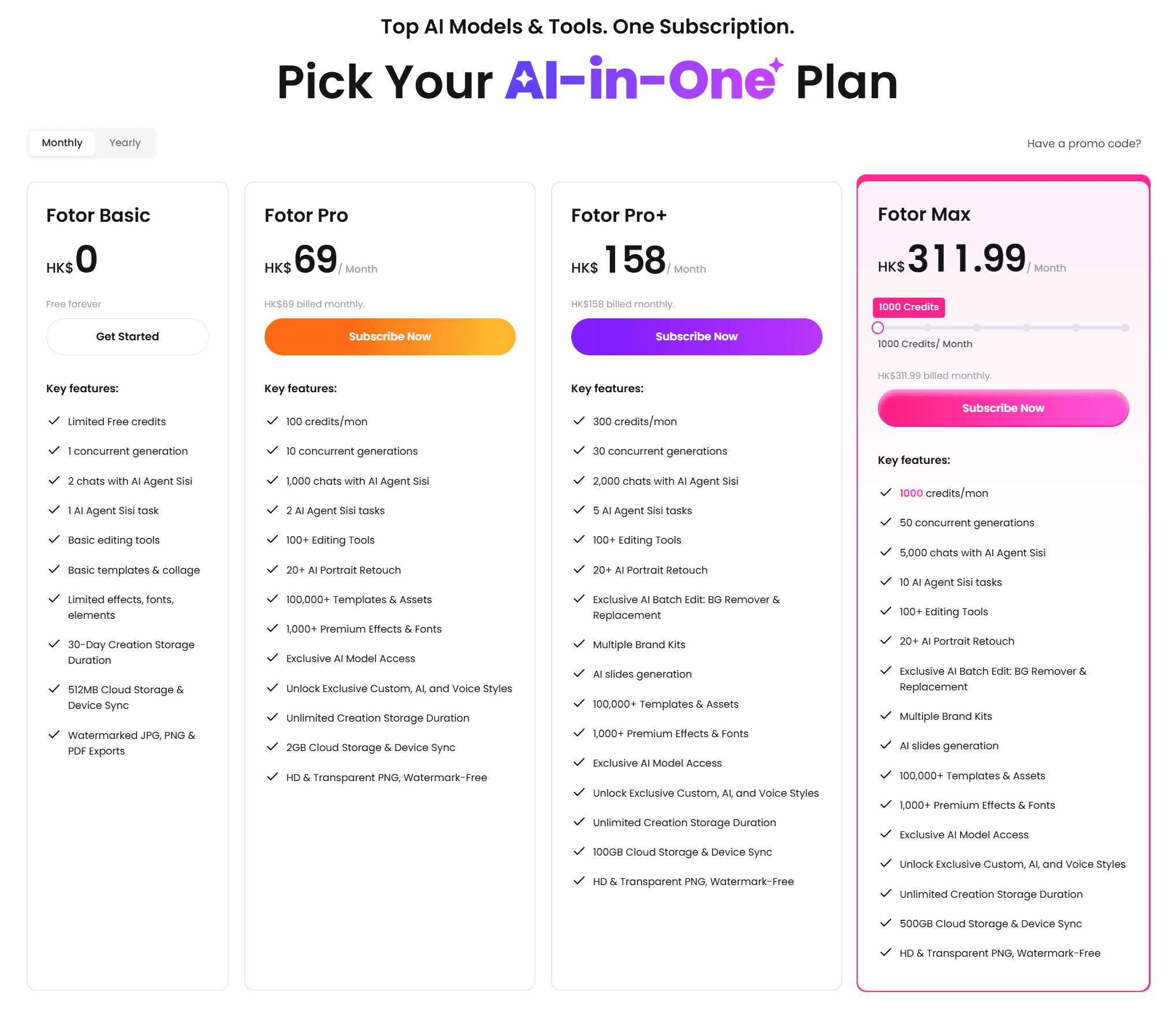
Free tier available (Fotor Basic with limited features)
Premium plans:
Monthly billing:
Fotor Pro: $8.85/month (100 credits/month)
Fotor Pro+: $20.25/month (300 credits/month)
Fotor Max: $40/month (1000 credits/month)
Annual billing (save up to 30%):
Fotor Pro: $3.30/month ($39.60 billed annually)
Fotor Pro+: $5.20/month ($62.40 billed annually)
Fotor Max: $11.20/month ($134.40 billed annually, 12,000 credits/year)
Link: Fotor Video Enhancer
Feature Comparison
AI Model Technology
Feature | Nero AI | Topaz | AVCLabs | HitPaw | Fotor |
AI Models | 6 specialized models | Multiple proprietary | ViT, GAN, RNN, CNN, LSTM | 9 AI models | Proprietary online |
Upscale Factor | 4x (to 8K) | 8x (to 8K) | 8x (to 8K) | 4x-8x | 4x (to 4K) |
Animation Quality | ★★★★★ | ★★★ | ★★★★ | ★★★ | ★★★ |
Realistic Video | ★★★★☆ | ★★★★★ | ★★★★★ | ★★★★ | ★★★☆ |
Frame Rate Boost | ✅ Up to 120 FPS | ✅ Yes | ✅ Up to 120 FPS | ✅ Up to 120 FPS | ❌ No |
Real-Time Preview | ✅ Yes | ✅ Yes | ✅ Yes | ✅ Yes | ❌ No |
Noise Reduction | ✅ Yes | ✅ Yes | ✅ Advanced | ✅ Yes | ✅ Basic |
Face Enhancement | ✅ Yes | ✅ Yes | ✅ Yes | ✅ Yes | ❌ No |
Color Adjustment | ✅ Yes | ✅ Yes | ✅ Yes | ✅ Yes | ✅ Basic |
Colorization | ❌ No | ❌ No | ✅ Yes | ✅ Yes | ✅ Basic |
Video Stabilization | ❌ No | ✅ Yes | ✅ Yes | ✅ Yes | ❌ No |
Batch Processing | ✅ Yes | ✅ Yes | ✅ Yes | ✅ Yes | ❌ No |
Upscale Presets | ✅ Yes | ✅ Yes | ✅ Yes | ✅ Yes | ❌ No |
Ease of Use | ★★★★★ | ★★★ | ★★★★ | ★★★★ | ★★★★★ |
Processing Speed | Fast | Slow | Medium | Fast | Fast |
Platform Support
Tool | Windows | Mac | Online | Mobile |
Nero AI | ✅ | ❌ | ❌ | ❌ |
Topaz | ✅ | ✅ | ❌ | ❌ |
AVCLabs | ✅ | ✅ | ✅ (separate tool) | ❌ |
HitPaw | ✅ | ✅ | ✅ (browser) | ✅ (browser) |
Fotor | ✅ (browser) | ✅ (browser) | ✅ | ✅ |
Format Support
Tool | Input Formats | Output Formats |
Nero AI | MPEG, MPEG-4 (.mp4, .m4v, .mov), MPEG-2 TS, DVD, AVI, ASF, WMV, FLV, QuickTime (.mov), Matroska (.mkv) | H.264 (MP4), H.265 (MP4) |
Topaz | Most common formats | MP4, MOV, AVI, MKV |
AVCLabs | 30+ formats (3GP, AVI, MP4, MKV, MOV, etc.) | MP4, MKV, MOV, AVI |
HitPaw | 30+ formats | MP4, MOV, AVI |
Fotor | MP4, MOV, WebM | MP4 |
Price Comparison
Tool | Pricing Model | Cost | Value Rating |
Nero AI | Yearly Subscription | $84.95/year + 7-day free trial | ★★★★★(Best value for animation & general use) |
Topaz | Subscription | $19-$299/mo (monthly) or $27.33-$209.33/mo (annual, save 30%) | ★★★★ (Professional, subscription required) |
AVCLabs | Lifetime/Subscription | $199.90 lifetime / $39.95/mo / $95.96/yr | ★★★★(Most features, expensive) |
HitPaw | Varies by region | Visit official site | ★★★★ (Good value with auto features) |
Fotor | Free + Premium | Free / $3.30-$11.20/mo (annual) or $8.85-$40/mo (monthly) | ★★★★ (Best for casual/free) |
How to Choose the Right Tool
By Content Type
Animation & Anime → Nero AI Video Upscaler. Clear winner. Users verify it "easily beats Topaz" for cartoon content.
Old Family Videos → Nero AI Video Upscaler. Highly rated for preserving memories, VHS restoration, old camera footage.
Professional Film (8K needed) → Topaz Video AI or AVCLabs. Maximum quality, 8K output, advanced controls.
Comprehensive Features (colorization, stabilization) → AVCLabs Video Enhancer AI. Most complete toolset.
Quick Online Enhancement → Fotor. No installation, works on any device, free tier.
Batch Processing Multiple Videos → AVCLabs or HitPaw. Efficient batch capabilities.
By Experience Level
Beginners:
1st choice: Fotor (online, no learning curve)
2nd choice: Nero AI (simple interface, easier than Topaz)
Intermediate Users:
1st choice: Nero AI (balance of simplicity and quality)
2nd choice: HitPaw (auto enhancement features)
Advanced/Professional:
1st choice: Topaz or AVCLabs (maximum control and features)
2nd choice: Nero AI for animation-specific projects
By Budget
Free/Low Budget:
Fotor (free tier available)
Mid-Range:
Nero AI Video Upscaler $84.95/year (7-day free trial). Best value for animation and general enhancement.
Professional Investment:
Topaz (from $19/month). Best for professional film.
AVCLabs ($199.90 lifetime or $39.95/month). Most comprehensive features.
By Platform
Windows Only:
Nero AI Video Upscaler
Mac Users:
Topaz Video AI
AVCLabs
Fotor (online)
Mobile Users:
Fotor (online, works on mobile browsers)
Final Verdict
After extensive testing, here's our recommendation for different user profiles.
Best Overall for Most Users: Nero AI Video Upscaler
Nero AI Video Upscaler offers the best balance of quality, ease of use, and value. Six specialized AI models including a best-in-class Animation model. It handles diverse content types well. The simple interface makes it accessible to beginners. Advanced features like frame interpolation, real-time preview, and batch processing satisfy power users. At $84.95/year with a 7-day free trial, it's significantly cheaper than professional alternatives while delivering comparable results for most use cases.
Choose Nero AI if you:
Work with animation or anime content
Want simplicity without sacrificing quality
Need to restore old family videos
Require versatility across content types
Have a limited budget
Best for Professionals: Topaz Video AI or AVCLabs
Professional filmmakers and video editors requiring 8K output, maximum quality, and extensive customization should choose Topaz Video AI or AVCLabs Video Enhancer AI. Topaz excels at cinema-quality upscaling with its reputation in the film industry. AVCLabs offers the most comprehensive feature set including colorization and stabilization.
Best for Quick Tasks: Fotor Video Enhancer
For casual users, social media content creators, or anyone needing quick enhancements without installation, Fotor's online tool provides convenient, fast results with a free tier.
Best for Batch Processing: AVCLabs or HitPaw
Users processing large video archives or multiple files simultaneously will benefit from AVCLabs' or HitPaw's efficient batch processing capabilities.
Related Tutorials
Now that you know which tools are available, here’s how to actually use them:
Enhance Your Classic Anime with AI — See how Nero’s Animation model handles classic anime restoration with side-by-side comparisons.
How to upscale concert videos to 4K with AI on Windows — See how AI upscaling handles low-light noise, digital zoom blur, compression artifacts, and frame-rate improvement using concert footage as the test case.
Conclusion
AI video enhancement technology has matured significantly in 2026. Powerful tools exist for every budget and skill level. Whether you’re upscaling anime, restoring precious family memories, or producing professional content, there’s a tool suited to your needs.
For most Windows users, Nero AI Video Upscaler hits the sweet spot. Exceptional quality. Specialized models for different content types. Affordable price that makes professional-grade video enhancement accessible to everyone. Its Animation model alone makes it the clear choice for cartoon and anime content. Its versatility ensures excellent results across realistic footage, family videos, and creative projects.
Ready to transform your blurry videos into high-definition content? Start with Nero AI Video Upscaler’s 7-day free trial and see the difference.
Frequently Asked Questions
What is the best AI video enhancer for Windows in 2026?
Depends on your needs. For animation and cartoon content, Nero AI Video Upscaler wins with its specialized anime model. For professional film work requiring 8K output, Topaz Video AI and AVCLabs provide the highest quality. For old family video restoration, Nero AI Video Upscaler is highly rated for preserving memories with its simple interface and excellent results.
Which AI video enhancer is best for anime and animation?
Nero AI Video Upscaler. It has a specialized anime model. Users who previously used Topaz for two years confirm it "easily beats Topaz" for cartoon and animation while being "much simpler to use." The tool upscales animation content to 4x resolution (8K) while maintaining sharp details and natural-looking results.
Can AI really improve blurry video quality?
Yes. AI can significantly improve blurry video quality by analyzing each frame and reconstructing missing details. It sharpens edges and enhances clarity. Modern AI video enhancers like Nero AI, Topaz, and AVCLabs use deep learning models trained on millions of high-quality videos. They predict and restore details lost to blur, compression, or low resolution. Results depend on the original video quality. Extremely out-of-focus or heavily corrupted videos may show limited improvement.
Can I upscale 480p video to 4K?
Yes. Modern AI video enhancers can upscale 480p video to 4K resolution. Tools like Nero AI, Topaz, AVCLabs, and HitPaw use artificial intelligence to analyze low-resolution footage and intelligently reconstruct details at higher resolutions. The AI predicts missing information based on patterns learned from millions of high-quality videos. This results in sharper, more detailed 4K output rather than simply stretching pixels.
Is desktop or online video enhancement better?
Desktop AI video enhancement typically provides better quality, more features, stronger privacy, and no file size limitations compared to online tools. Desktop software like Nero AI, Topaz, and AVCLabs processes videos locally on your computer. You get advanced AI models, batch processing, and support for long videos without upload limits. Online tools like Fotor are convenient for quick enhancements and work on any device. But they often have limitations on file size, video length, and processing quality. Choose desktop for professional work. Choose online for quick, casual enhancements.
Do I need a powerful computer for AI video enhancement?
Yes. AI video enhancement is computationally intensive and benefits significantly from powerful hardware, especially a dedicated GPU. Minimum requirements typically include 8GB RAM and a mid-range GPU (NVIDIA GTX 900 series or AMD Radeon 500 series). For best results, 32GB RAM and a modern GPU (NVIDIA RTX 3060 or higher with 12GB VRAM) are recommended. Online tools like Fotor process videos on their servers, so they work on any device but may have file size limitations. Desktop tools like Nero AI, Topaz, and AVCLabs leverage your local hardware for faster, unlimited processing.