Looking for a powerful HitPaw video AI alternative that delivers professional 4K/8K upscaling without breaking the bank? Nero AI Video Upscaler has emerged as one of the most compelling options for Windows users who want to transform low-resolution footage into stunning high-definition content. Whether you're restoring old family videos, enhancing anime clips, or preparing content for modern displays, finding the right AI video upscaler can make all the difference between mediocre results and truly impressive transformations.
Why You Need a HitPaw Alternative for Windows
HitPaw Video Enhancer (VikPea) has built a solid reputation in the video enhancement space, but it comes with significant drawbacks that have many users searching for alternatives. The pricing structure is particularly steep, with plans starting at $42.99 per month for the Standard version, $99.99 annually, or $349.99 for perpetual access. For creators working on tight budgets or occasional users who don't need constant access, these costs quickly become prohibitive.
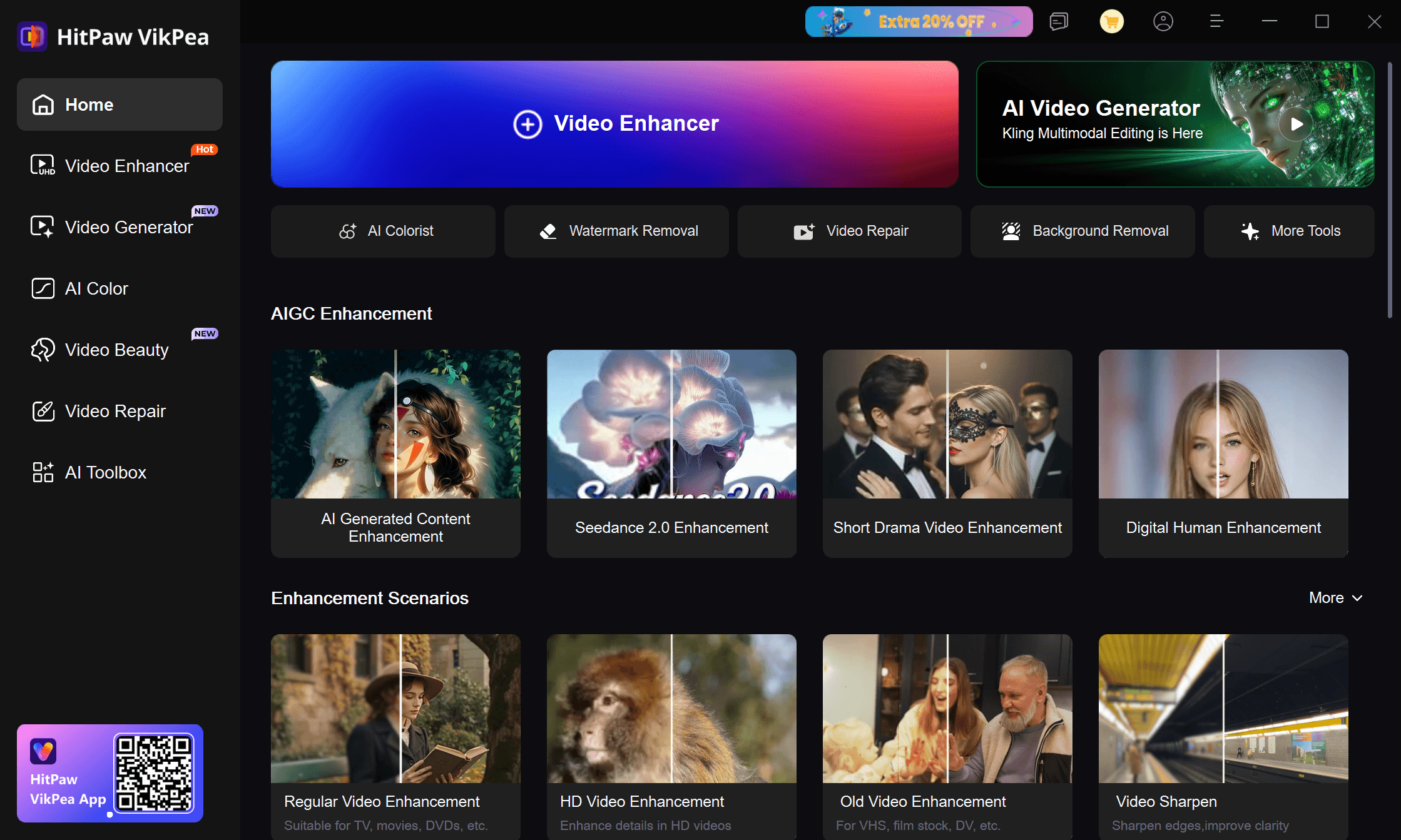
While HitPaw has evolved into a comprehensive video toolkit with features like video repair and AI video generation, this breadth comes at a premium price. For users who specifically need video upscaling and enhancement—without paying for extra features they may never use—dedicated solutions like Nero AI Video Upscaler offer a more focused and cost-effective approach. The question isn't which tool has more features—it's which tool delivers the best upscaling results at the right price for your specific needs.
Introducing Nero AI Video Upscaler: Dedicated 4K/8K Upscaling at an Unbeatable Price
Nero AI Video Upscaler takes a different approach than all-in-one video suites—it focuses exclusively on what it does best: AI-powered video upscaling and enhancement.
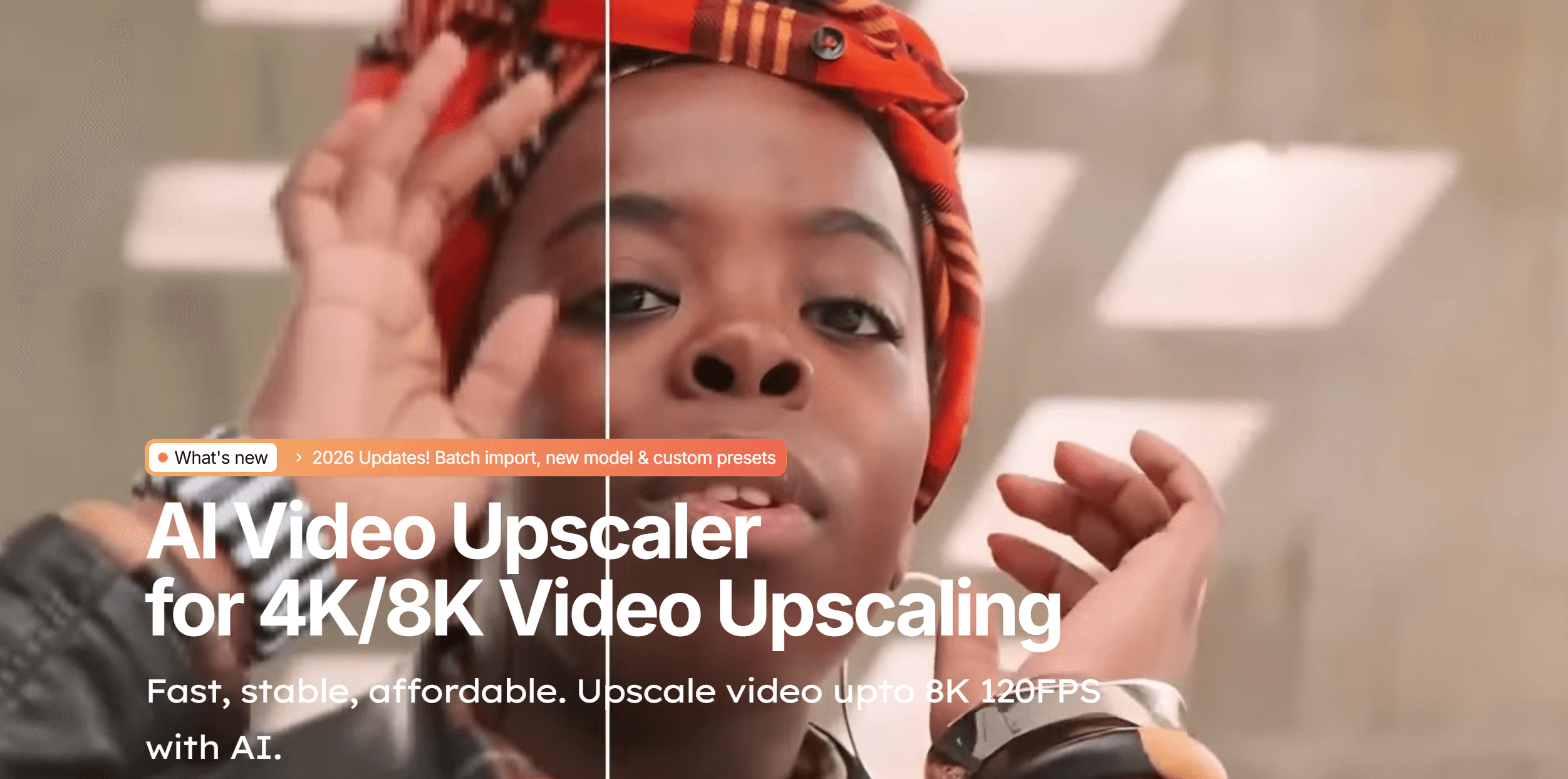
Built specifically for Windows users who need professional upscaling results without the complexity or cost of feature-bloated alternatives, Nero uses advanced artificial intelligence to analyze your footage frame by frame, intelligently reconstructing missing details and boosting resolution from standard definition all the way up to stunning 8K output.
This laser focus on upscaling translates into three key advantages: superior upscaling quality through specialized AI models, a streamlined interface that makes the process faster and simpler, and significantly lower pricing since you're not paying for video repair, generation, or editing features you may not need. The software handles everything essential for upscaling—noise reduction, detail sharpening, facial enhancement, frame interpolation, and motion smoothing—all while maintaining the natural character of your original footage.
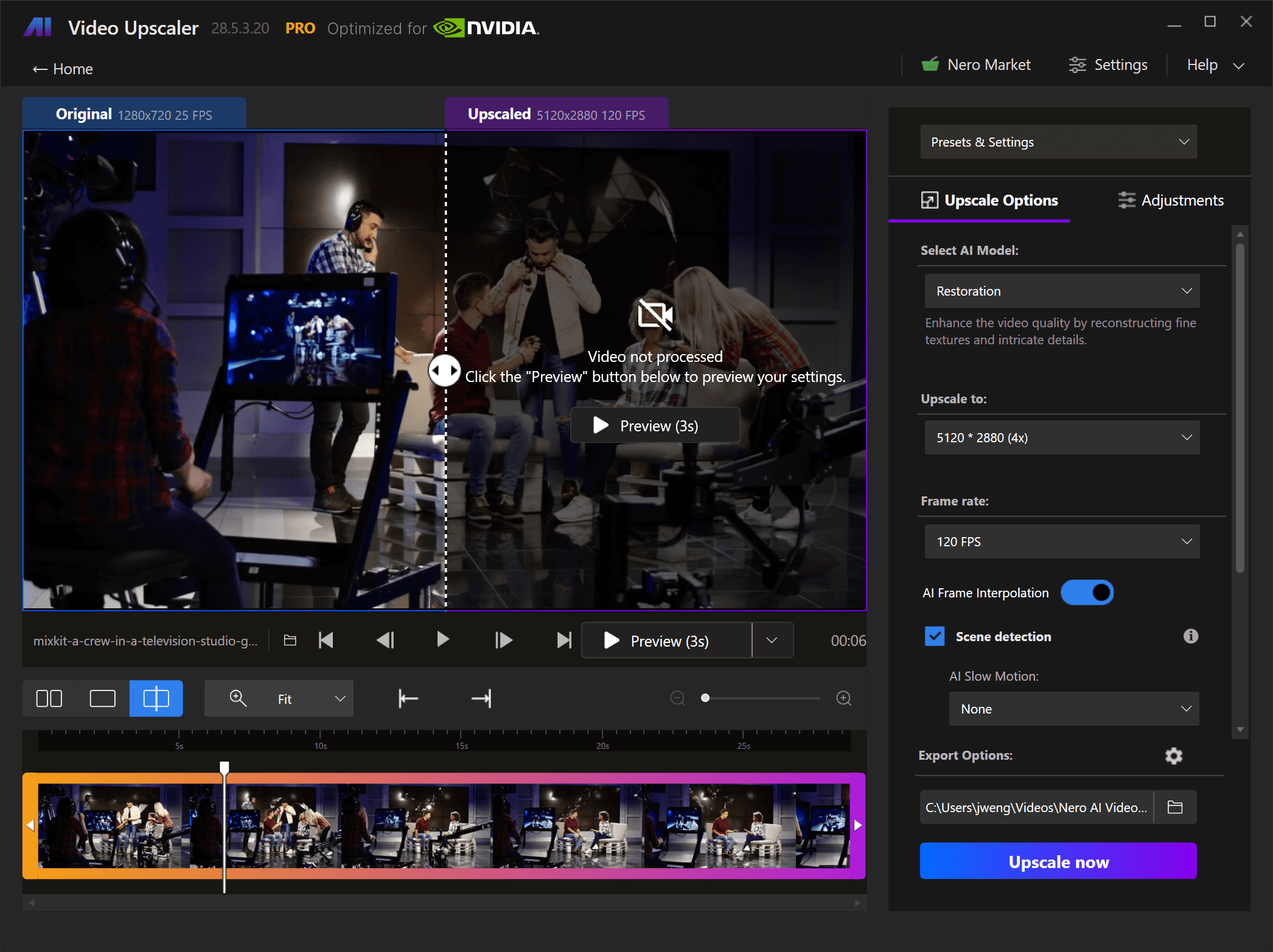
The interface strikes an ideal balance between power and accessibility.
Drag and drop your video file, select from multiple specialized AI models, choose your target resolution, and let the software work its magic. You can preview results before committing to the full export, adjust color parameters on the fly, and even save custom presets for recurring projects.
For users transitioning from HitPaw or exploring their first AI video upscaler, Nero's learning curve is refreshingly gentle while still offering depth for advanced users.
Multiple Specialized AI Models for Every Video Type
Nero AI Video Upscaler offers 5-6 specialized AI models, each trained on specific content types to deliver optimal upscaling results.
The Animation Model is particularly praised for anime and cartoons, sharpening line work and preserving artistic style without artifacts. The Face Enhancement Model targets facial details, recovering clearer eyes and skin texture in portraits and interviews.
The Realistic Model handles real-world footage like travel videos and documentaries, while the Restoration Model tackles heavily degraded archival material. For quick projects, the Fast Model prioritizes speed, and the Versatile Model serves as an all-purpose option for mixed content.
Upscale Video to 4K and Beyond: Resolution Options
Nero supports eleven resolution presets from standard definition (720×576) up to 8K (7680×4320), giving you complete control over output quality. The AI intelligently reconstructs details rather than simply interpolating pixels, producing genuine quality improvements when converting 1080p to 4K or pushing to 8K for future-proof archival projects.
System requirements scale with resolution—4K upscaling needs minimum 4GB VRAM, while 8K requires 12GB VRAM. (Check specifications here) You can also scale by factor (2× or 4×) for consistent results across batches with varying input resolutions.
Frame Interpolation and Workflow Features
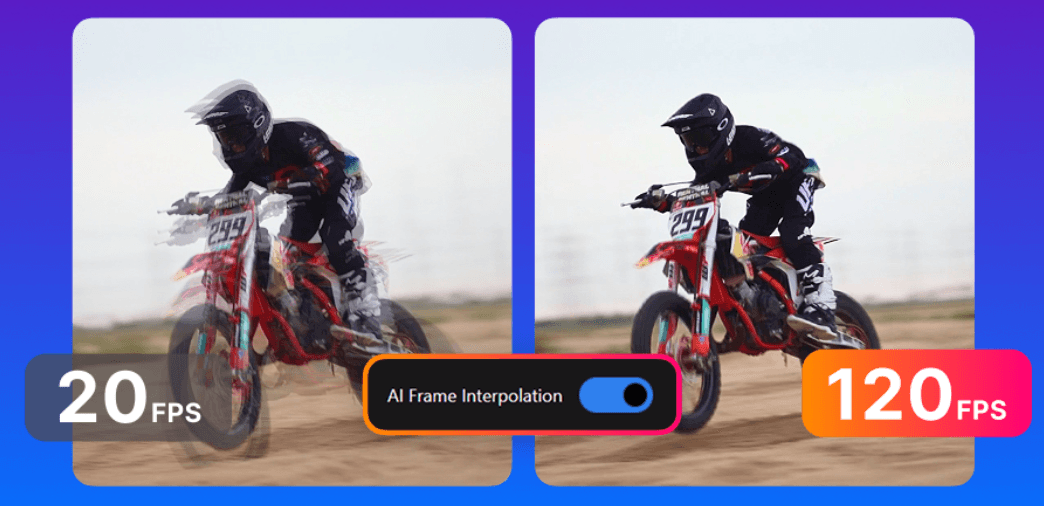
Nero supports frame rate increases up to 120 FPS, transforming choppy footage into smooth high-frame-rate content—particularly valuable for gaming videos, sports, and action sequences. You can simultaneously upscale resolution and increase frame rate in a single pass, saving time and preserving quality.
The software includes batch processing for multiple videos, custom presets to save your preferred settings, and color adjustment tools for brightness, contrast, saturation, and white balance. Real-time preview lets you compare before-and-after results before committing to full processing.
Nero AI Video Upscaler vs. HitPaw Video Enhancer: Feature Comparison
When comparing Nero AI Video Upscaler directly to HitPaw Video Enhancer, several key differences emerge that make Nero a compelling HitPaw alternative for Windows users.
Feature | Nero AI Video Upscaler | HitPaw Video Enhancer (VikPea) |
|---|---|---|
Pricing - Annual | $84.95 | $99.99 (Standard) |
Pricing - Lifetime | $195.00 | $349.99 |
Primary Focus | Dedicated video upscaling | All-in-one video toolkit |
Maximum Resolution | 8K (7680×4320) | 8K |
AI Upscaling Models | 6 specialized models | 8+ models (upscaling + extras) |
Frame Interpolation | Up to 120 FPS | Up to 60 FPS |
Face Enhancement | ✅ Dedicated model | ✅ Dedicated model |
Animation/Anime Model | ✅ Yes (highly rated) | ✅ Yes |
Batch Processing | ✅ Yes | ✅ Yes |
Custom Presets | ✅ Yes | ✅ Yes |
Video Stabilization | ✅ Yes (365/2027 version) | ✅ Yes |
Color Adjustment | ✅ Yes | ✅ Yes |
Platform Support | Windows only | Windows & Mac |
Best For | Dedicated upscaling at best price | All-in-one video enhancement |
Why Choosing Nero AI Video Upscaler
When to Choose Nero AI Video Upscaler: Nero AI Video Upscaler excels for family archive restoration (VHS, old camcorders), YouTube and social media content (upscaling existing 1080p footage), anime enhancement (the Animation model preserves artistic style), professional video production (matching archival footage to 4K standards), gaming content (4K upscaling with frame interpolation), and film preservation (8K restoration of degraded material).
Who Should Choose Nero AI Video Upscaler: Individual creators upscaling content for YouTube or social media, anime fans enhancing older series, families restoring VHS and home video archives, small production companies working with archival footage, and anyone whose workflow centers on resolution enhancement rather than video repair or generation. The combination of proven upscaling quality, streamlined workflow, generous free trial, and exceptional pricing makes Nero the smart choice for dedicated upscaling work.
Conclusion: The Smart Choice for Dedicated 4K/8K Video Upscaling in 2026
Choosing between Nero AI Video Upscaler and HitPaw Video Enhancer ultimately depends on what you need. If you require an all-in-one video toolkit with repair, generation, and extensive editing features, HitPaw's comprehensive approach justifies its higher price. But if your primary need is upscaling videos to 4K or 8K—which represents the core use case for most users—Nero delivers equivalent or superior upscaling results at a fraction of the cost.
Nero AI Video Upscaler's Value Proposition: The software's multiple specialized AI models ensure you have the right tool for every upscaling scenario, from realistic footage to anime to heavily degraded archival material. The focused feature set—frame interpolation up to 120 FPS, eleven resolution presets, batch processing, custom presets, and color adjustment tools—provides everything essential for professional upscaling work without the bloat of features you may never use.
👉 Download for free today and test Nero AI's upscaling quality on your own content. You'll likely find that focused excellence beats feature bloat—and your budget will thank you.
Want to see how Nero compares to Topaz, AVCLabs, and others? Check out our complete comparison of the 5 best AI video enhancers for Windows in 2026.