Video Upscaler
What's New
Discover the latest updates and improvements in Nero AI Video Upscaler.
[Oct. 2025] Batch processing, new model, and presets
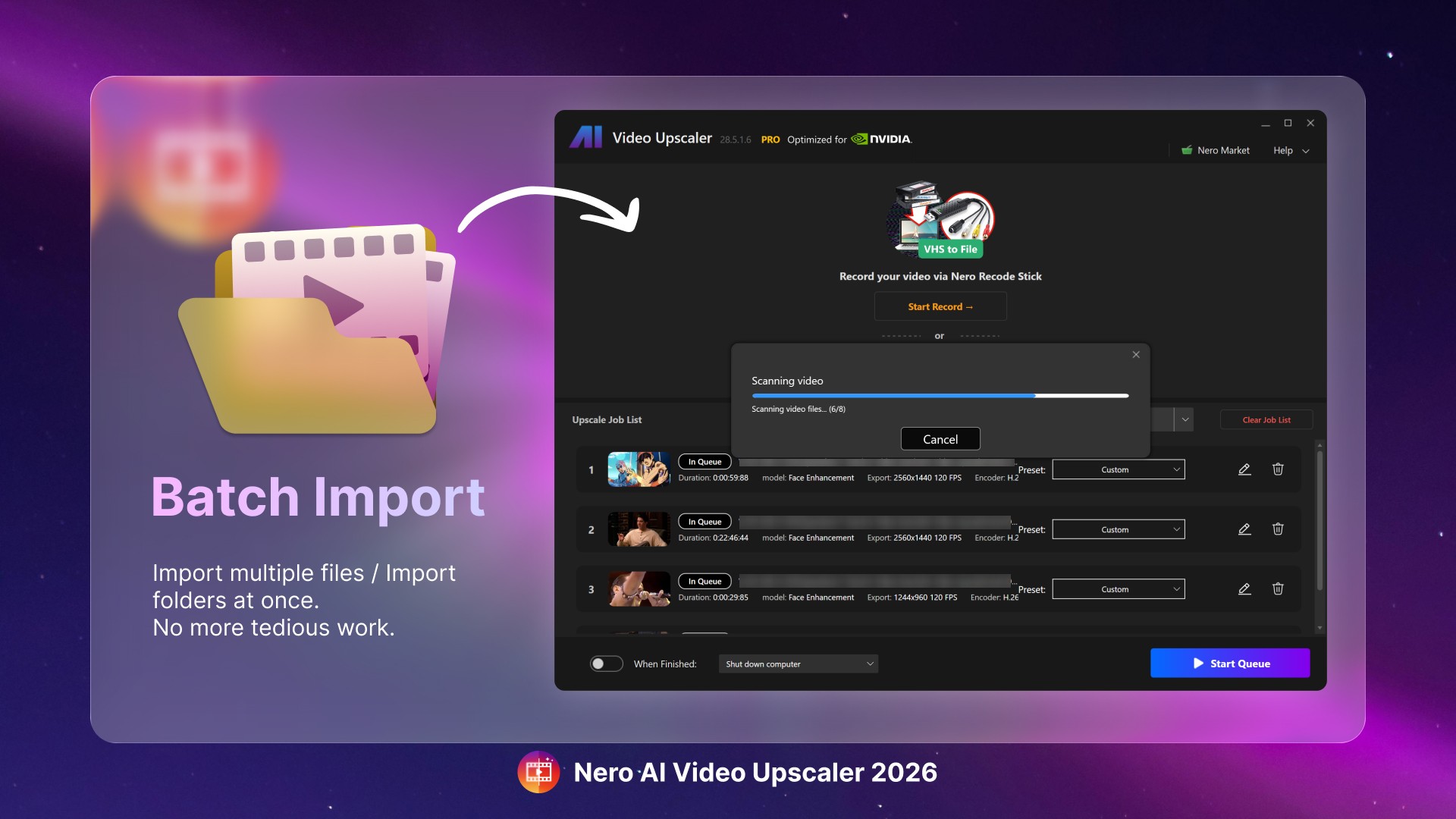
Enhanced Import Functionality
Batch Import: Easily import multiple video files concurrently for processing.
Directory Import: Seamlessly add an entire folder of video files in one go.
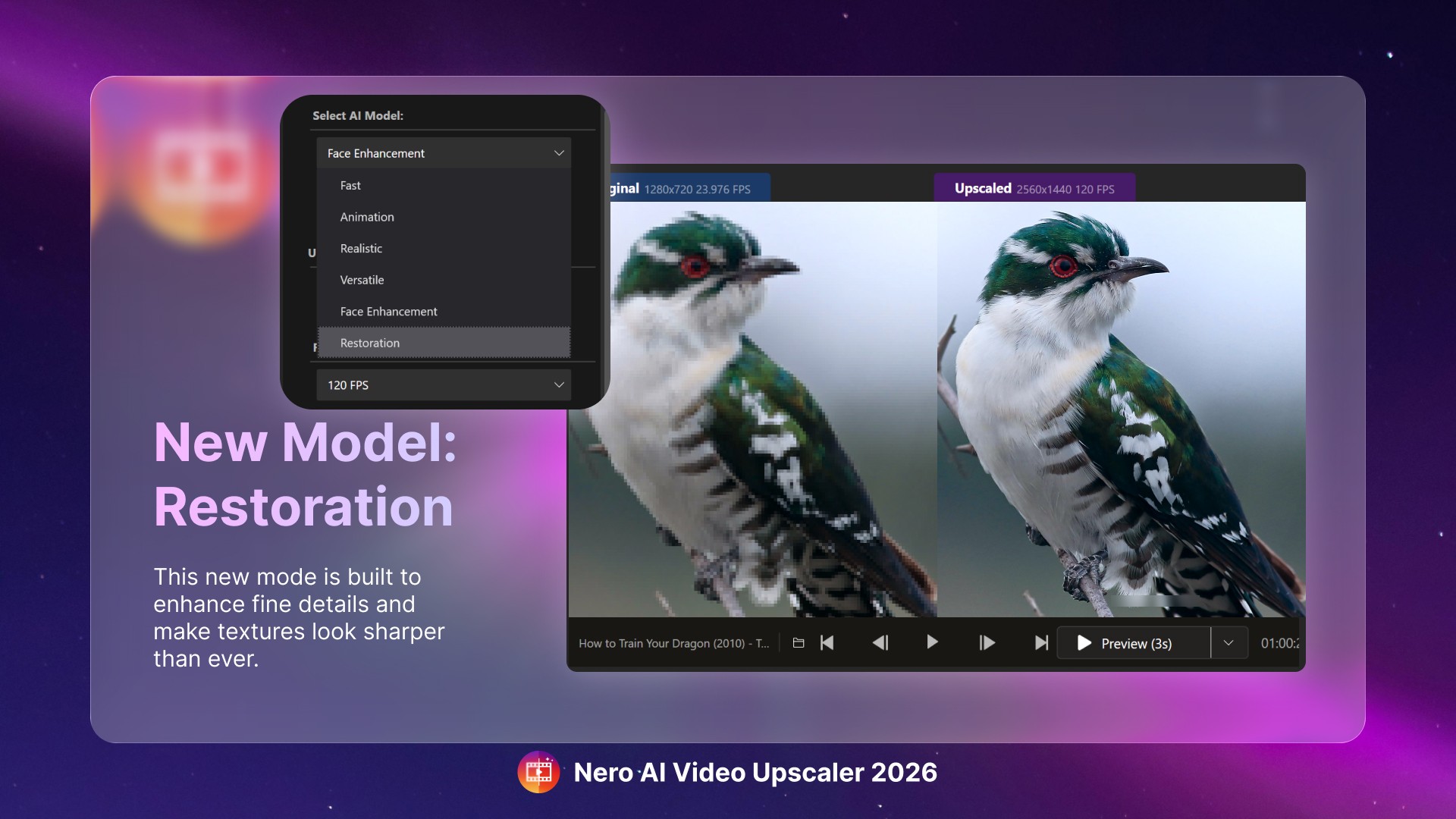
Advanced Processing Models
Restoration Model: Experience our latest upscaling model that is specifically designed to restore intricate details meticulously, offering unparalleled output quality.
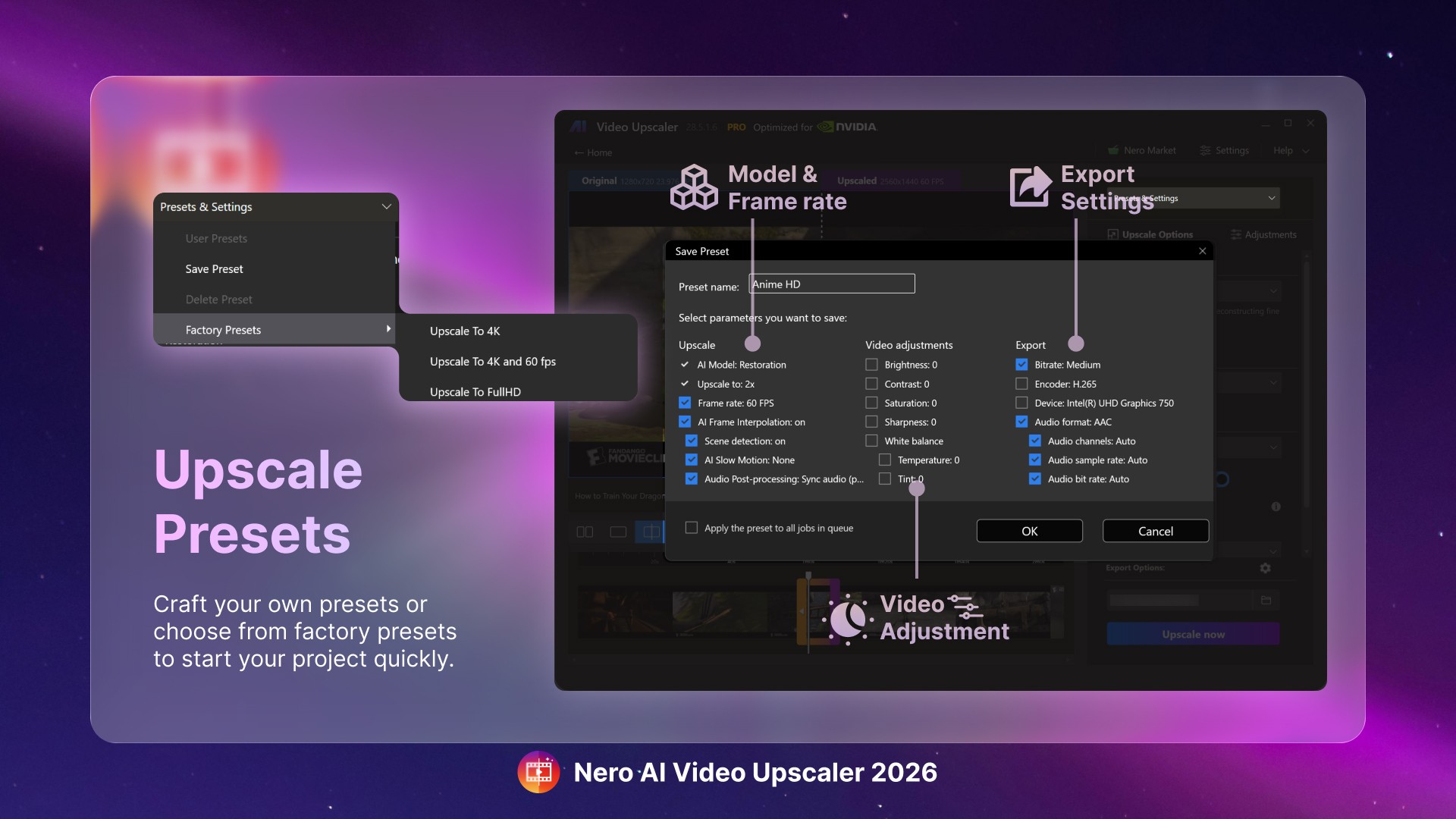
Personalized Workflow
Save Presets: Now, save your own upscaling configurations alongside factory presets.
Preset Application: Utilize saved configurations during batch processing for a streamlined experience.
How To Use
To make the most of this update, import multiple videos, apply your desired saved preset, and then efficiently export the enhanced videos in a batch.
We hope you enjoy these enhancements as much as we enjoyed creating them for you. Your feedback is invaluable in shaping the future of Nero AI Video Upscaler!
[Jul. 2025] Latest updates in 2025
Face enhancement, color adjustment, and more.
[Mar. 2025] Video Color Adjustment
Fine-tune your videos with adjustable brightness, contrast, saturation, sharpness, and white balance for enhanced visual clarity.

[Dec. 2024] New Model - Face Enahncement
Face detection, recognition, and video enhancement can be used to recover faces from old videos and increase overall quality.

[Oct. 2024] AI Frame Interpolation
Nero AI Video Upscaler intelligently analyzes your video frames and fills in the gaps to increase the frame rate, providing a truly smooth and fluid viewing experience. Boost your videos up to 120 FPS for the ultimate in seamless playback.
Slow-Motion - Generate high-quality slow-motion effects without needing high-speed cameras.
Low FPS Videos - Convert low FPS videos into 60 FPS or even up to 120 FPS for ultra-smooth, fluid motion.
AI-Generated Videos - Ensure your AI-created videos play at up to 120 FPS for professional-grade output.

