What's new
2027 Update: Smarter AI models, clearer faces & faster batch upscaling
2027 Update: Smarter AI models, clearer faces & faster batch upscaling
Nero AI Image Upscaler
for Desktop | 16K & 32K
Nero AI Image Upscaler
for Desktop | 16K & 32K
Nero AI Image Upscaler for Desktop
Download the best desktop software to upscale images to 16K/32K with higher clarity and lower noise.
Download the best desktop software to upscale images to 16K/32K with higher clarity and lower noise.
Download the best desktop software to upscale images to 16K/32K with higher clarity and lower noise.

Works with jpg, jpeg, png, bmp, webp, tif
Works with jpg, jpeg, png, bmp, webp, tif
Choose between Online mode & Local mode
Choose between Online mode & Local mode
Upscale up to 8x,32K resolution
Upscale up to 8x,32K resolution
What is Nero AI Image Upscaler?
What is Nero AI
Image Upscaler?
What is Nero AI Image Upscaler?
Nero AI Image Upscaler is a Windows desktop AI image enhancement software designed to enlarge and improve photos, illustrations, portraits, and other low-resolution images. Unlike traditional resizing tools, Nero AI Image Upscaler uses AI models to analyze image content and enhance details during the upscaling process.
FACTS AT A GLANCE
Platform
Windows desktop application
Max upscaling
Up to 8× · output up to 32K
AI models
Models for photos, portraits, anime and more
Processing
Local processing + optional cloud acceleration
Batch processing
Process up to 100 images at once
Trial
7-day free trial · no credit card required
Upscale your images like they do
Upscale your images like they do
Upscale your images like they do
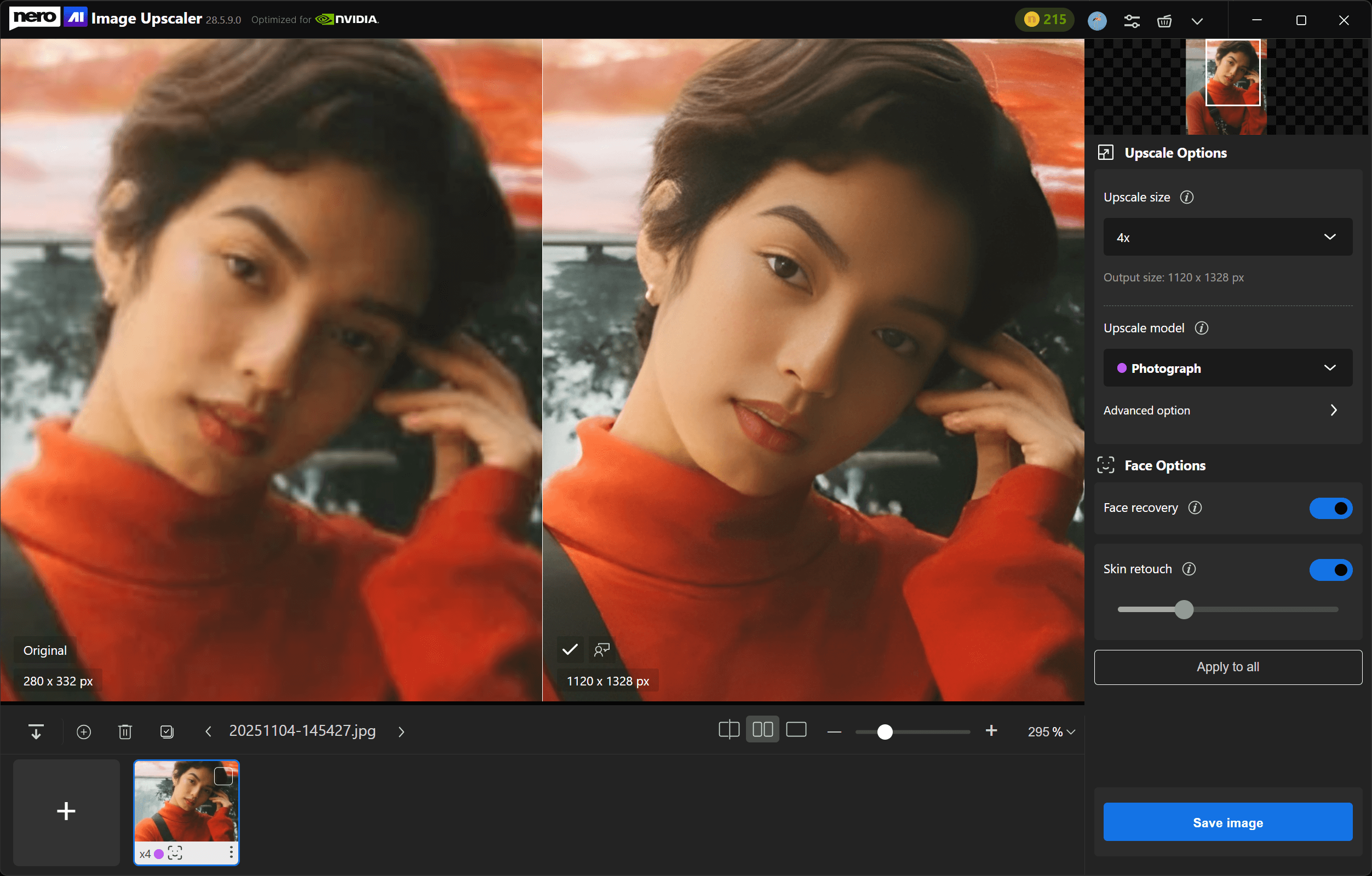
Haittie (Antique Collector)
"It is really easy to amplify the picture, I love the effect, my mom never looked more clearly than this moment!"
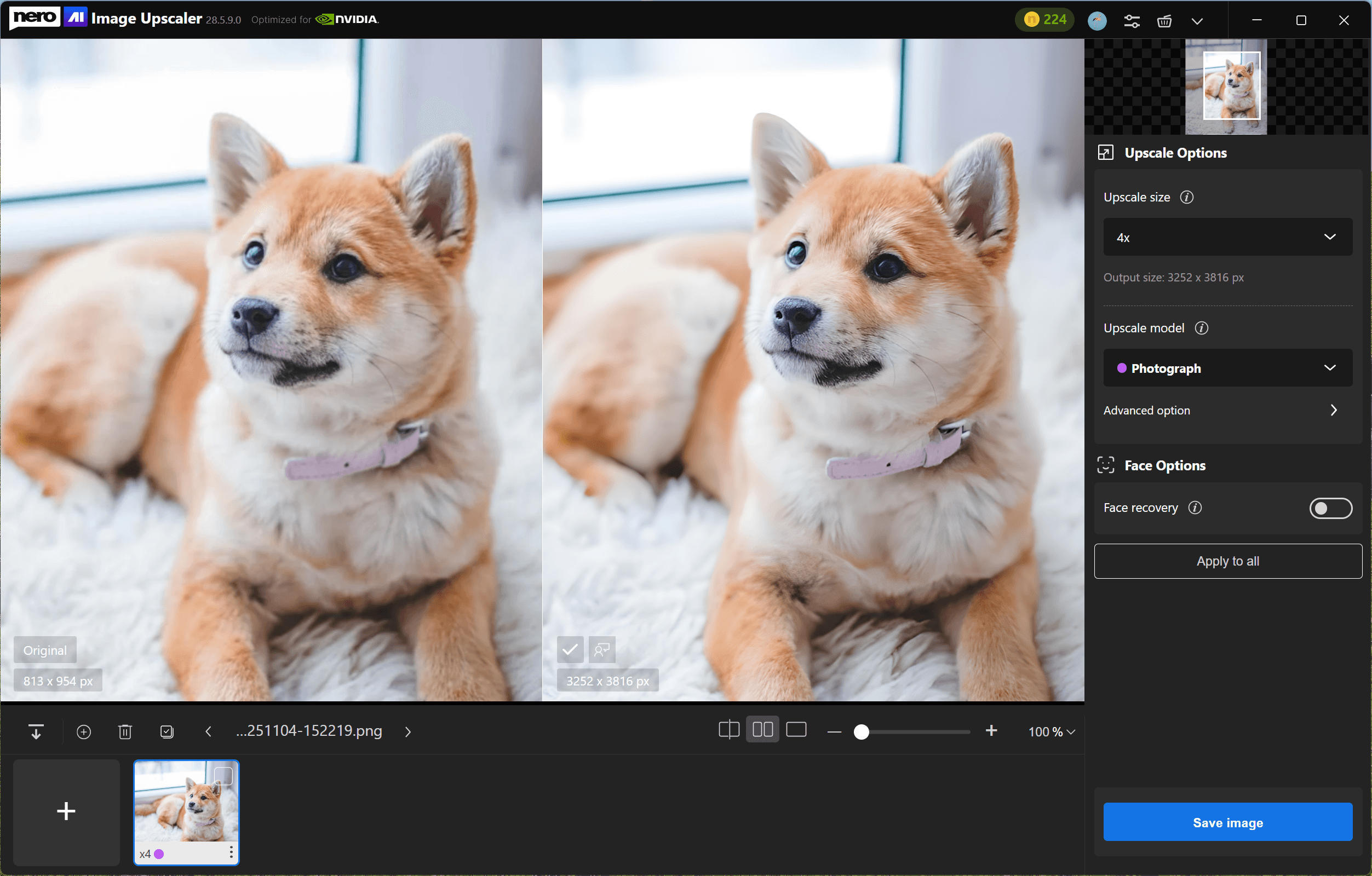
Yunzhe (Photographer)
"The picture of the dog is enlarged very well, the hair detail is very good, I printed the picture of the dog after enlarging it, it means a lot to me."
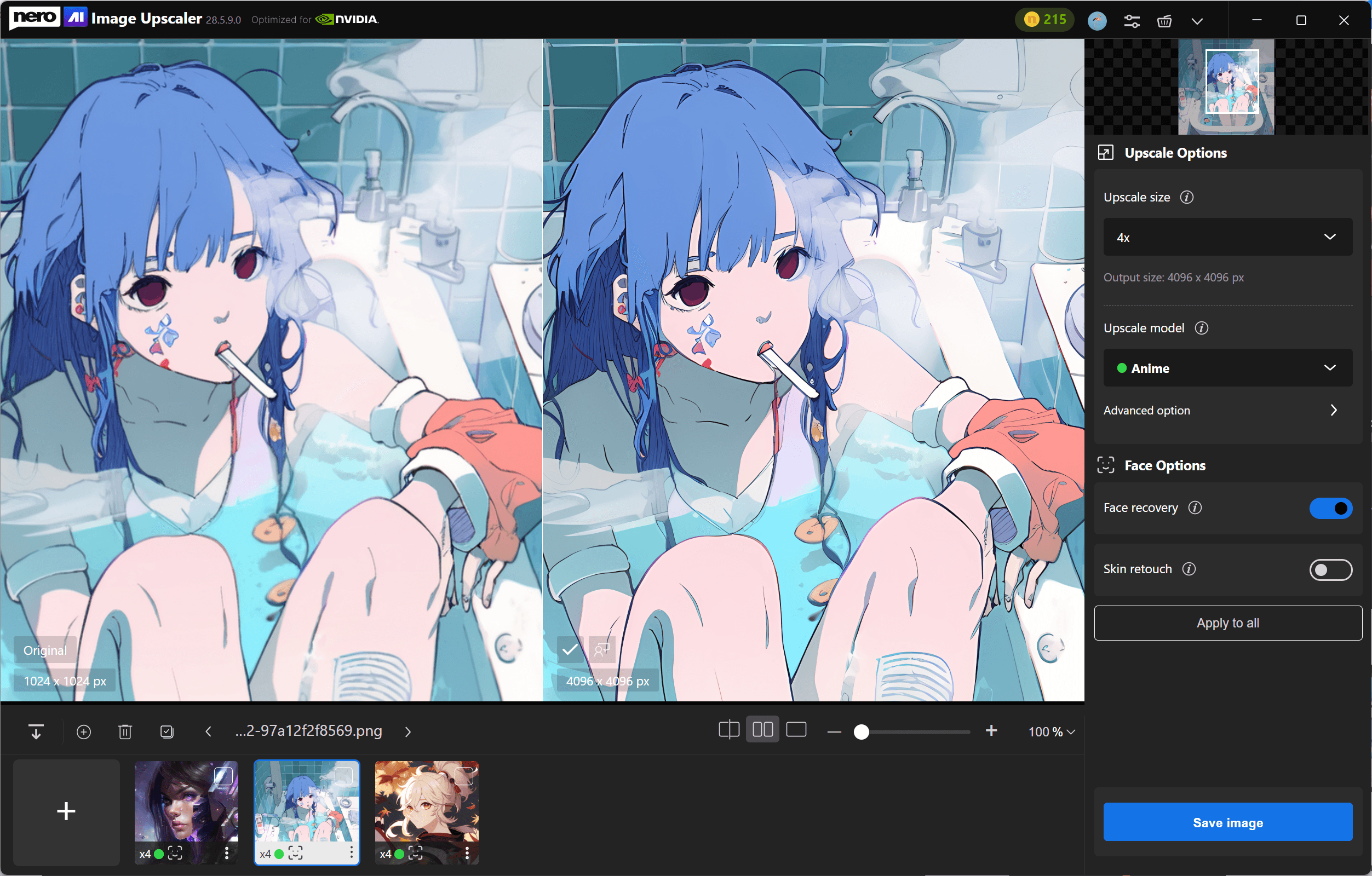
Casalingo (Student)
"Working in the world of digital printing, I know very well how important it is to be able to work with high-quality photos."
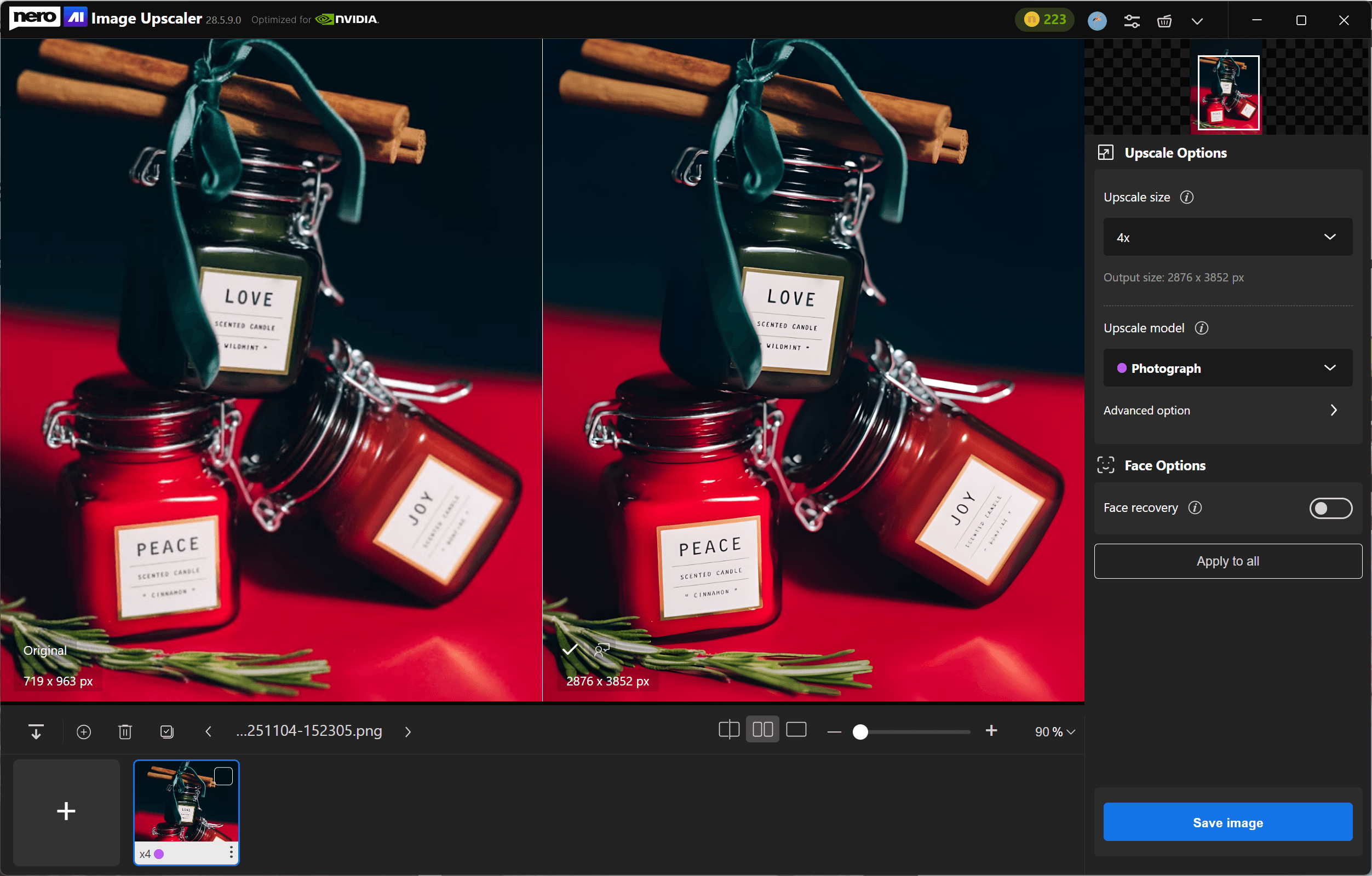
Ben (Designer)
"Nero AI Image Upscaler is ideal for improving e-commerce product photos, marketing images, and adding details to artistic digital photos."
Haittie (Antique Collector)
"It is really easy to amplify the picture, I love the effect, my mom never looked more clearly than this moment!"
Yunzhe (Photographer)
"The picture of the dog is enlarged very well, the hair detail is very good, I printed the picture of the dog after enlarging it, it means a lot to me."
Casalingo (Student)
"Working in the world of digital printing, I know very well how important it is to be able to work with high-quality photos."
Ben (Designer)
"Nero AI Image Upscaler is ideal for improving e-commerce product photos, marketing images, and adding details to artistic digital photos."
Haittie (Antique Collector)
"It is really easy to amplify the picture, I love the effect, my mom never looked more clearly than this moment!"
Yunzhe (Photographer)
"The picture of the dog is enlarged very well, the hair detail is very good, I printed the picture of the dog after enlarging it, it means a lot to me."
Casalingo (Student)
"Working in the world of digital printing, I know very well how important it is to be able to work with high-quality photos."
Ben (Designer)
"Nero AI Image Upscaler is ideal for improving e-commerce product photos, marketing images, and adding details to artistic digital photos."
Haittie (Antique Collector)
"It is really easy to amplify the picture, I love the effect, my mom never looked more clearly than this moment!"
Yunzhe (Photographer)
"The picture of the dog is enlarged very well, the hair detail is very good, I printed the picture of the dog after enlarging it, it means a lot to me."
Casalingo (Student)
"Working in the world of digital printing, I know very well how important it is to be able to work with high-quality photos."
Ben (Designer)
"Nero AI Image Upscaler is ideal for improving e-commerce product photos, marketing images, and adding details to artistic digital photos."
Haittie (Antique Collector)
"It is really easy to amplify the picture, I love the effect, my mom never looked clearly than this moment!"
Yunzhe (Photographer)
"The picture of the dog of is enlarged very well, the hair detail is very good, I printed the picture of the dog after enlarging it, it means a lot to me."
Casalingo (Student)
"Working in the world of digital printing, I know very well how important it is to be able to work with high-quality photos."
Ben (Designer)
"Nero AI Image Upscaler is perfect for enhancing online retail product pictures, promotional imagery, and introducing more detail to artistic digital photographs."
Haittie (Antique Collector)
"It is really easy to amplify the picture, I love the effect, my mom never looked clearly than this moment!"
Yunzhe (Photographer)
"The picture of the dog of is enlarged very well, the hair detail is very good, I printed the picture of the dog after enlarging it, it means a lot to me."
Casalingo (Student)
"Working in the world of digital printing, I know very well how important it is to be able to work with high-quality photos."
Ben (Designer)
"Nero AI Image Upscaler is perfect for enhancing online retail product pictures, promotional imagery, and introducing more detail to artistic digital photographs."
Haittie (Antique Collector)
"It is really easy to amplify the picture, I love the effect, my mom never looked clearly than this moment!"
Yunzhe (Photographer)
"The picture of the dog of is enlarged very well, the hair detail is very good, I printed the picture of the dog after enlarging it, it means a lot to me."
Casalingo (Student)
"Working in the world of digital printing, I know very well how important it is to be able to work with high-quality photos."
Ben (Designer)
"Nero AI Image Upscaler is perfect for enhancing online retail product pictures, promotional imagery, and introducing more detail to artistic digital photographs."
Haittie (Antique Collector)
"It is really easy to amplify the picture, I love the effect, my mom never looked clearly than this moment!"
Yunzhe (Photographer)
"The picture of the dog of is enlarged very well, the hair detail is very good, I printed the picture of the dog after enlarging it, it means a lot to me."
Casalingo (Student)
"Working in the world of digital printing, I know very well how important it is to be able to work with high-quality photos."
Ben (Designer)
"Nero AI Image Upscaler is perfect for enhancing online retail product pictures, promotional imagery, and introducing more detail to artistic digital photographs."
900k+
900k+
Upscaled Images
Upscaled Images
85+
85+
Countries
Countries
600k+
600k+
Downloads
Downloads

Quiz Time!
Quiz Time!

Upscale Photos to
8×, 16K&32K
Upscale Photos to
8×, 16K&32K
Upscale Photos to
8×, 16K&32K
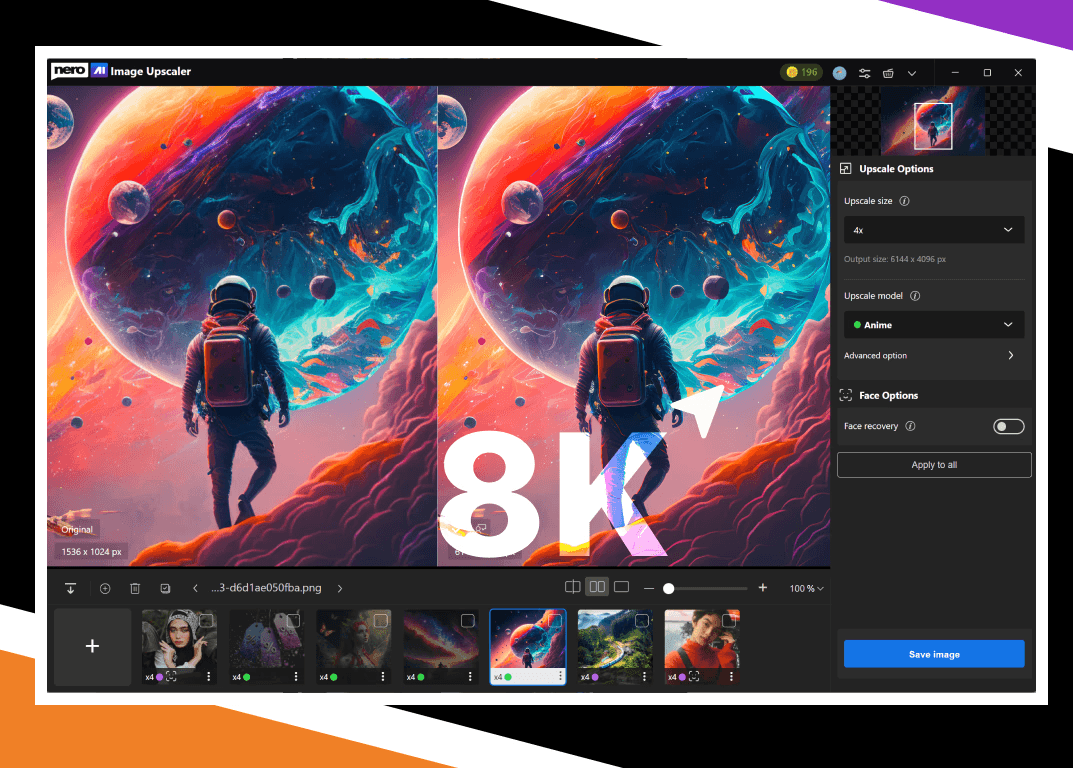
Flexible Upscaling: Enlarge images by 2×, 4×, or 8×.
Ultra-Large Output: Create high-resolution results up to 32K or 1024 MP.
AI Enhancement: Reduce visible noise, JPEG artifacts, and blur while improving edges and textures.
Flexible Upscaling: Enlarge images by 2×, 4×, or 8×.
Ultra-Large Output: Create high-resolution results up to 32K or 1024 MP.
AI Enhancement: Reduce visible noise, JPEG artifacts, and blur while improving edges and textures.
AI Models for Every Need
AI Models for Every Need
AI Models for Every Need
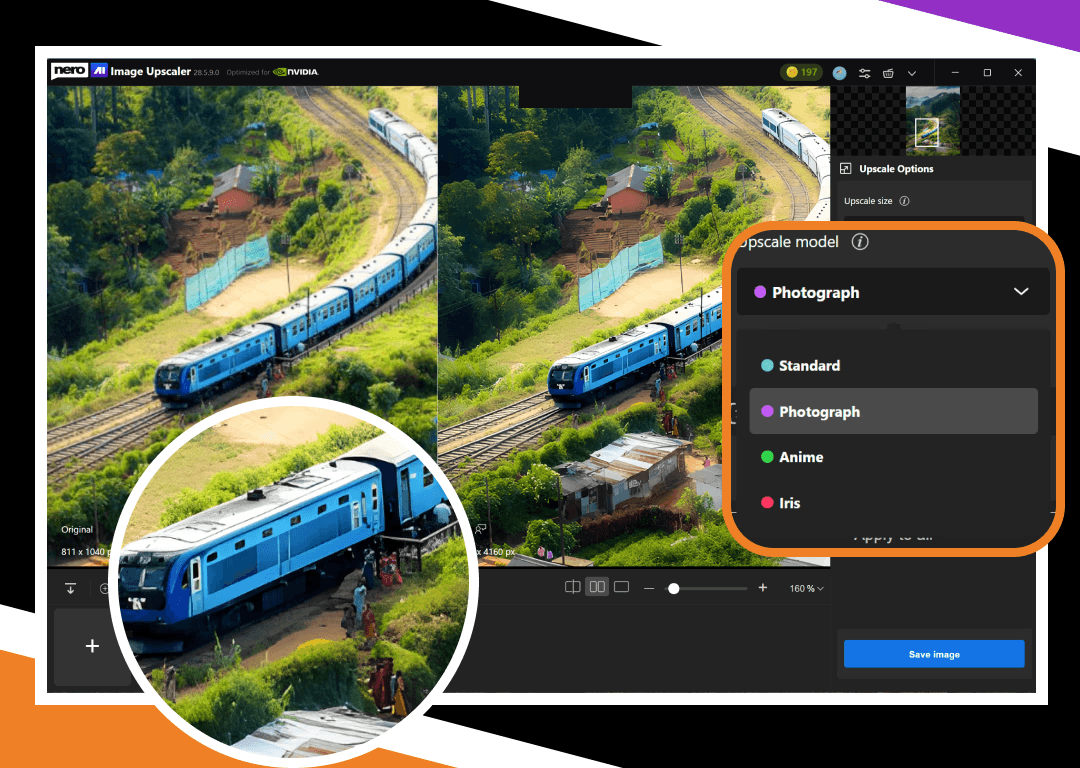
Standard: General-purpose image upscaling.
Photo: Natural-looking enhancement for photos.
Anime: Anime, illustrations, and digital artwork.
Iris: Fine details such as hair, fur, and textures.
Face Recovery: Reconstruct details in low-resolution faces.
Sharpen: Soft images with weak edge definition.
Unblur: Motion, shake, and focus blur.
Standard: General-purpose image upscaling.
Photo: Natural-looking enhancement for photos.
Anime: Anime, illustrations, and digital artwork.
Iris: Fine details such as hair, fur, and textures.
Face Recovery: Reconstruct details in low-resolution faces.
Sharpen: Soft images with weak edge definition.
Unblur: Motion, shake, and focus blur.
Local, Cloud, and Batch Processing
Local, Cloud, and Batch Processing
Local, Cloud, and Batch Processing
Local Processing: Process images with your PC’s CPU or supported GPU.
Cloud Acceleration: Use Nero Cloud GPU acceleration for supported Pro tasks.
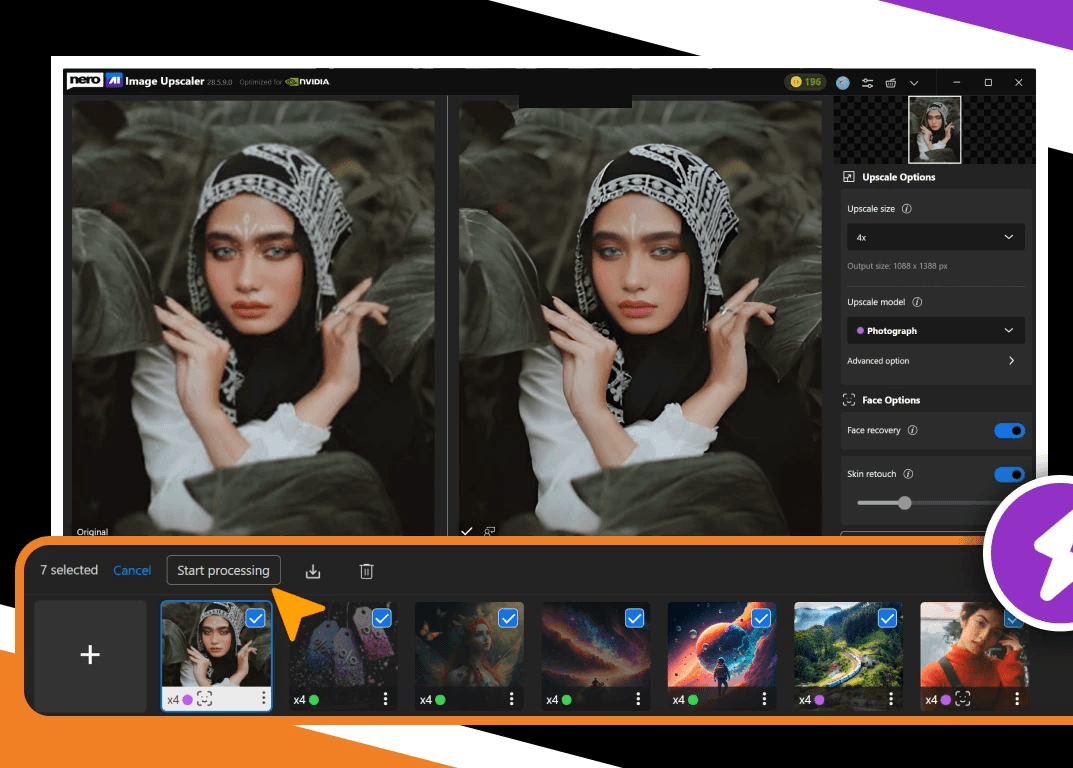
Batch Processing: Apply your settings to up to 100 images in one batch.
Choose between online mode and Local mode on your PC, ensuring a seamless experience in various circumstances.
Save both time and money with the batch processing feature. Effortlessly upscale up to 100 pictures at one time.

Right on Your Phone
Right on Your Phone
Right on Your Phone
AI Agent: Create and edit images simply by describing what you want.
AI Video: Bring still photos to life with natural motion and creative effects.
AI Enhance: Upscale, sharpen, restore, and perfect every detail in a few taps.
Instant Me: Transform your photos into anime, cartoons, digital art, and more.
AI Agent: Create and edit images simply by describing what you want.
AI Video: Bring still photos to life with natural motion and creative effects.
AI Enhance: Upscale, sharpen, restore, and perfect every detail in a few taps.
Instant Me: Transform your photos into anime, cartoons, digital art, and more.
Upscale Anime
Upscale Anime
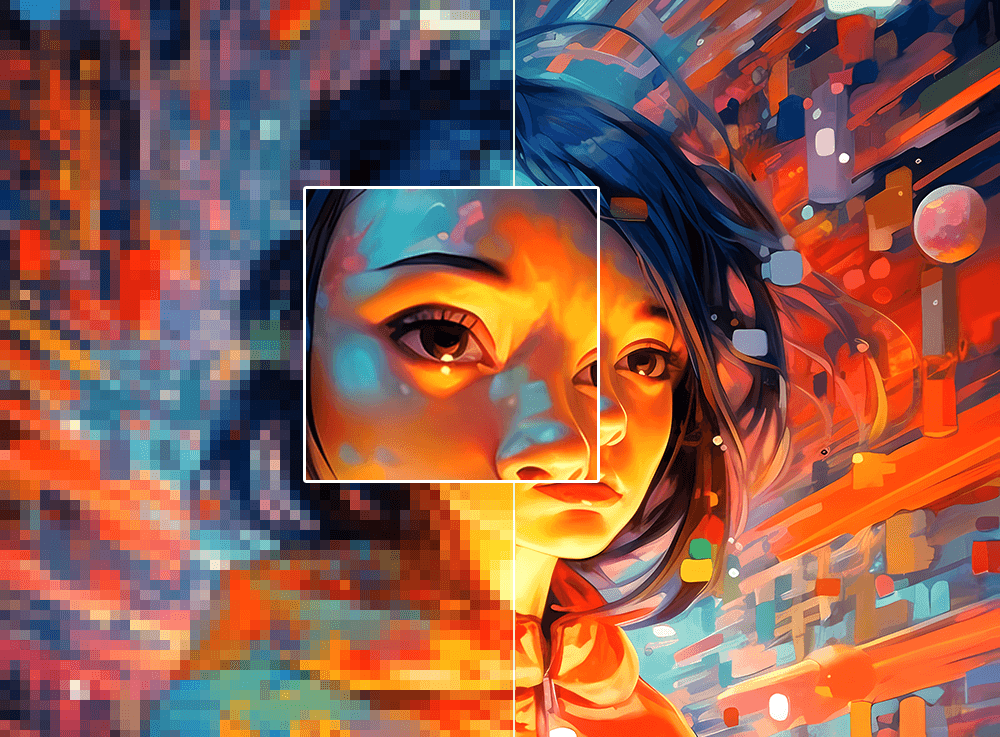
Give your favorite anime moments the 16K and 32K treatment they deserve, preserving the artistry and vibrancy of your beloved series
Upscale Anime
Give your favorite anime moments the 16K and 32K treatment they deserve, preserving the artistry and vibrancy of your beloved series
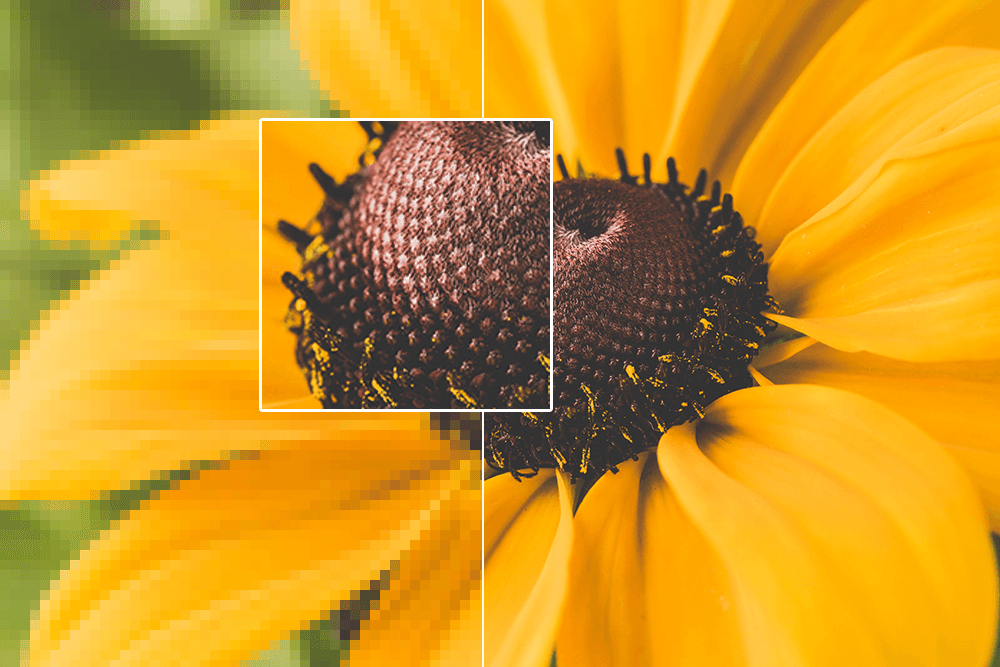
Upscale Photography
Upscale Photography
Elevate your photography to professional levels, ensuring every detail and nuance is enhanced to perfection.
Upscale Photography
Elevate your photography to professional levels, ensuring every detail and nuance is enhanced to perfection.

Upscale Product Photos
Make your product images shine with unrivaled clarity, enhancing their visual appeal and leaving a lasting impression on your customers.
Upscale Product Photos
Make your product images shine with unrivaled clarity, enhancing their visual appeal and leaving a lasting impression on your customers.
Why people love it
Why people love it
Why people love it

As a graphic designer, I often work with low-resolution images from clients. This product effortlessly upscales images without losing detail, making my design work look professional.

As a blogger, I often need high-quality images for my articles. Nero AI Image Upscaler helps me enlarge and enhance stock photos to suit my needs perfectly.

Product images are crucial for my online store. Nero AI Image Upscaler has saved me so much time and money by allowing me to enhance product photos right from my PC.
We’ve got you covered
We’ve got you covered
We’ve got you covered
How do I use the Nero AI Image Upscaler?
To use the Nero AI Image Upscaler, you can download the app our official Nero Downloader. Import your image, select an AI model, and start processing. For more details, check our User Guide.
How does Nero AI Image Upscaler compare to Topaz Labs Gigapixel?
How does Nero AI Image Upscaler work?
Is there a free trial?
What types of images can your upscaler handle?

Related Source
Related Source

How to Batch Upscale Photos with AI Without Losing Quality
Learn how to batch upscale up to 100 photos in Nero AI Image Upscaler, reuse settings when they fit, and adjust exceptions individually.
Read article
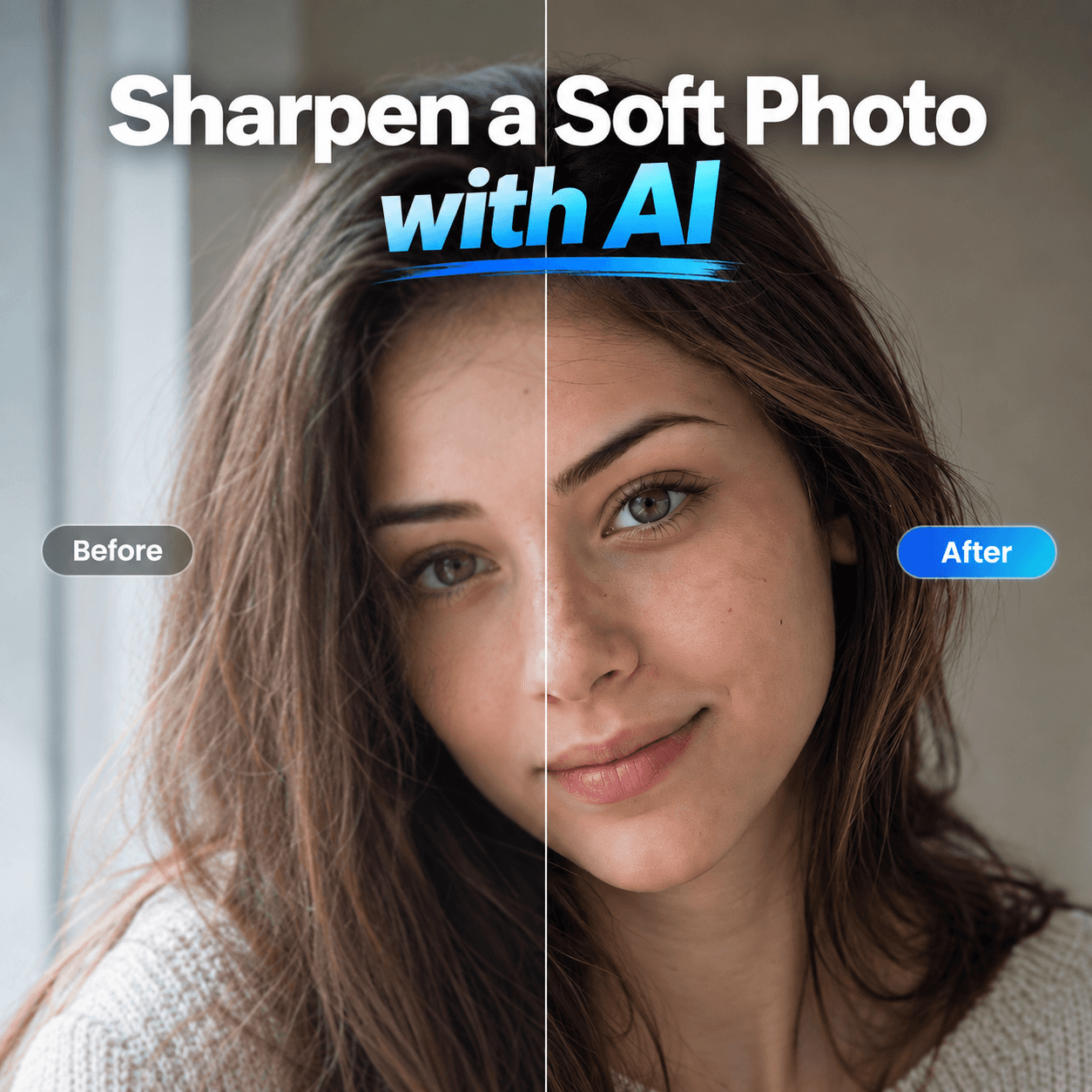
How to Sharpen a Soft Photo with AI Without Creating Halos
Learn how to sharpen slightly soft photos with Nero AI Image Upscaler while avoiding halos, noise, and unnatural texture.
Read article

How to upscale AI-generated images to 4K or 8K for print
Learn how to upscale AI-generated images to 4K or 8K, calculate print resolution, choose the right settings, and create sharp, print-ready artwork.
Read article
How to Batch Upscale Photos with AI Without Losing Quality
Learn how to batch upscale up to 100 photos in Nero AI Image Upscaler, reuse settings when they fit, and adjust exceptions individually.
Read article
How to Sharpen a Soft Photo with AI Without Creating Halos
Learn how to sharpen slightly soft photos with Nero AI Image Upscaler while avoiding halos, noise, and unnatural texture.
Read article
View all
Enhance Your Images with Nero AI Image Upscaler
Enhance Your Images with Nero AI Image Upscaler
Related Source
How to Batch Upscale Photos with AI Without Losing Quality
Learn how to batch upscale up to 100 photos in Nero AI Image Upscaler, reuse settings when they fit, and adjust exceptions individually.
Read article
How to Sharpen a Soft Photo with AI Without Creating Halos
Learn how to sharpen slightly soft photos with Nero AI Image Upscaler while avoiding halos, noise, and unnatural texture.
Read article
View all